
Odoo 20 New Expected Features: Everything B2B Businesses Need to Know
Explore Odoo 19.3: What's New?
Discover the latest functional features, technical enhancements, and performance improvements introduced in Odoo 19.3. Learn how these exciting updates can help businesses and developers work smarter and more efficiently.
The business world is evolving fast, and so is Odoo. The upcoming Odoo 20 features are designed to help businesses across manufacturing, retail, services, healthcare, and more operate smarter, scale faster, and manage every process from a single platform.
Whether you run a startup or an enterprise, Odoo 20 brings powerful upgrades across accounting, CRM, inventory, HR, and eCommerce. At Synconics, we help B2B companies in the USA, Canada, Europe, Australia, and New Zealand implement Odoo ERP with ease so you're always ready for what's next.
What Are the Expected Odoo 20 Features for Businesses?
Odoo has consistently delivered meaningful upgrades with every version and Odoo 20 is expected to be no different. Based on the development roadmap and community insights, the upcoming Odoo 20 features are focused on three core pillars: intelligence, simplicity, and scalability.
For B2B businesses, this means less manual work, faster decision-making, and a more connected operation across every department — from finance and sales to warehouse and HR.
Here is a high-level look at what businesses can expect from Odoo 20:
AI & Smart Automation:
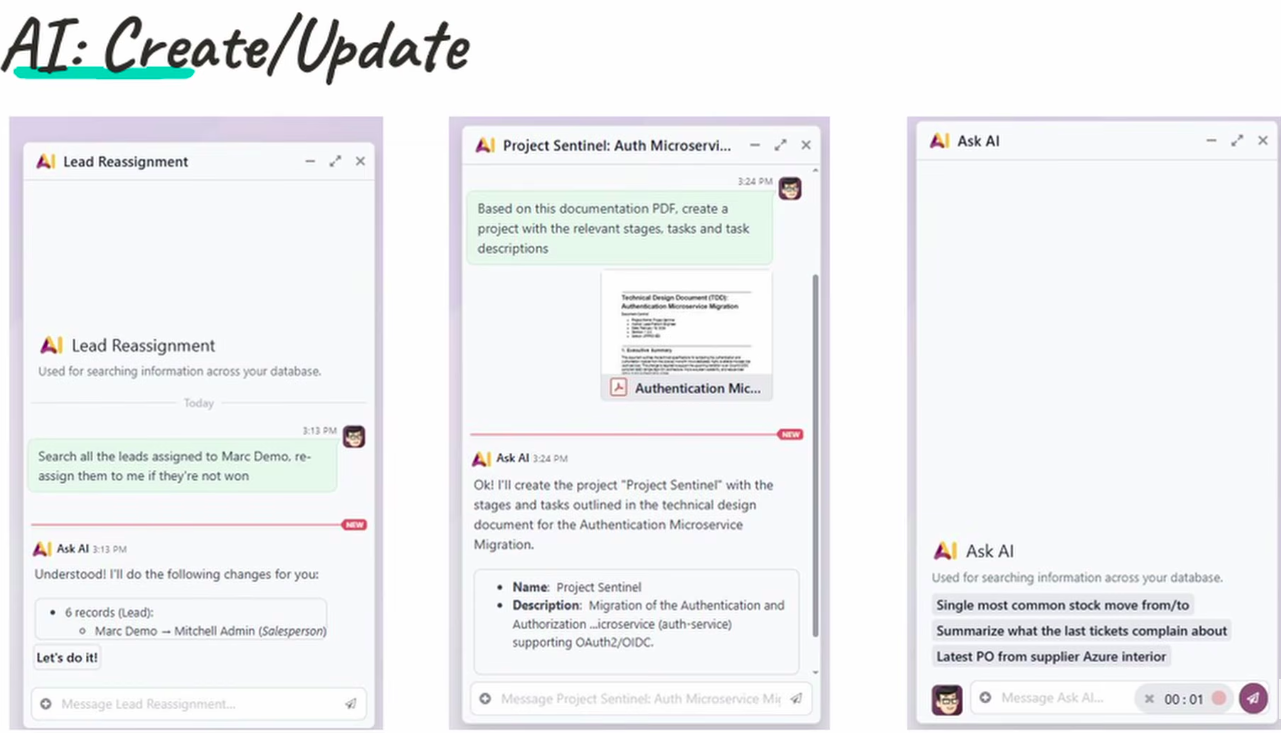
AI use for create and update records:
Odoo 20 leverages AI to instantly create and update records eliminating manual data entry, reducing errors, and freeing your team to focus on what drives business growth.
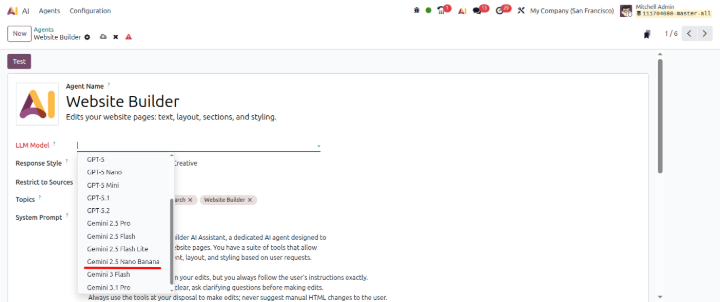
AI Agents will now have Gemini 2.5 Nano Banana support:
While configuring AI agents, you can configure LLM model as Gemini 2.5 Nano banana
Odoo 20 Accounting New Expected Features:
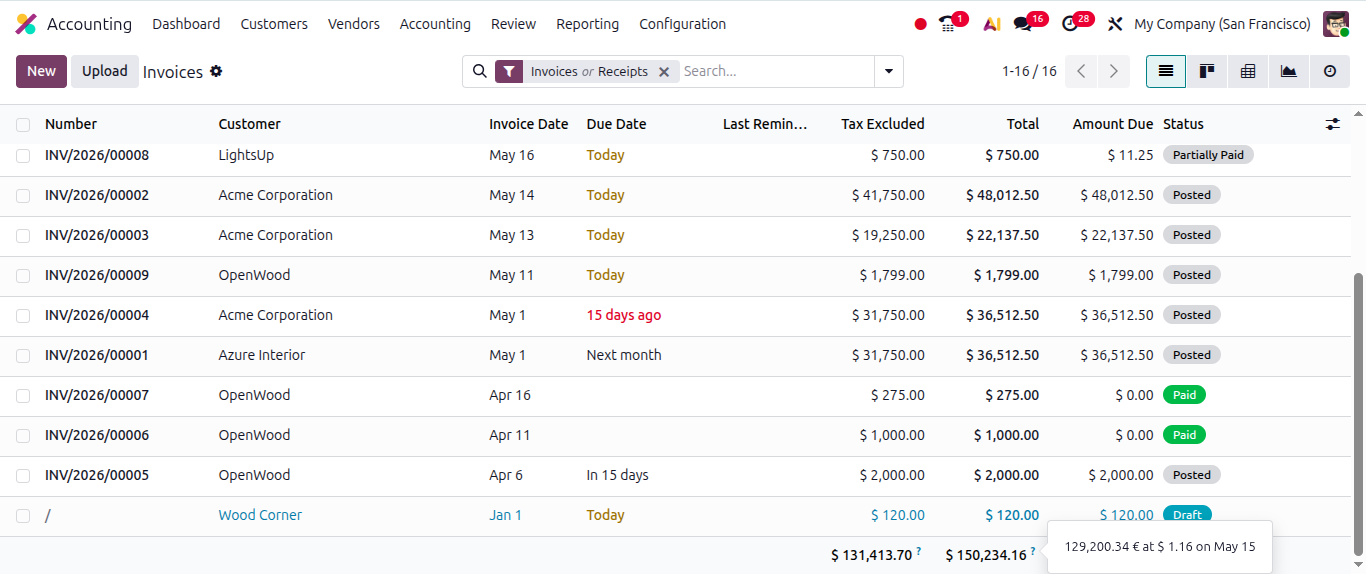
Enhanced Multi-Currency Management in Odoo 20:
Invoice totals now include live currency exchange rates with their latest update date, giving users better transparency, accuracy, and control over international accounting transactions.
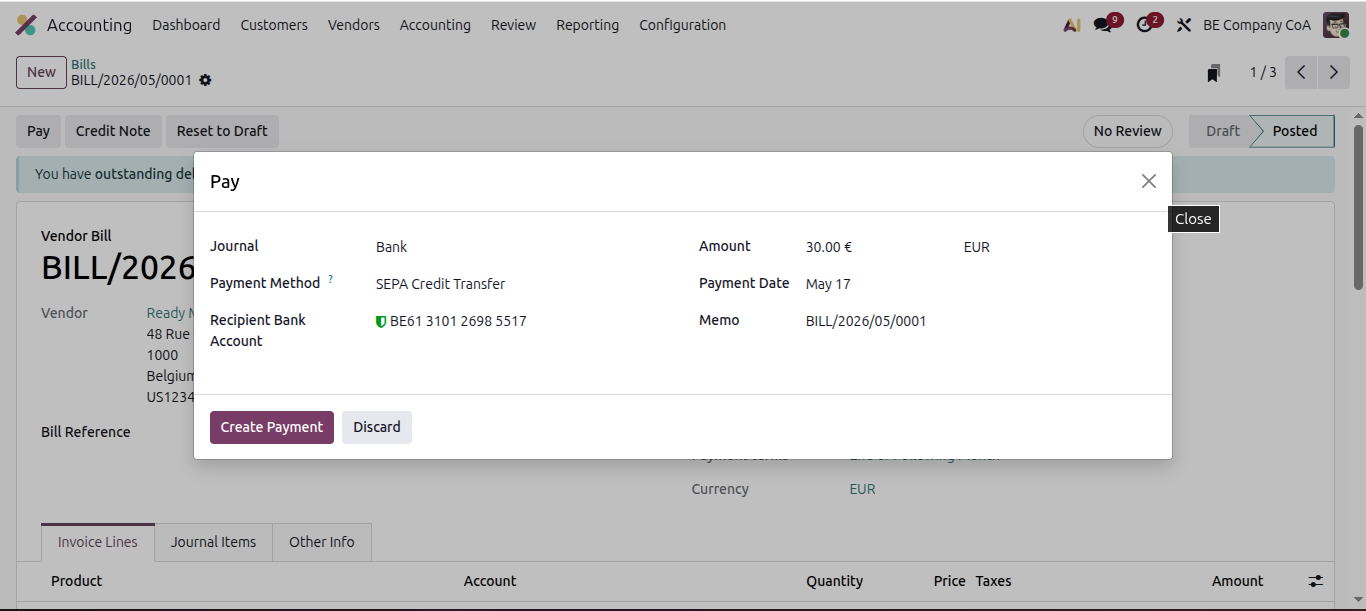
Vendor Bill payment - SEPA Difrect credit:
Now users will be able to pay vendor bill by selecting payment method as SEPA direct credit and the system will automatically generate an XML file.
AI Accounting for Non CFOs:
Users can now use AI in Accounting such like in Audit tracking or to find if any Anomaly is there in Audit report etc.
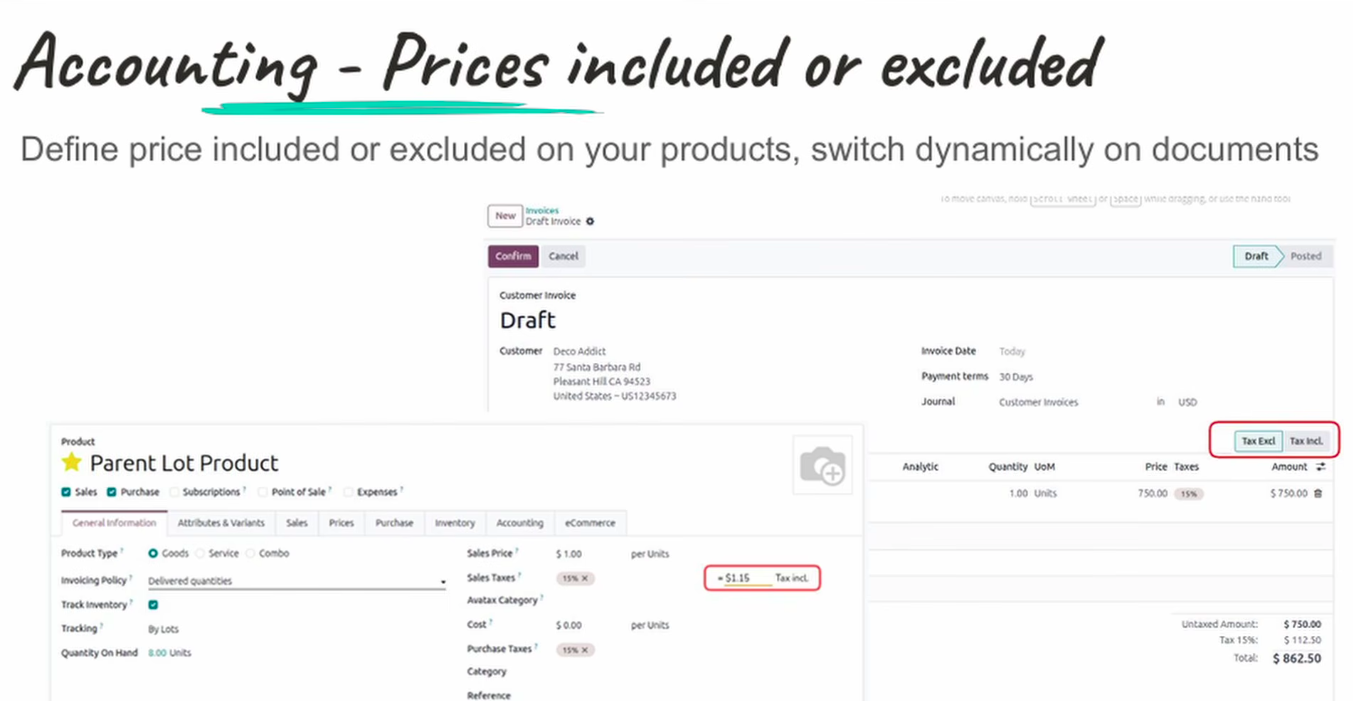
Tax toggle in Invoice:
Odoo 20 places a Tax Toggle directly on accounting invoices, letting users switch taxes on or off per line — in one click. Perfect for tax-exempt customers, zero-rated transactions, and multi-region compliance across USA, Canada, Europe, Australia, and New Zealand. Faster invoicing. Fewer errors. Full control.
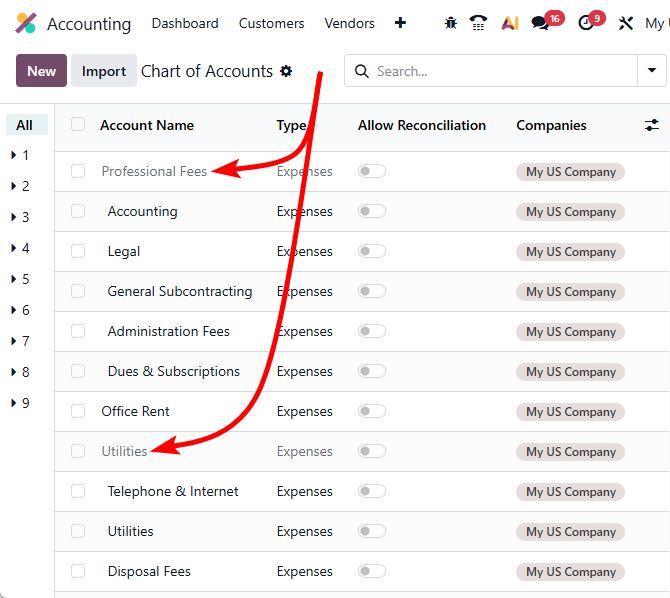
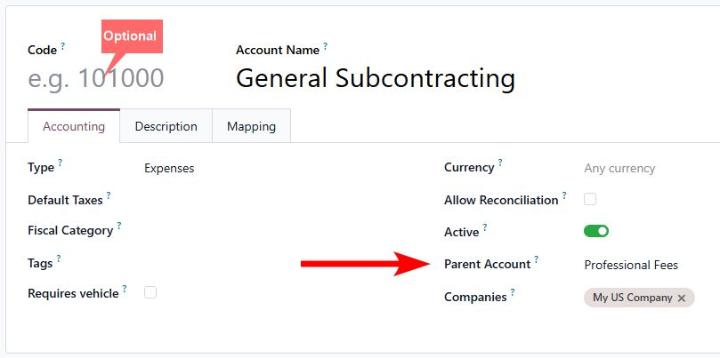
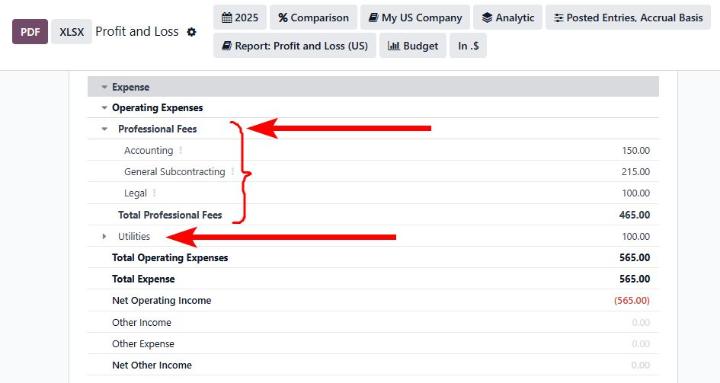
Parent Chart of Account structure:
Introducing parent account to structure your chart of accounts in place of account groups. And account codes are now optional.
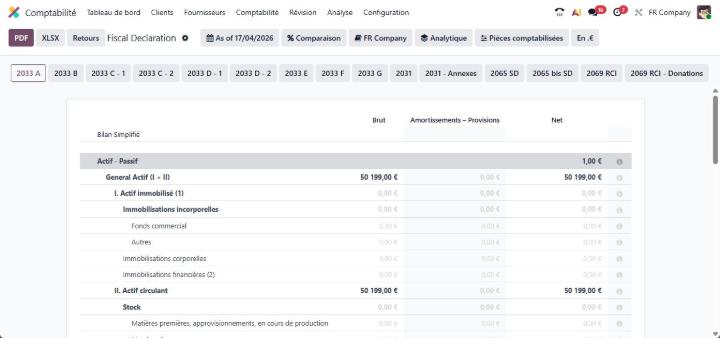
French tax return:
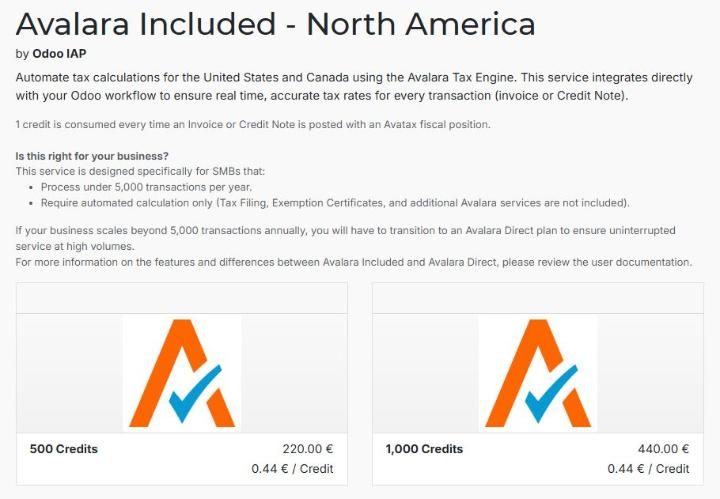
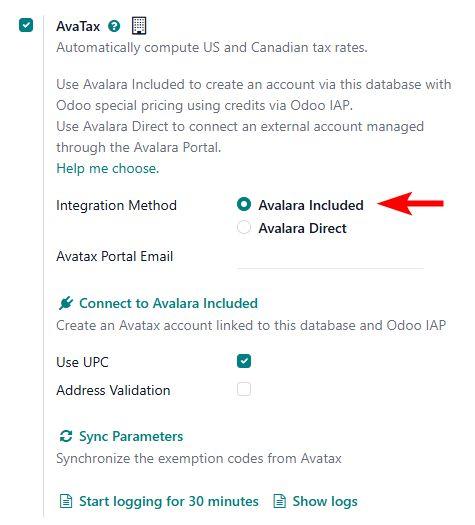
Avalara Included:
integrated Avalara Included and drastically reduced the cost of US sales tax calculation for new low-volume customers.
Smarter fixed assets management experience:
✅ Integrated depreciation model configuration
✅ Direct account & depreciation account mapping
✅ Better ledger structure
✅ Simplified automation flow
✅ Vehicle checkbox in bills for easy asset identification
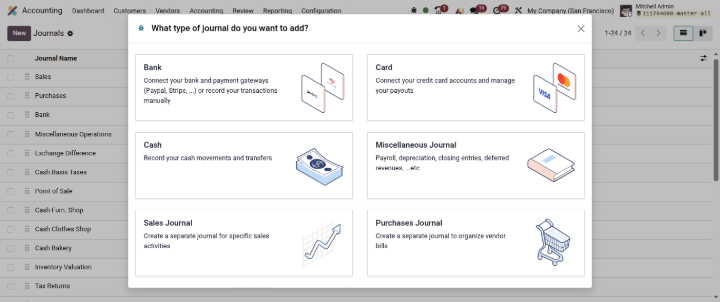
Journals User Interface improvement:
Journals user interface is now improved
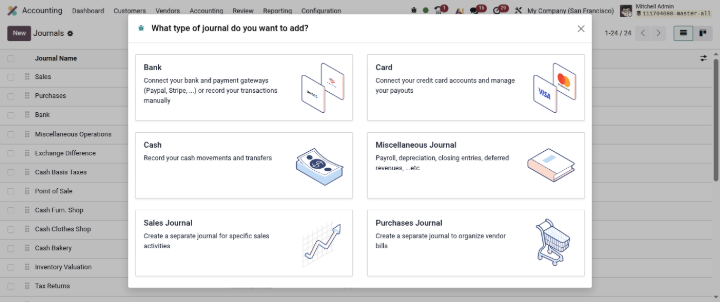
Journals User Interface improvement:
Journals user interface is now improved.
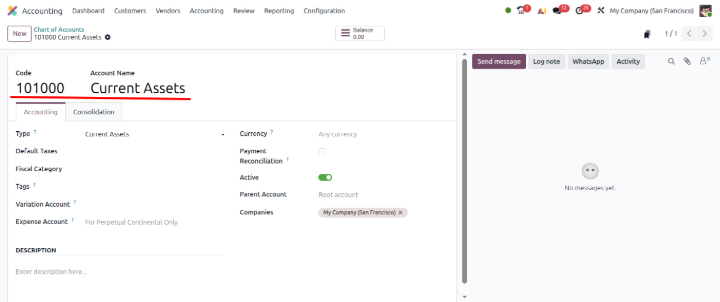
Account code is now beside Account name:
Odoo 20 Contacts New Expected Features:
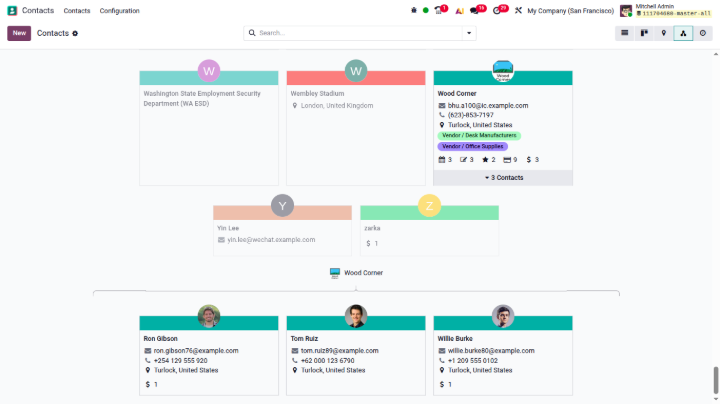
Contacts Hierarchy:
Now in contacts, hierarchy view is there just same like Employees hierarchy
Odoo 20 Project New Expected Features:
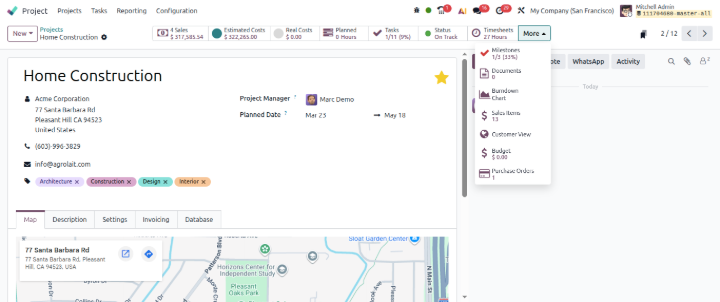
More Smart icons are added in project:
New Smart Buttons Added:
✅ Estimated Cost: See the planned budget before execution starts.
✅ Real Cost: Track actual spending in real time as the project progresses.
✅ Detailed Cost Split-up: Break down costs by labor, materials, purchases, timesheets, and more, all in one click.
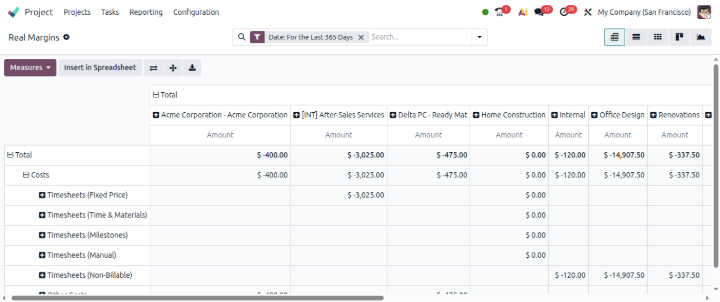
Project Real Margin Report:
Introducing project real margin report
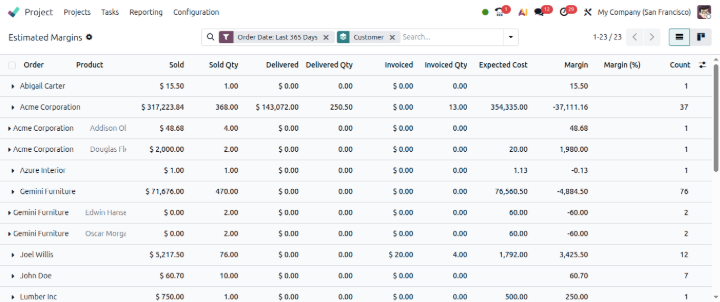
Project Estimated Margin Report:
Introducing project Estimated margin report
Odoo 20 Attendances New Expected Features:
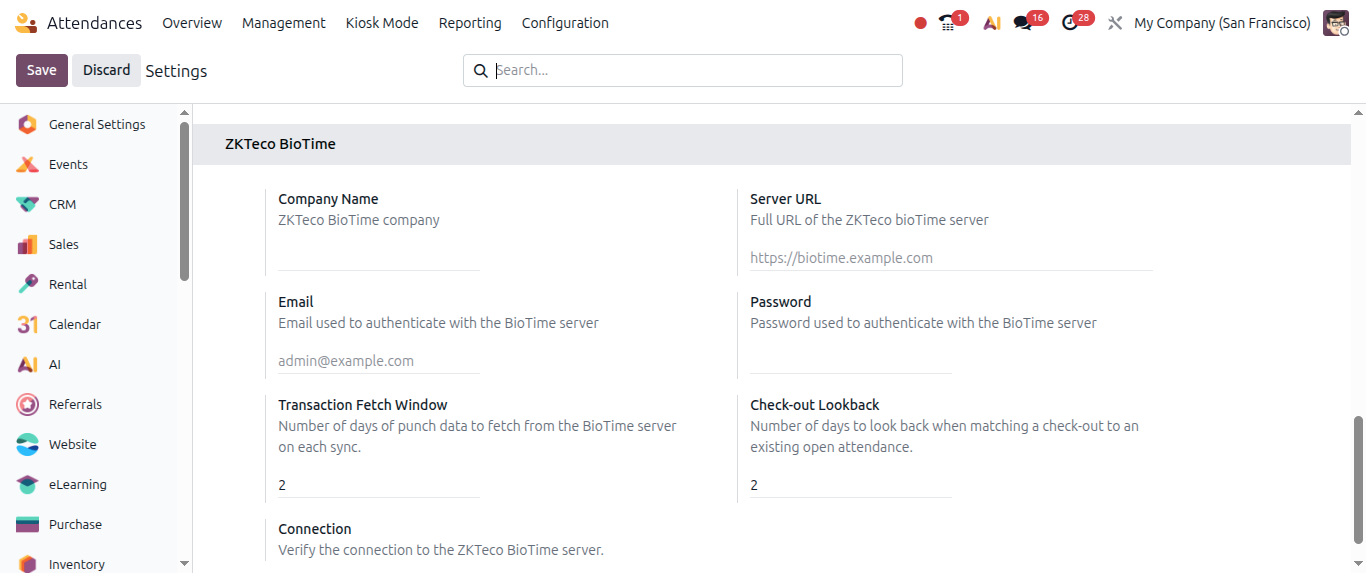
ZKTeco Biometric integration:
ZKteco biometric machines can be easily integrated now without any 3rd party module.
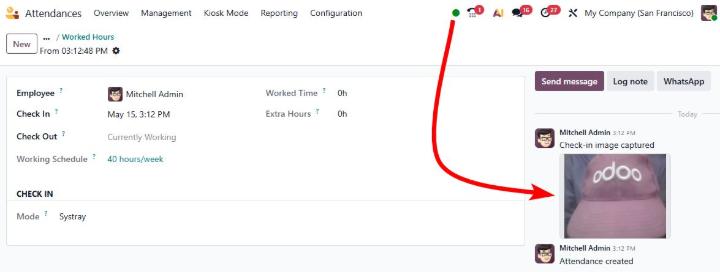
Attendance picture:
While doing check in or check out entry, employees will be able to take a picture
Odoo 20 Meeting Rooms New Expected Features:
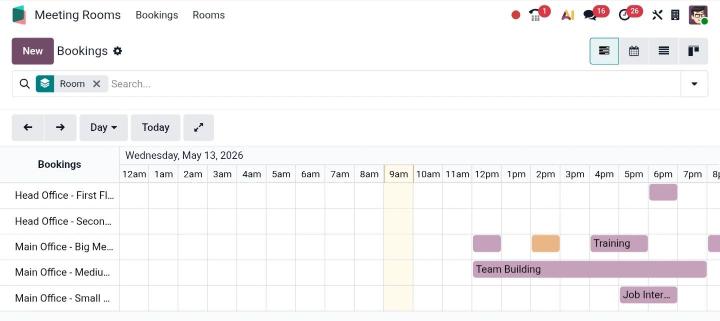
Meetings improvements:
Now teams can instantly see:
✅ Ongoing meeting details
✅ Upcoming schedules
✅ Room availability
✅ Organizer & timing information
Odoo 20 Expense New Expected Features:
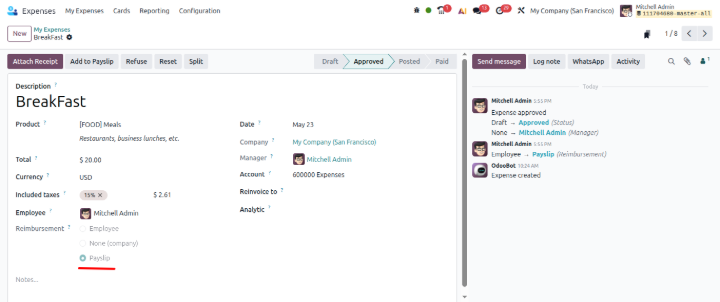
Add Expenses to Payslip:
Now expenses can be directly added to the payslip by clicking on Add to Payslip button.
Odoo 20 CRM New Expected Features:
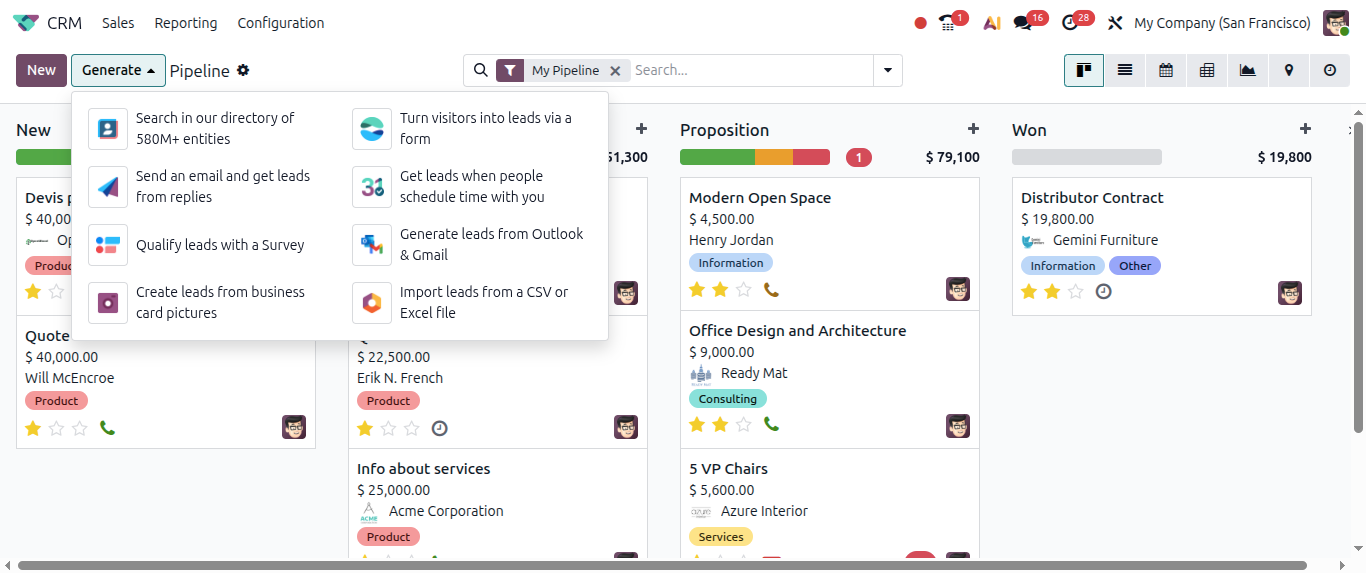
Lead options:
By clicking on Generate button, different Lead options will be displayed.
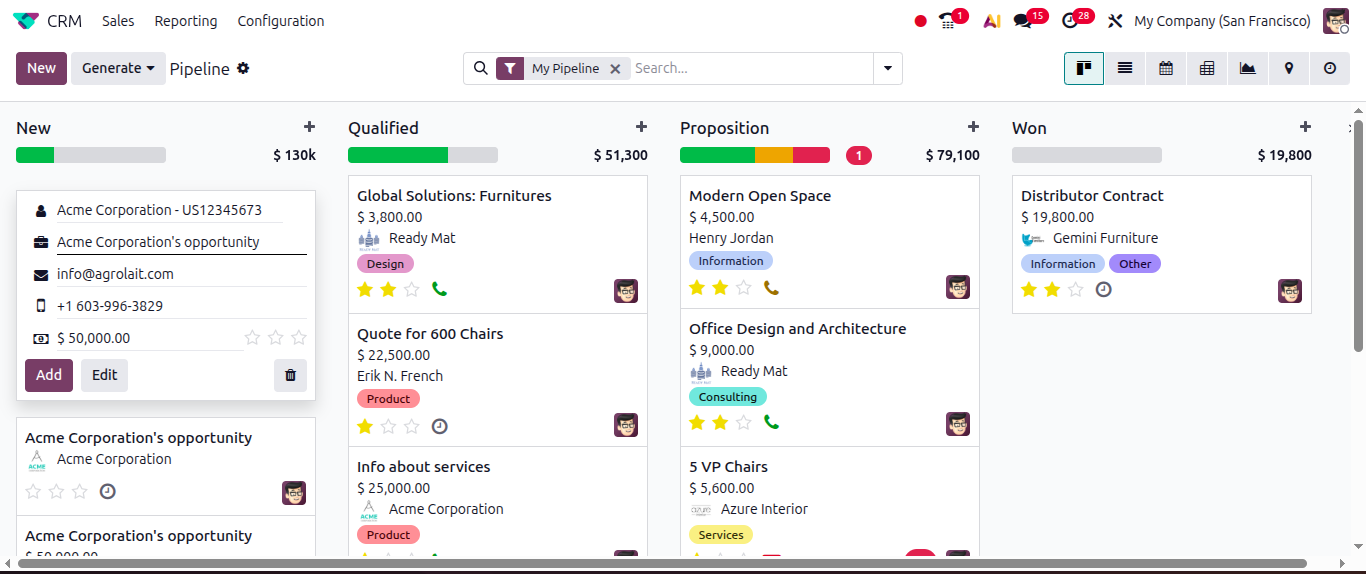
Lead:
Lead creation view from the kanban is changed now, now we will hav to create or select contact, Opportunity name, Email, Phone and Expected revenue.
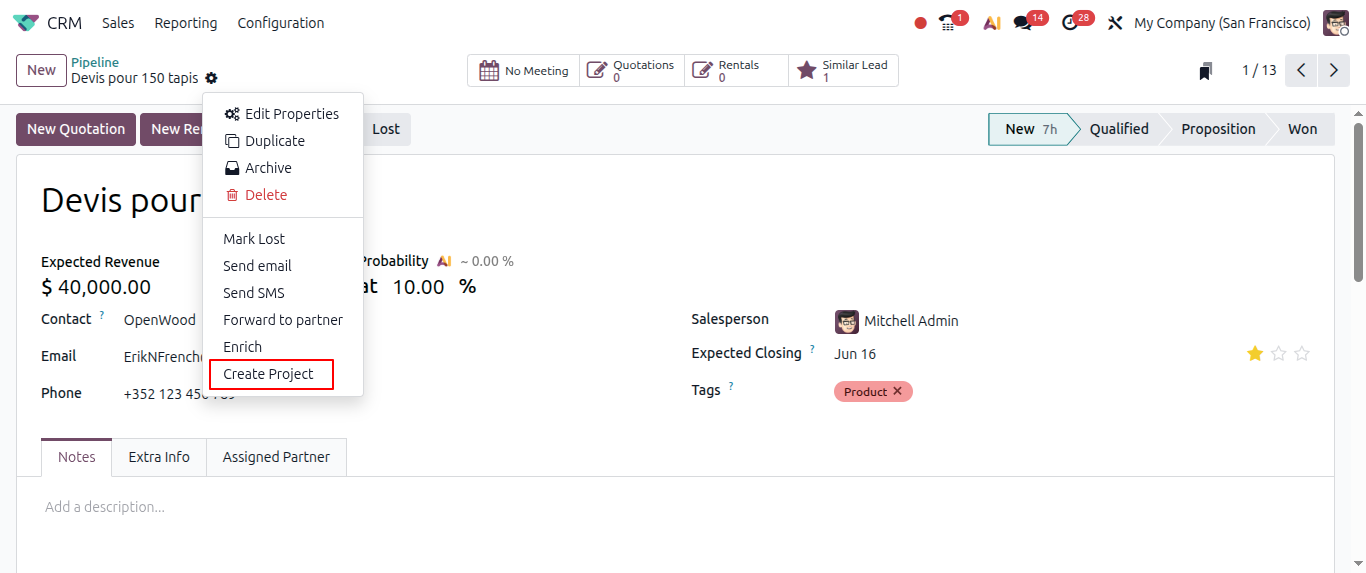
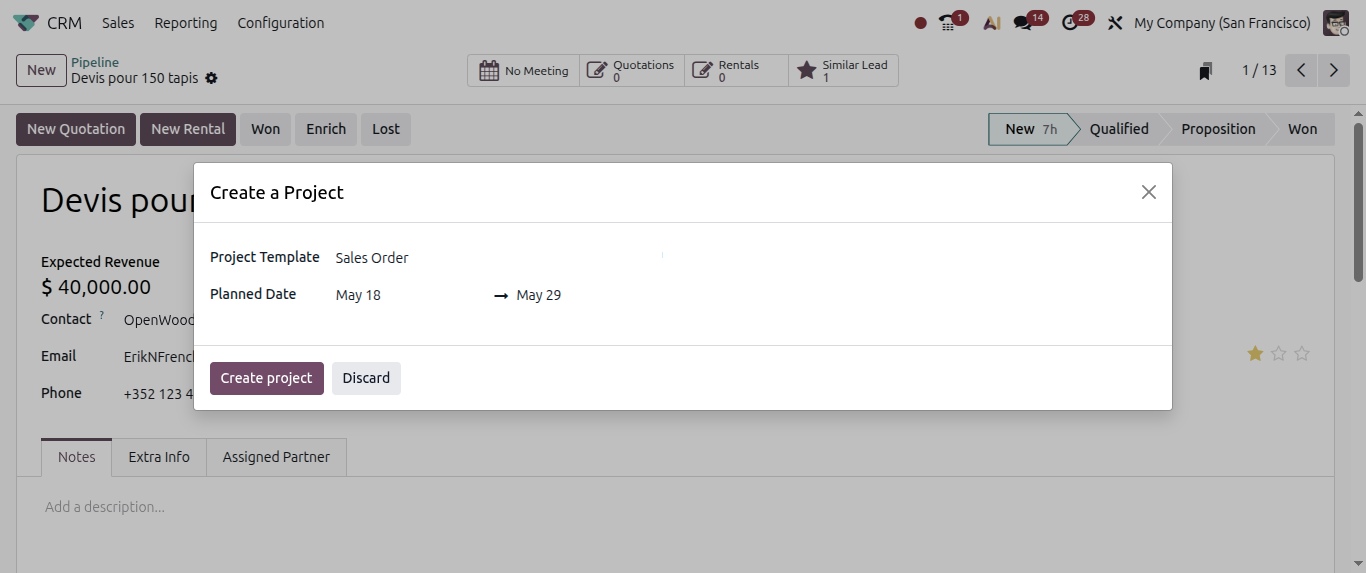
Create a project from Opportunity:
Users will be able to create a project from Opportunity directly.
Odoo 20 HelpdeskNew Expected Features:
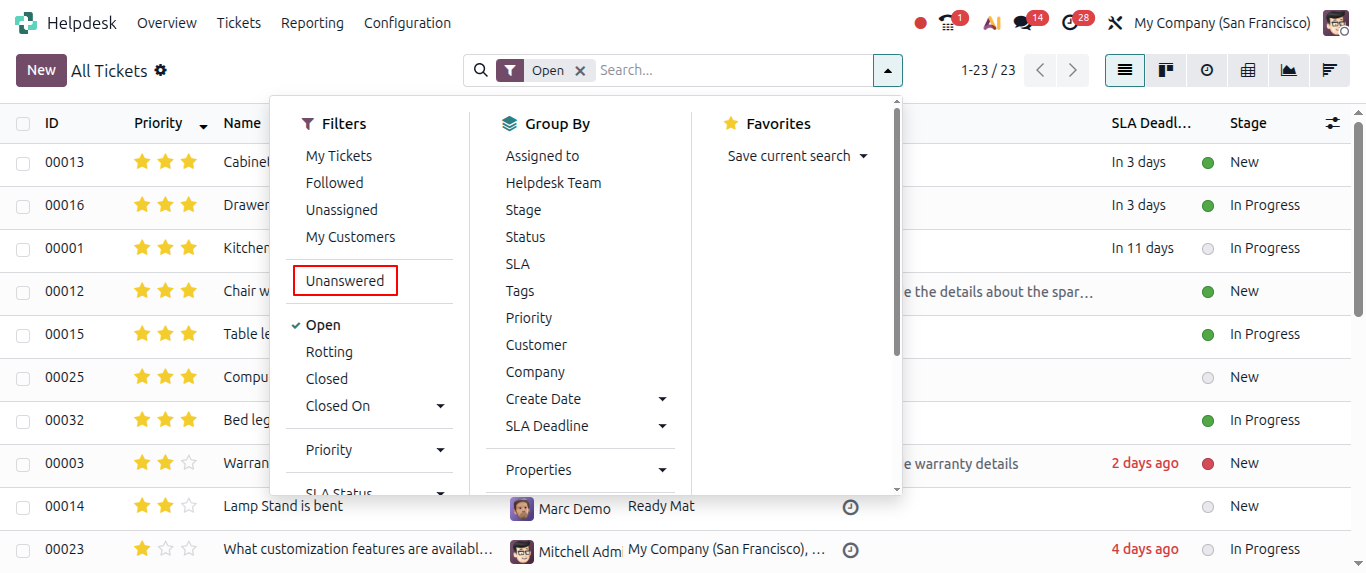
Unanswered Tickets:
By going to Helpdesk tickets, users will be able to filter Unanswered tickets.
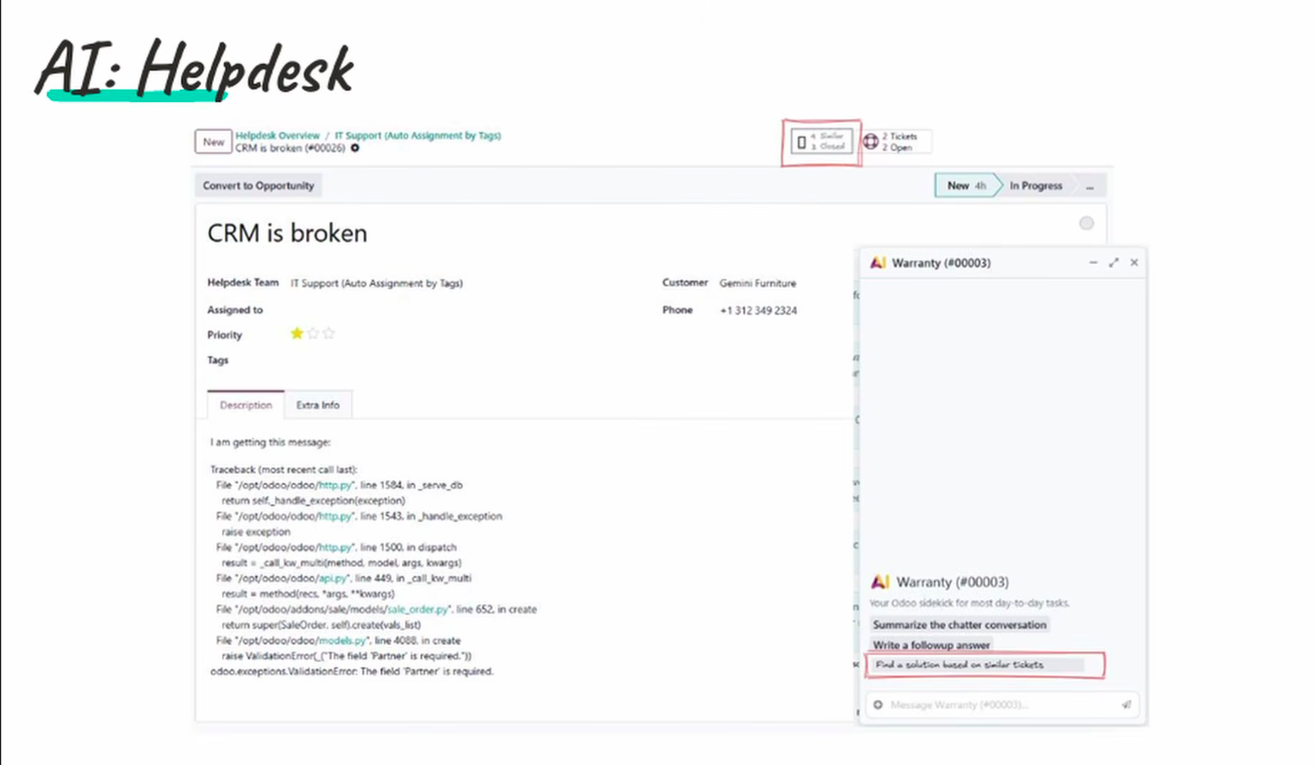
Helpdesk AI:
For Helpdesk, AI will be smart enough to give you a ticket solution based on previous same kind of tickets resolution.
Odoo 20 Employees New Expected Features:
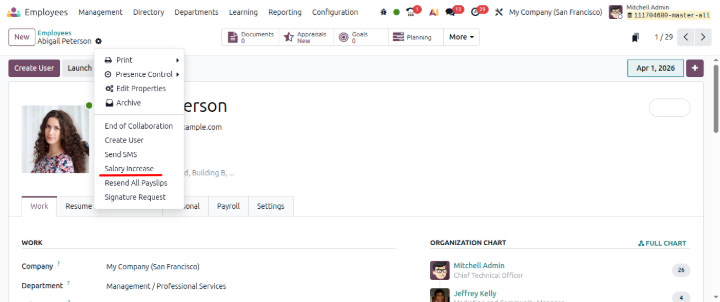
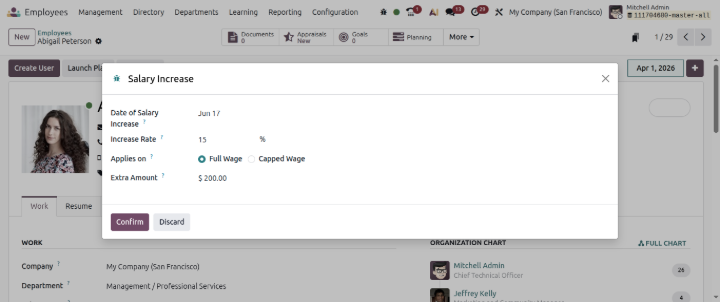
Salary increase:
Now from Employee master, directly HR Manager will be able to manage Salary increment operation.
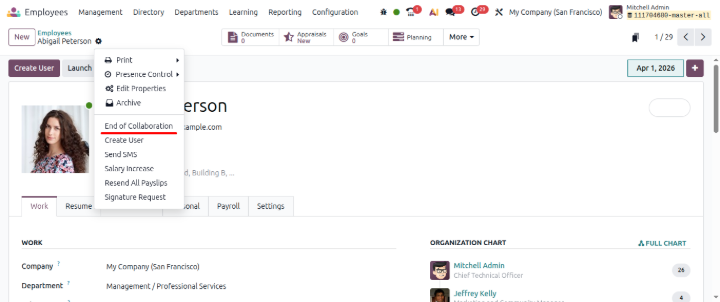
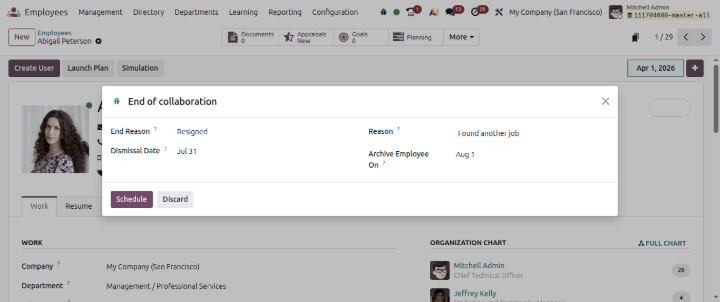
End of Collaboration:
HR Manager will be able to manage Employee resignation process directly from employee master.
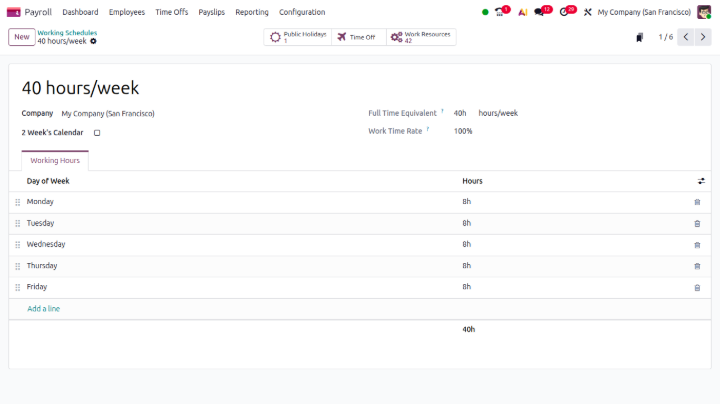
Working schedule view is now simpler than Odoo 19:
Employee working schedule view is now simpler than Odoo 19
Odoo 20 Payroll New Expected Features:
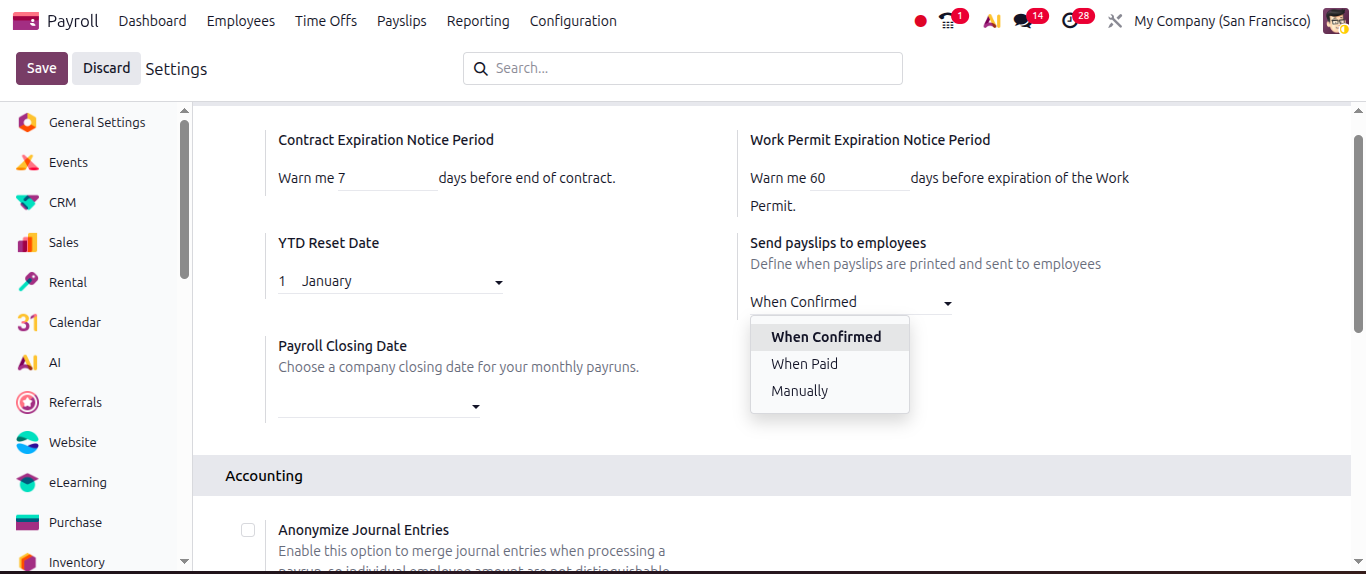
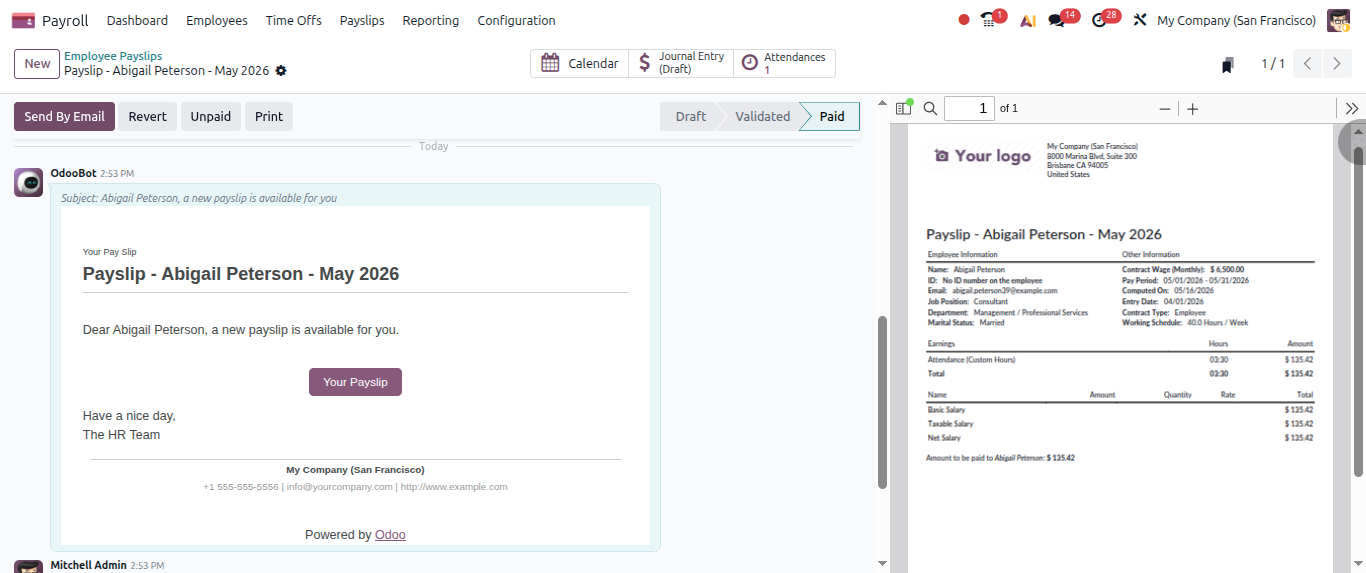
Option for payslip send to employee:
In Payslip configuration, an option has been given when to send a payslip to the employee?
1. On confirmed
2. On Paid
3. Manually
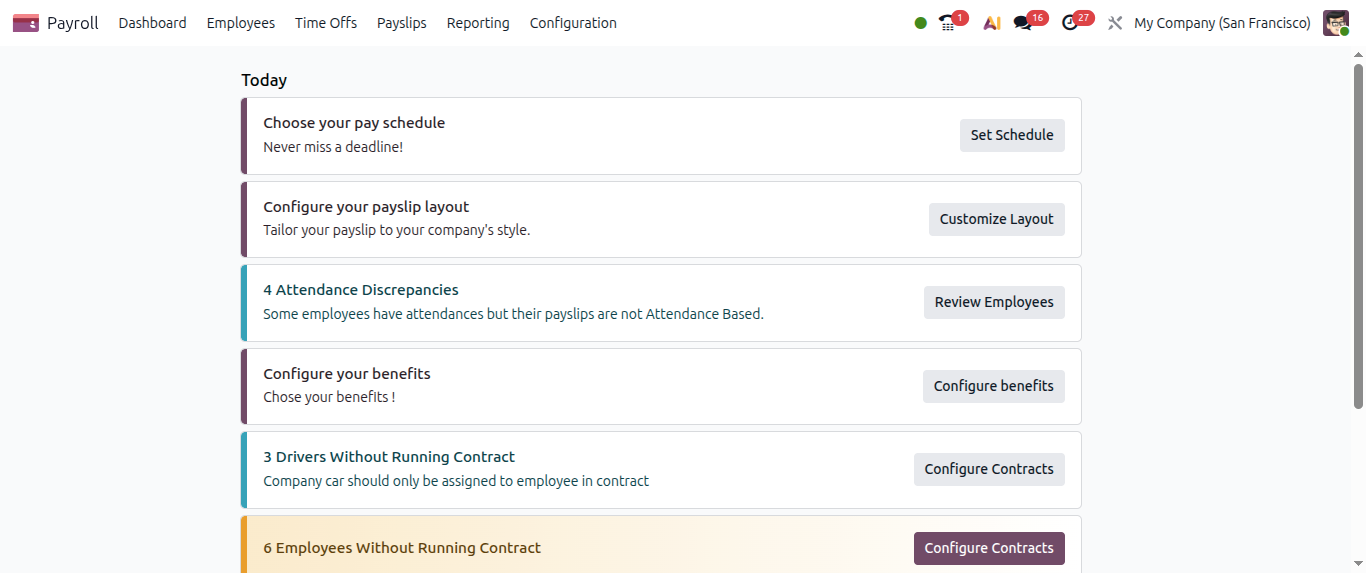
Payroll Dashboard:
Payroll module has now smart dashboard, which makes Odoo payroll operation more manageable and simpler.
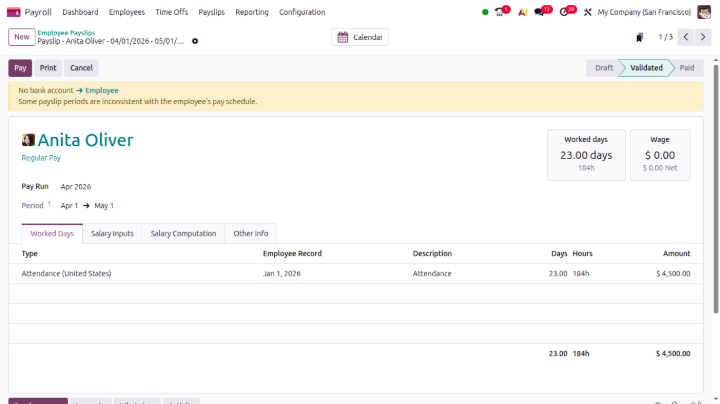
Improved payroll screen layout:
Odoo 20 Point of Sale New Expected Features:
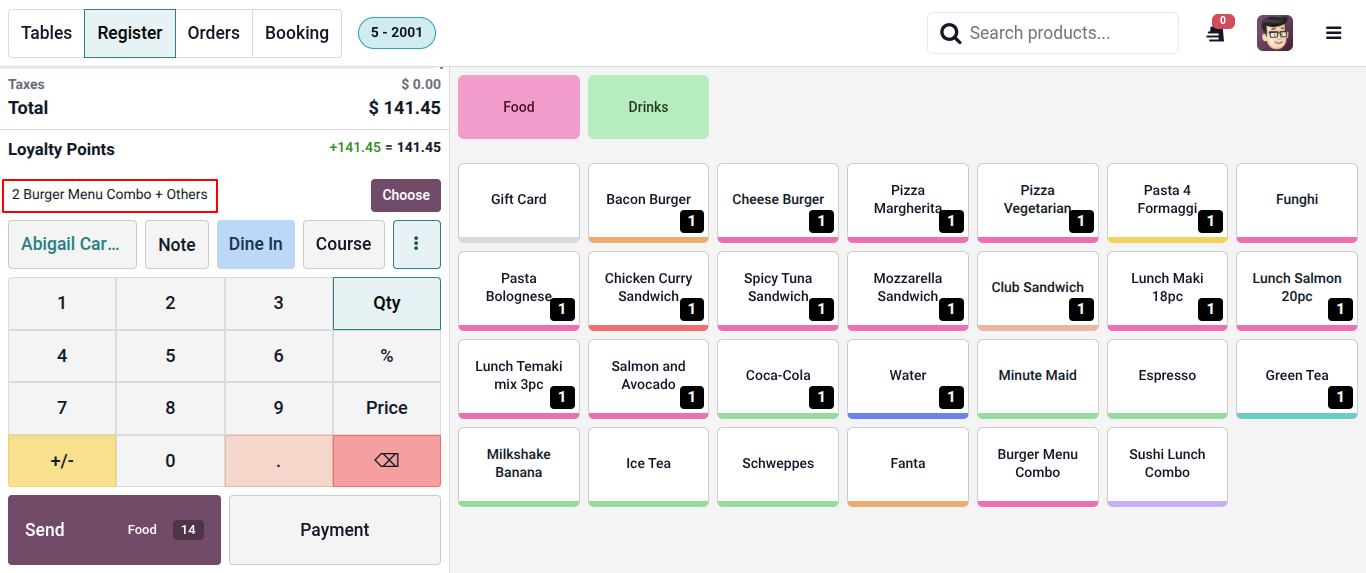
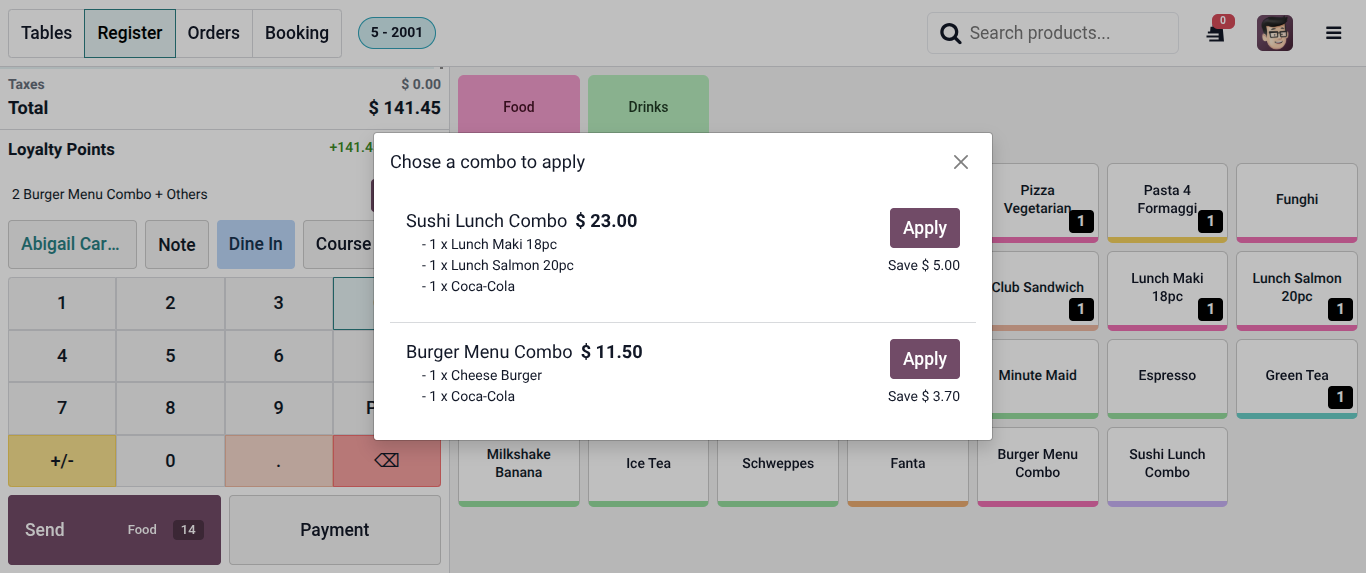
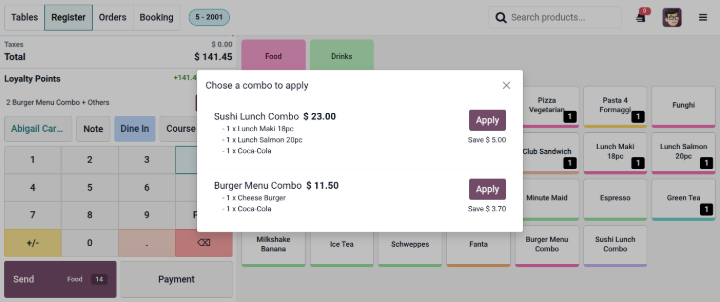
Combo order suggestion:
Based on our order lines, Odoo will automatically suggest configured combo order selection on Point of Sale screen.
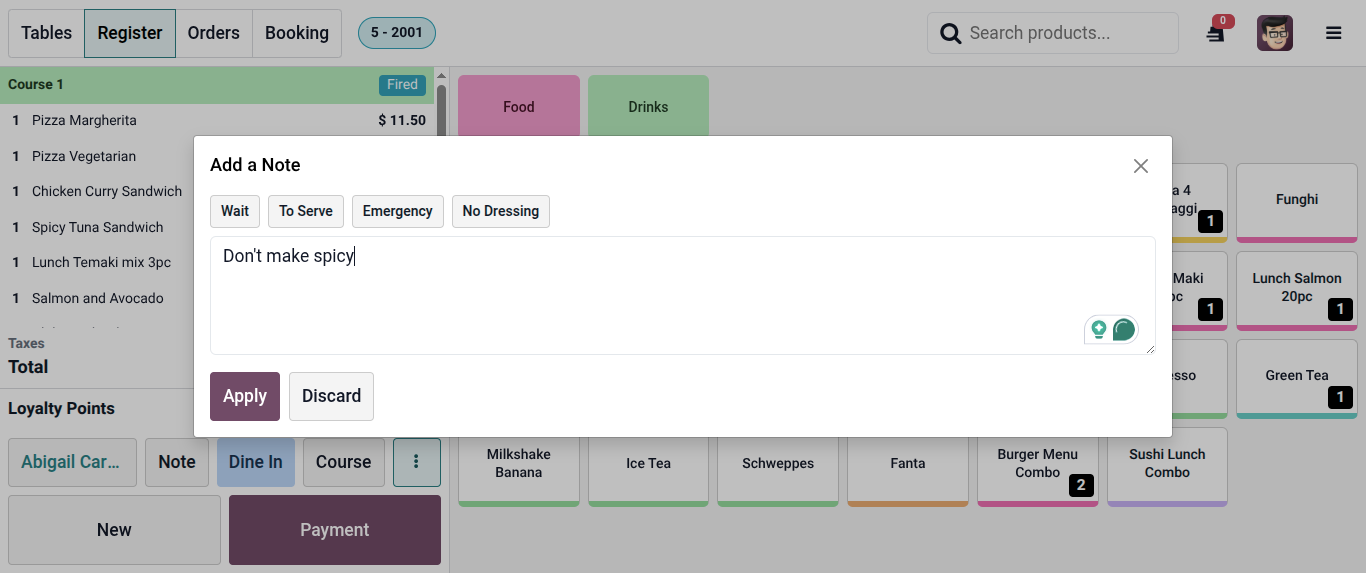
Customer note for Food Preperation:
Now Point of sale user will be able to take a note from customers for Order preperation, and that note will be displayed on Preperation display screen to the kitchen person.
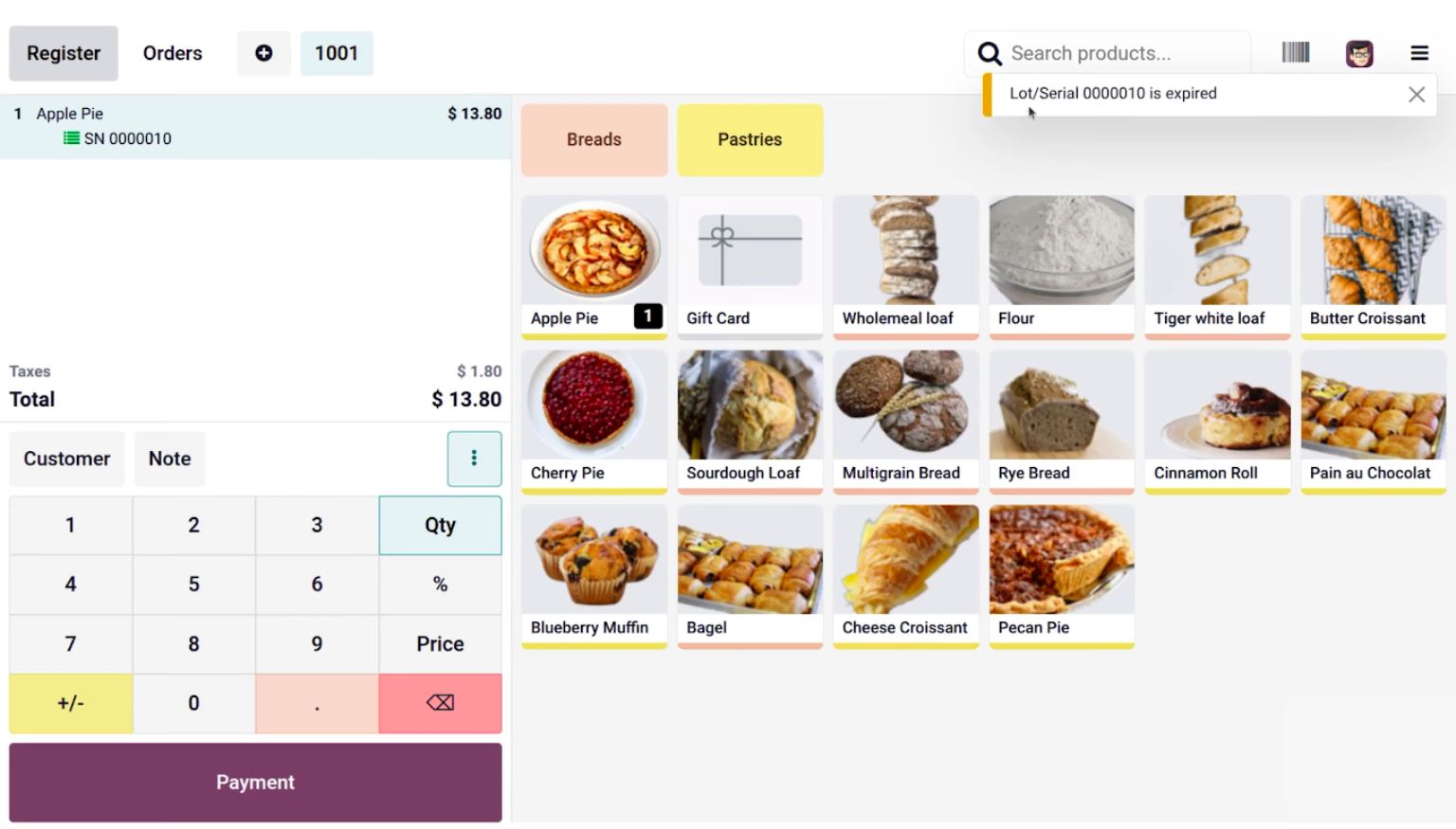
Product expiry date notification:
For lots or serial number kind of products when I will select expired product lot or serial number then at the point of sale screen system will notify to me that this product lot has been expired.
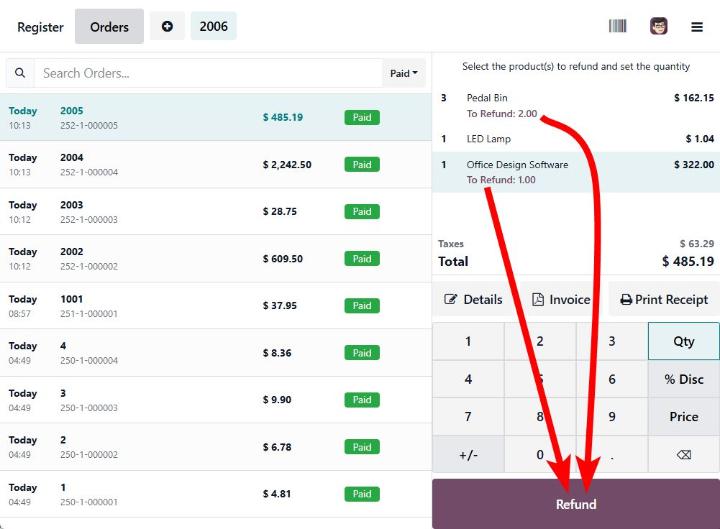
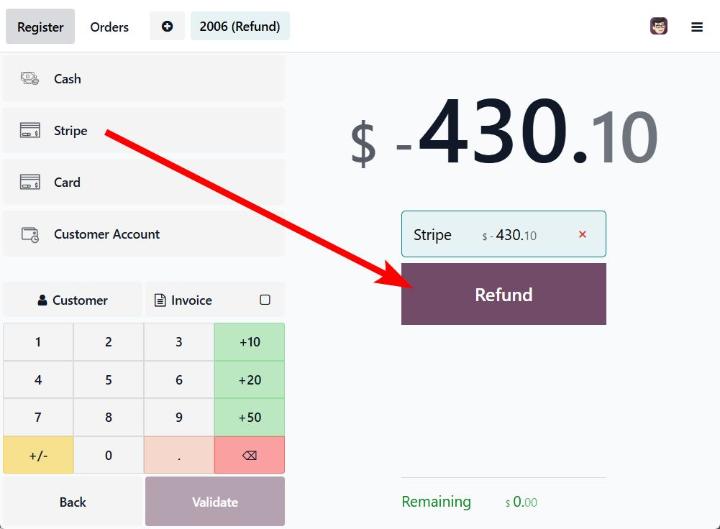
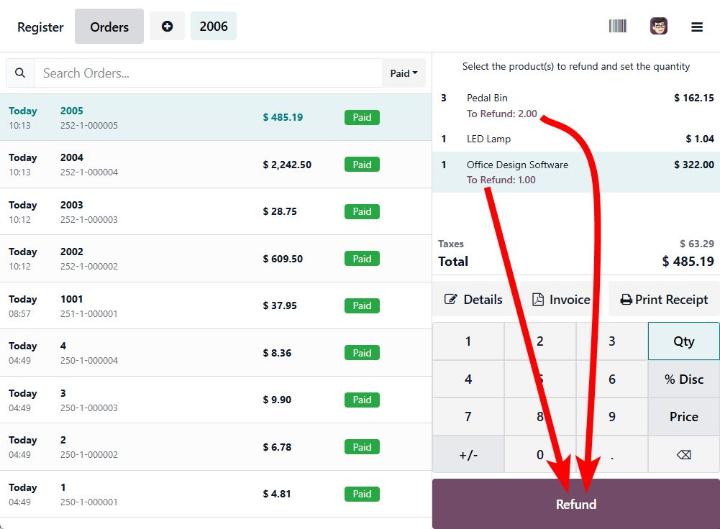
Stripe Return:
Now Point of Sale users will be able to generate Stripe refund directly from Odoo Point of Sale.
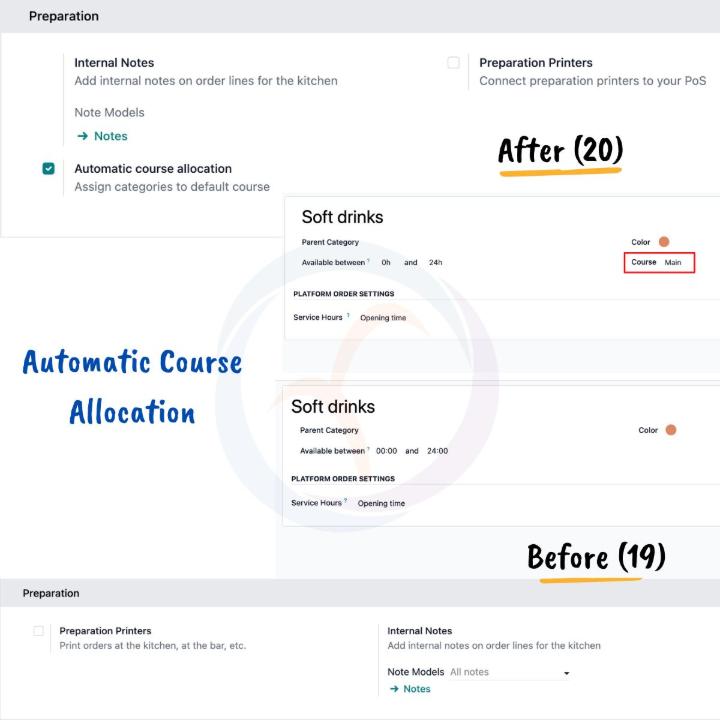
Automatic course allocation:
✅ Course allocation directly in POS Categories
✅ Configuration to automate course allocation in POS
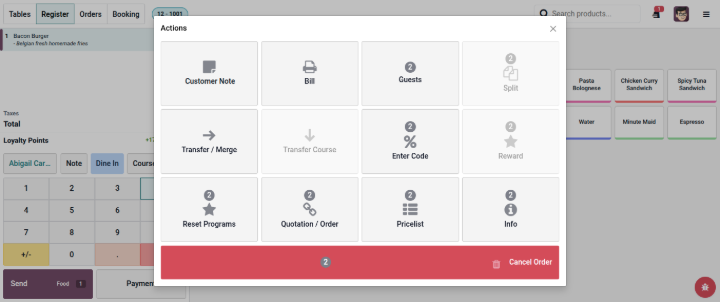
Odoo Point of Sale actions UI change:
Odoo Point of sale actions UI is not changed
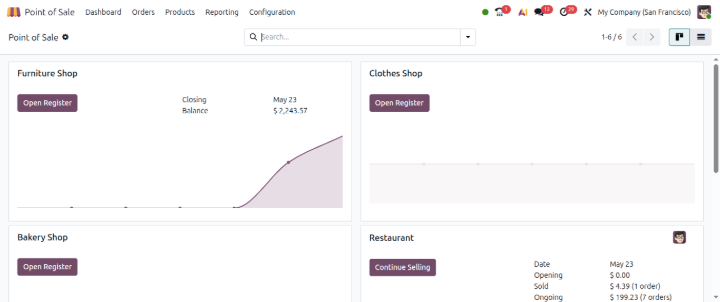
Odoo session dashboard now have graphs:
Your team can now see real-time revenue and sales trends before they wrap up the shift.
Odoo point of sale session options are now improved with icons:
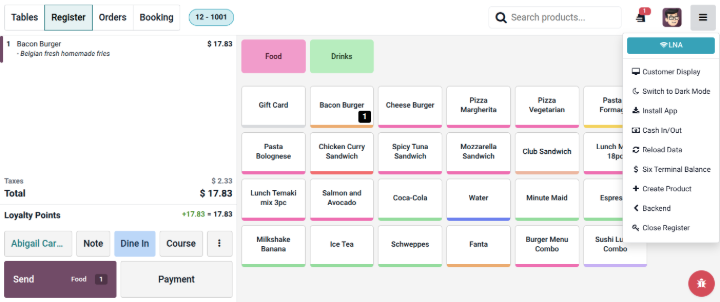
Odoo point of sale session options are now improved with icons.
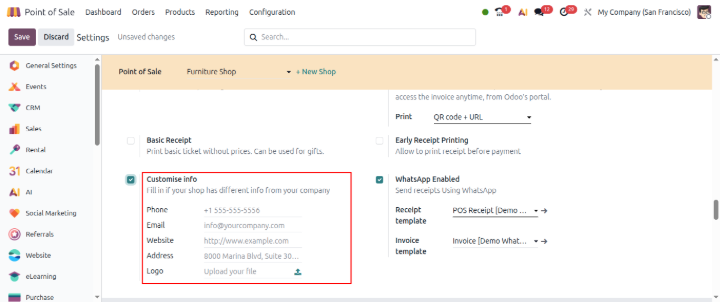
Point of sale - customise info
In some cases we want to display different Point of sale shop information than our actual company information, with this customise info, you will be able to achieve it.
Product reposition in point of sale:
User can be able to reposition product position as per his flexibility
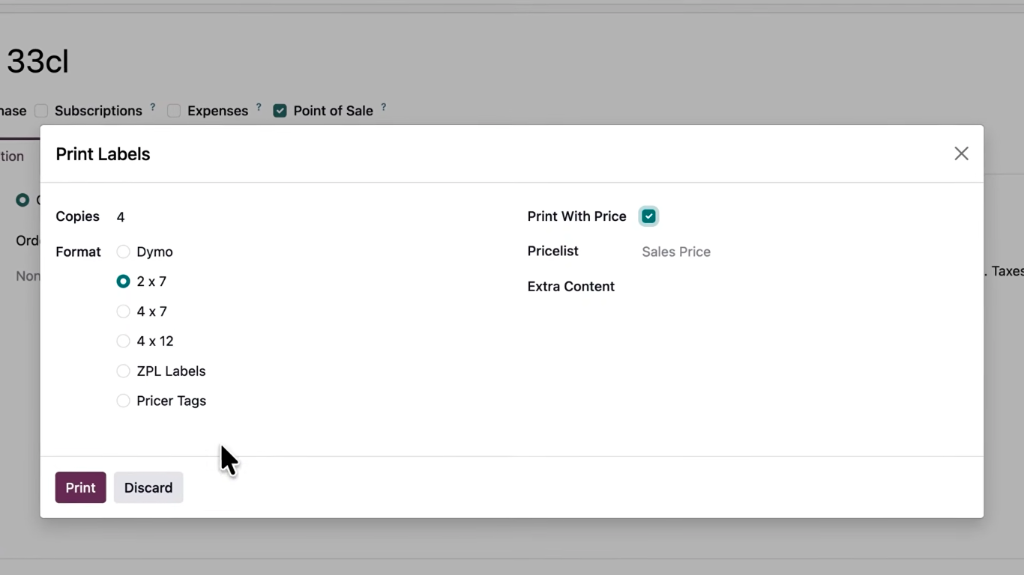
Print product reference price in product label:
Users can be able to print product reference price while printing product label
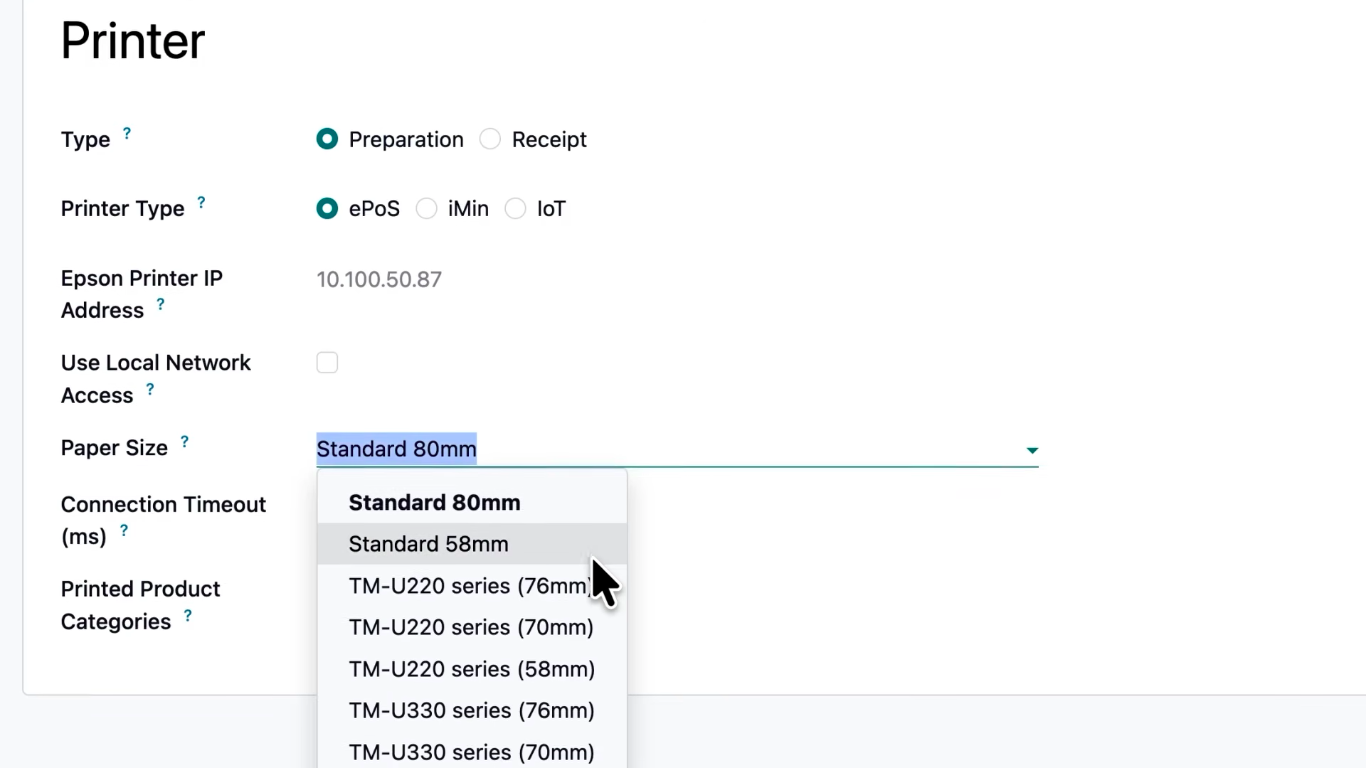
POS Printer paper size configuration:
Now in Point of Sale, printer paper size can be configured.
Odoo 20 Manufacturing New Expected Features:
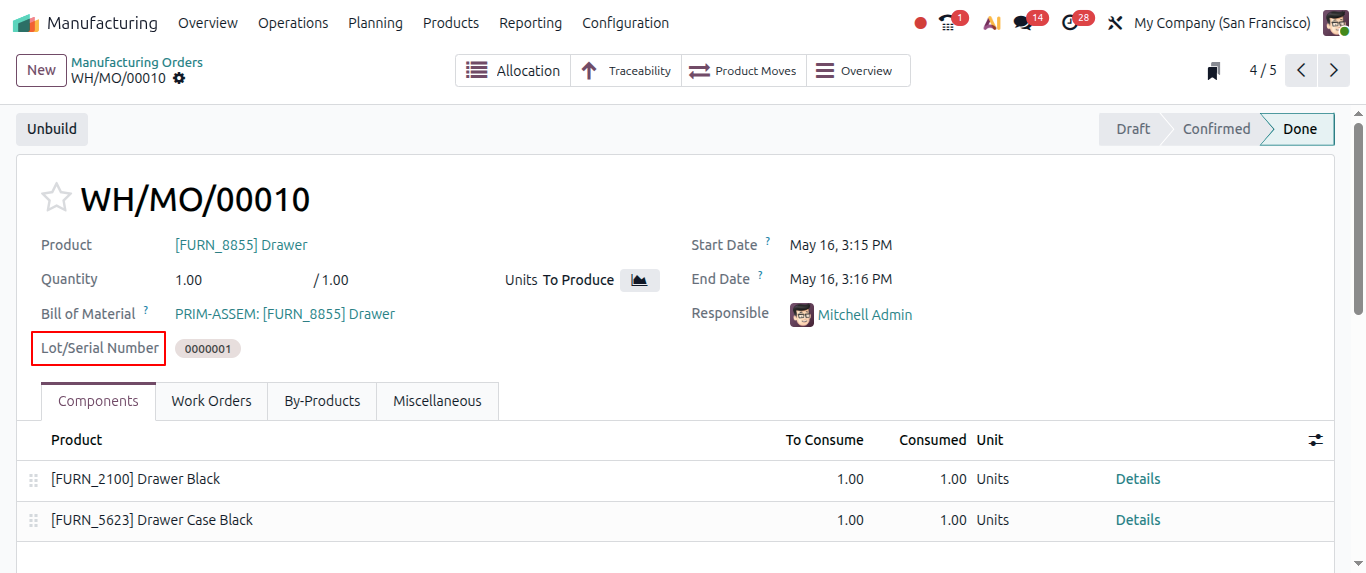
Automatic Lot and serial number creation:
From the manufacturing order, when it is completed from Shop floor and after closing production, for lot number product, the lot number is automatically assigned now.
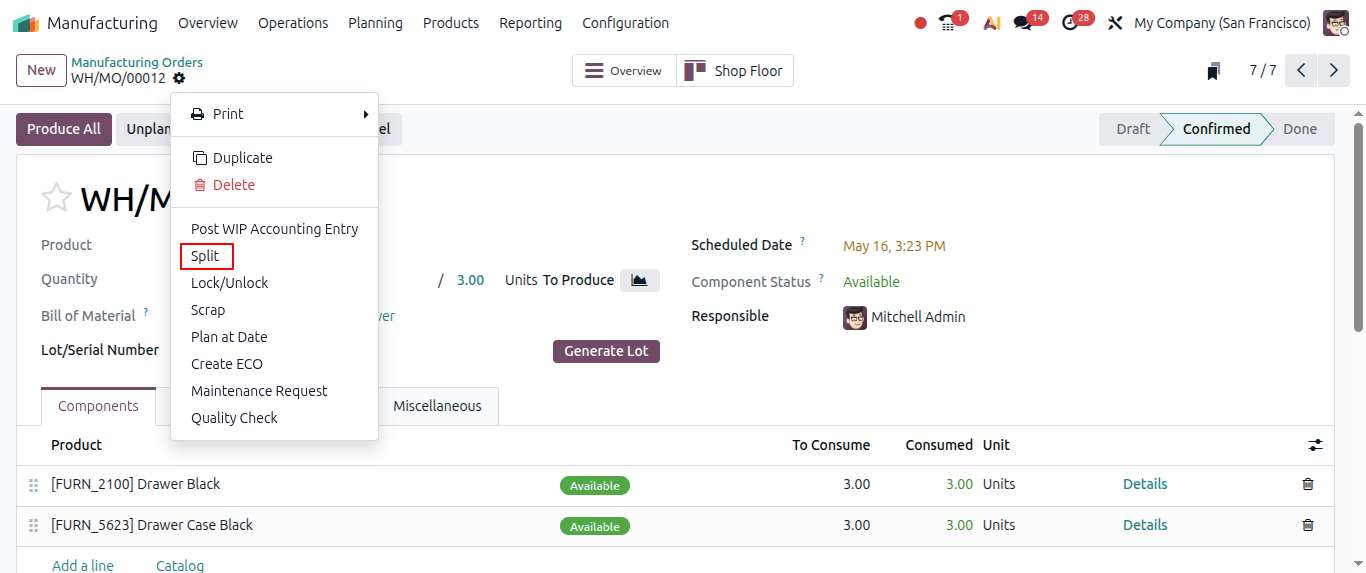
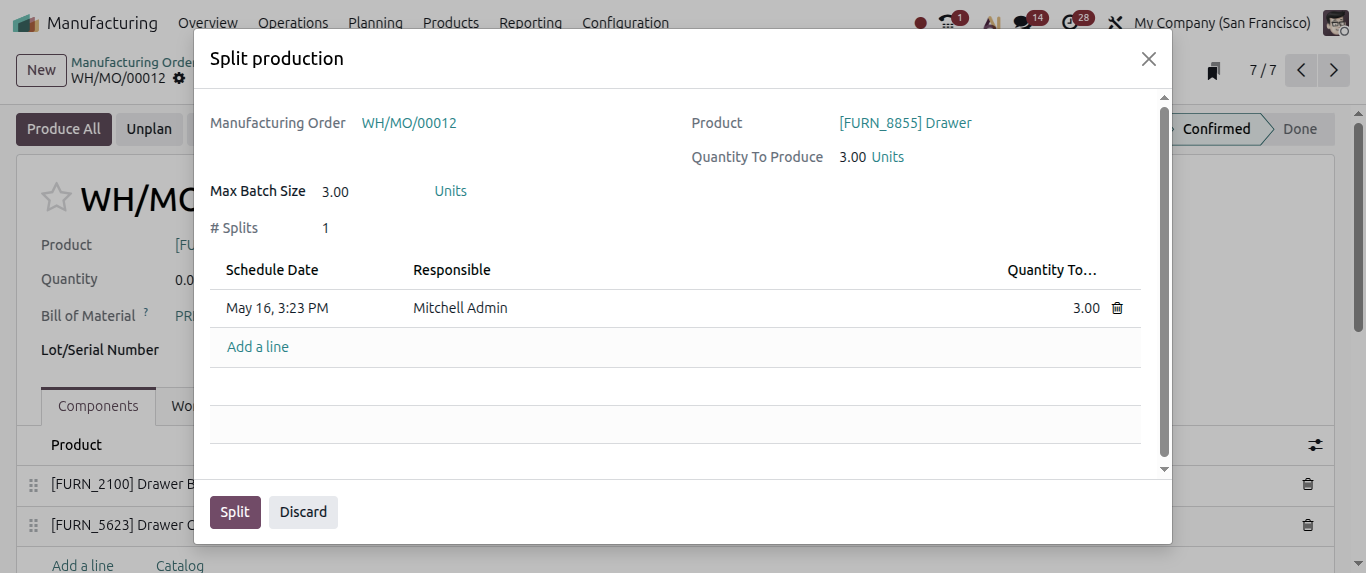
Split ongoing manufacturing order:
Users will be able to split ongoing or planned manufacturing orders.
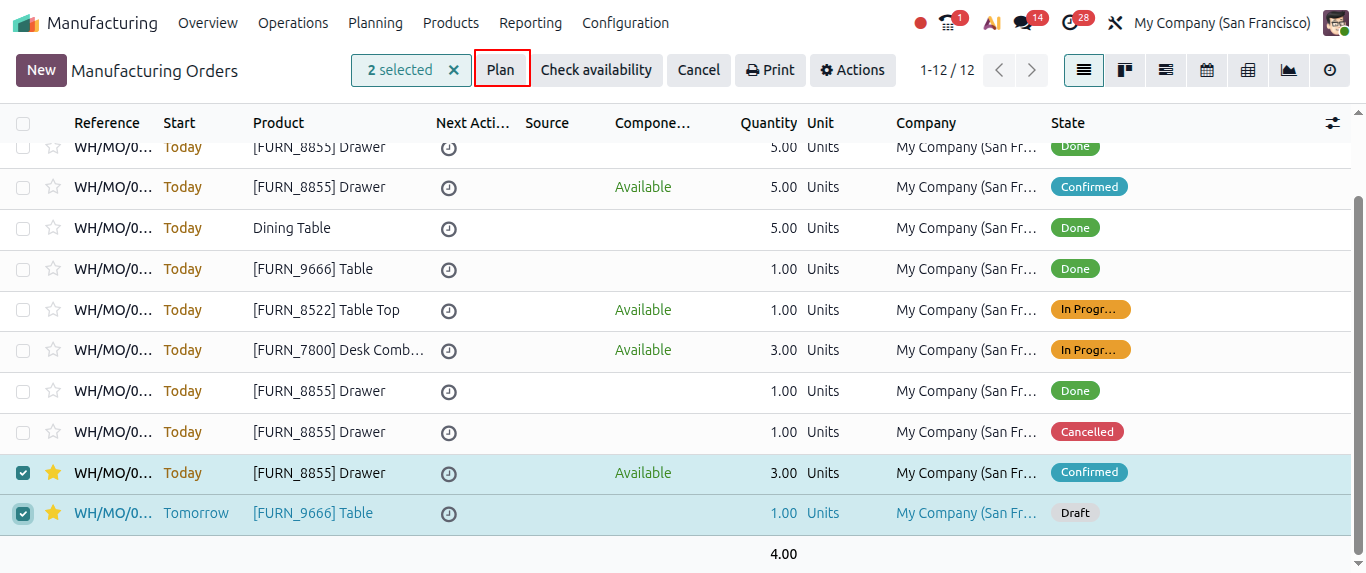
Manufacturing order can now planned as soon as possible:
When there are some manufacturing orders already scheduled for toay or tomorrow, when any urgent priority based Manufacturing order comes in then they can be planned as soon as possible.
Kanban view improvement:
Kanban view is now improved.
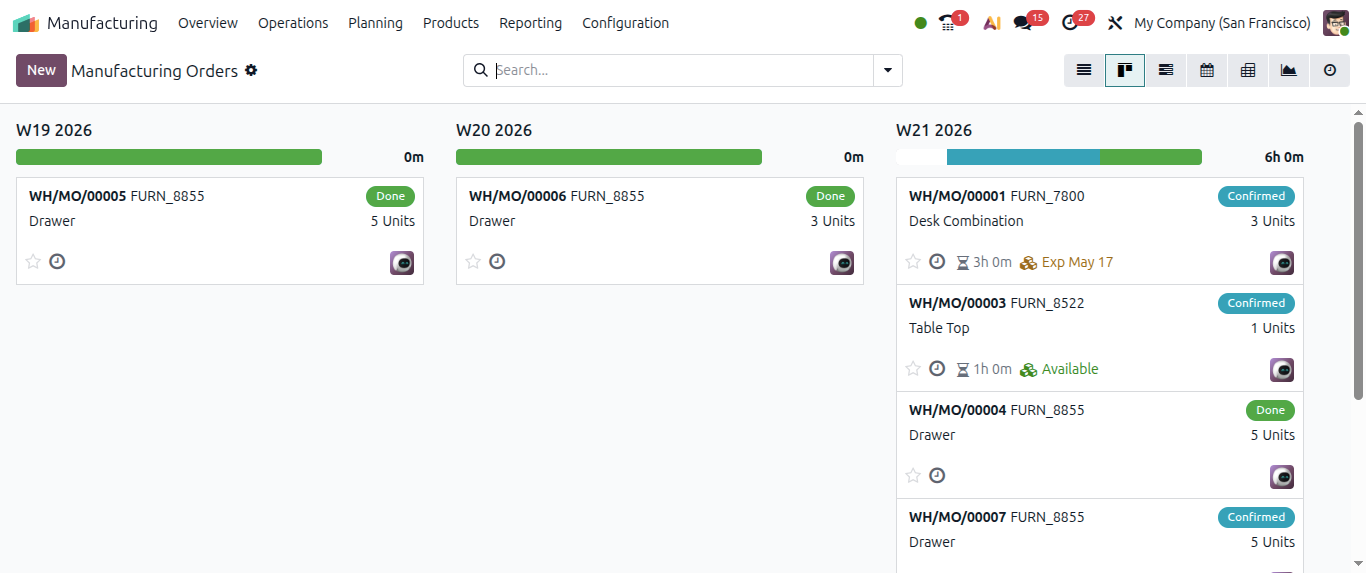
Work order planning:
You can literally drag & drop your entire production plan. Yes… just drag. And drop.
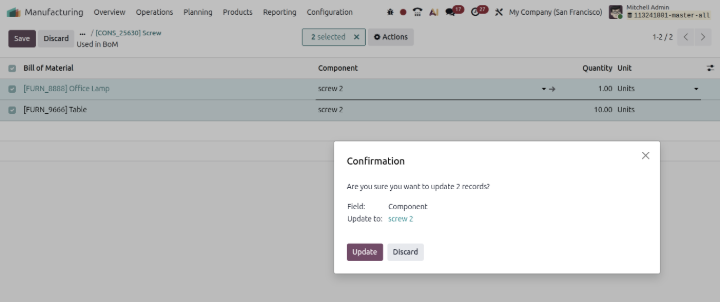
Easy and quickly raw material assign in bulk:
Now here by going to Raw material products, from Used In smart icon, users can be easily able to update components in bulk.
Odoo 20 Inventory New Expected Features::
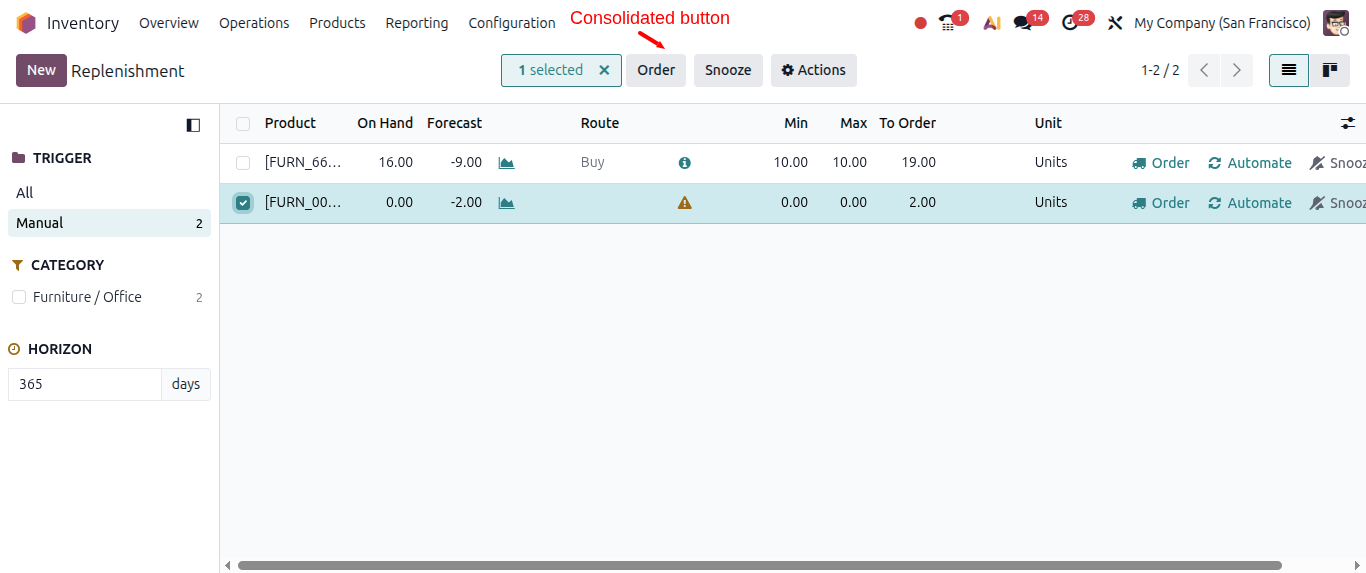
Product Replenishment:
Order and Order to maximum button is now consolidated into a single button in the Replenishment dashboard.
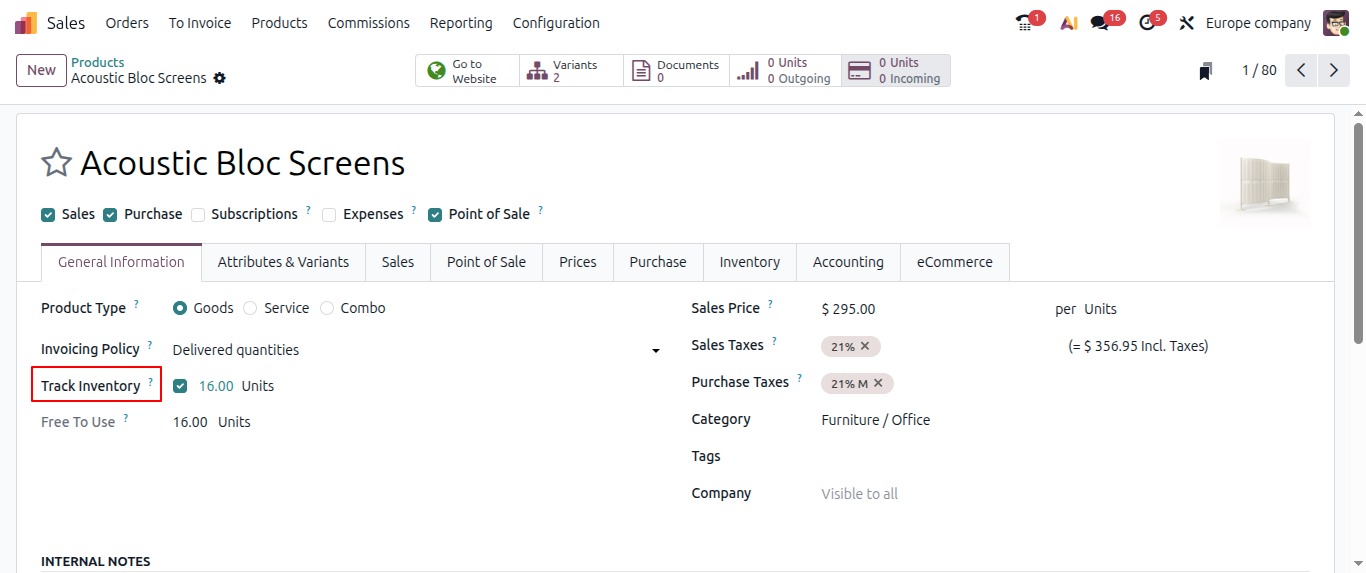
Stock enter without Inventory module:
Now users will be able to enter the stockc as an informational purpose without Inventory module.
Odoo 20 Purchase New Expected Features:
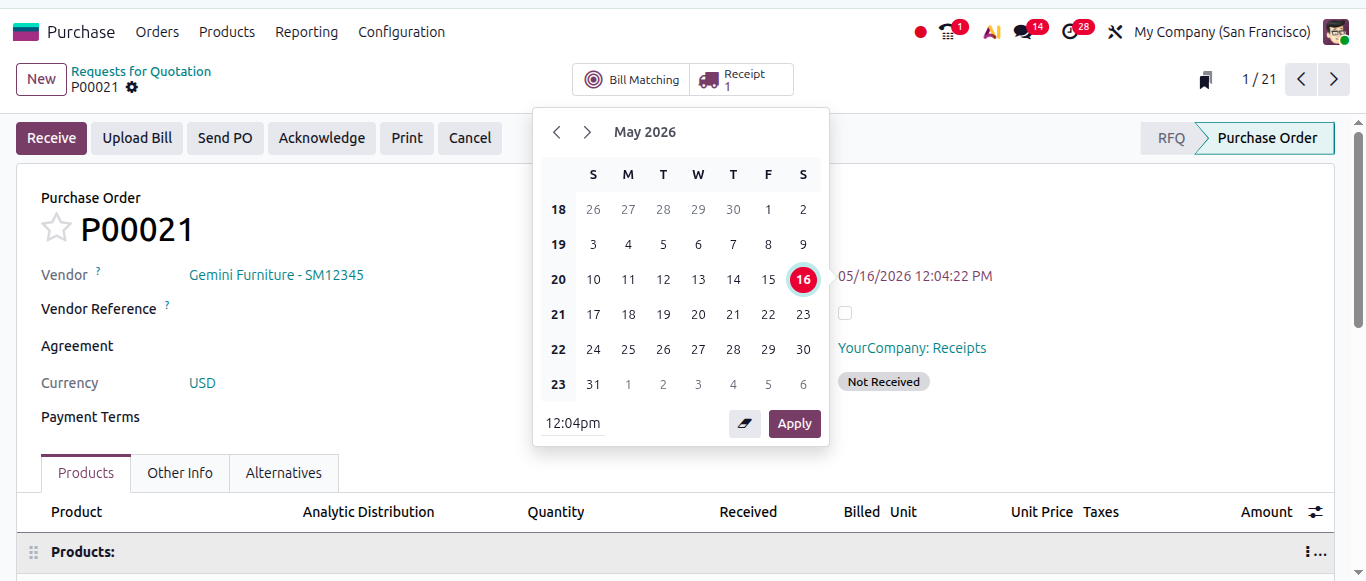
Edit expected arrival date:
Users can now edit expected arrival date for goods directly from the purchase order while keeping track of original rate provided by the vendor to ensure accurate on time delivery rate calculation.
Odoo 20 Sales New Expected Features:
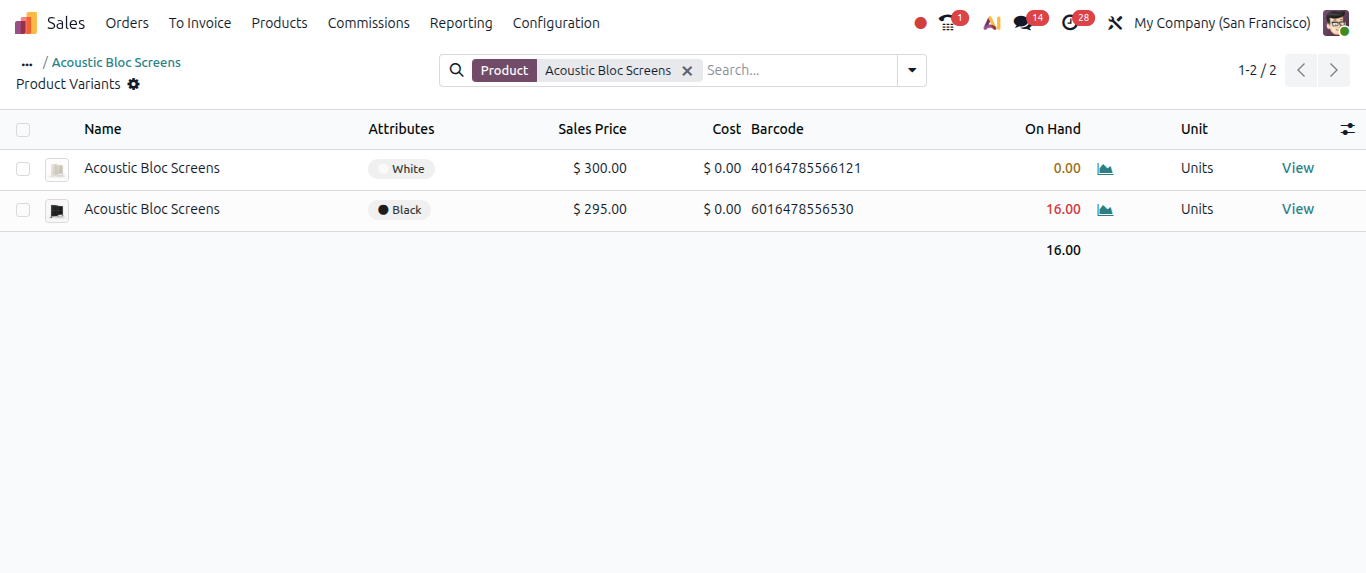
Variants sales price can be changed:
Previously we managed product sales price with Extra price scenario But now Odoo directly allows you to change product variant price.
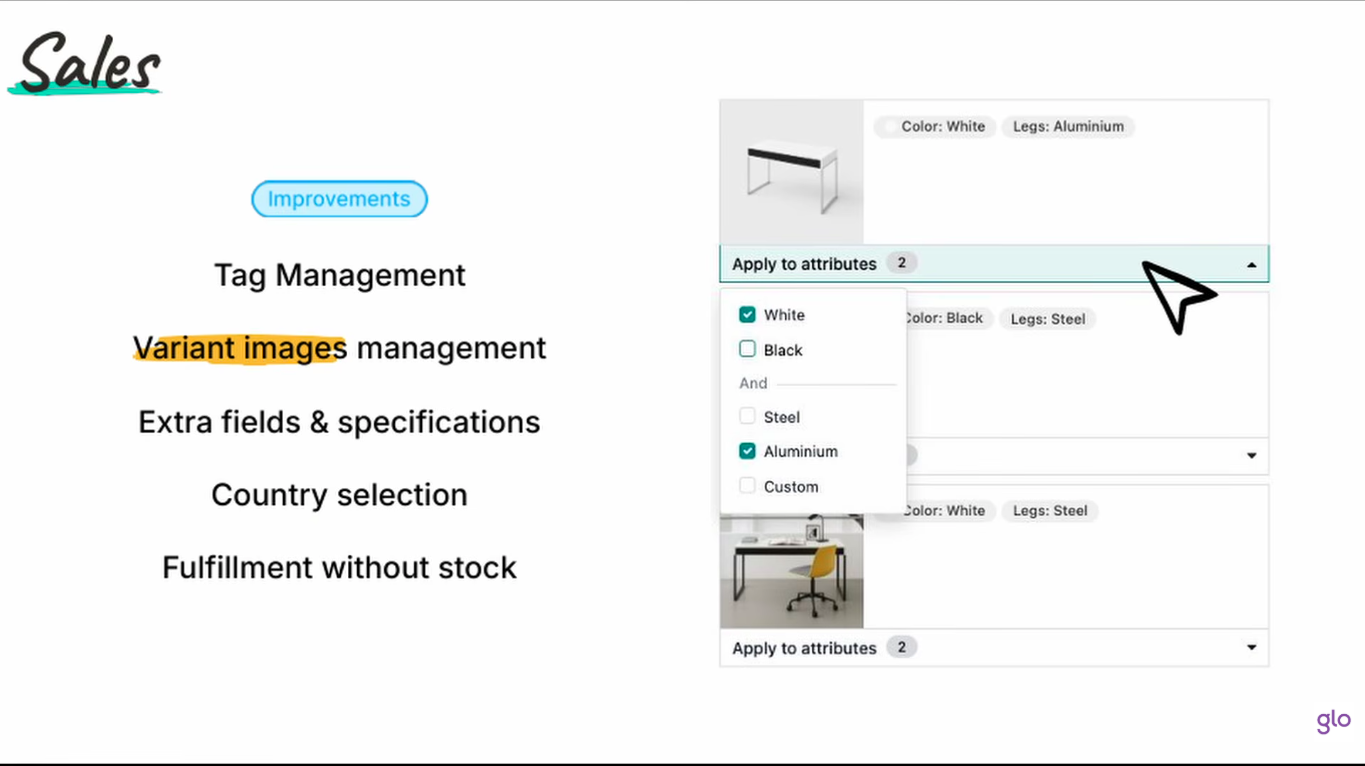
Easy product variant image management:
Prodycts variants images can now be easily managed.
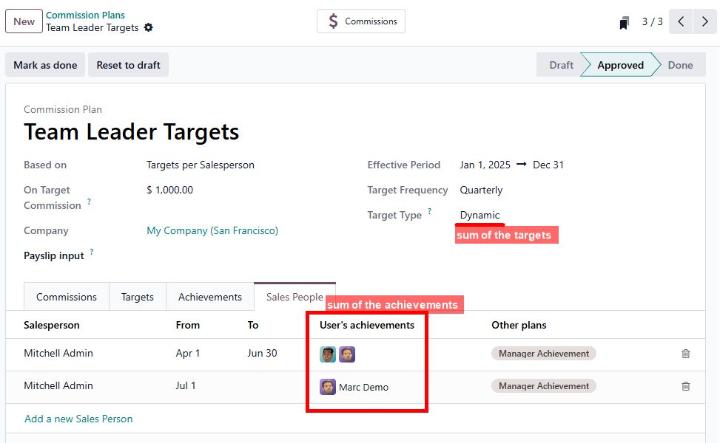
Calculate Manager's sales commission based on their team's achievement:
Calculate managers sales commissions based on the sum of their team members' varying achievements and targets, with support of team changes throughout the year.
Also useful to pay commission to more than one rep on 1 sale. Eg. SDR, SE, and AE sharing a deal.
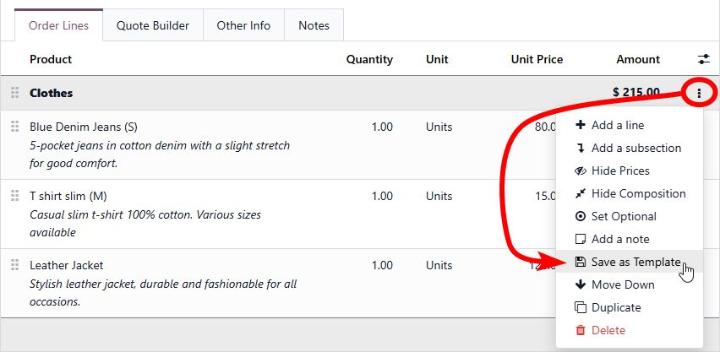
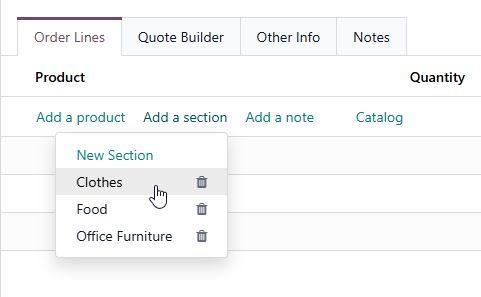
Reuse section:
Users now able to save a Section as a template and then can use it on another sales order lines.
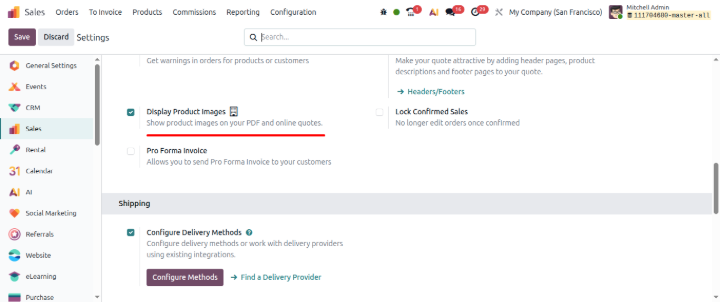
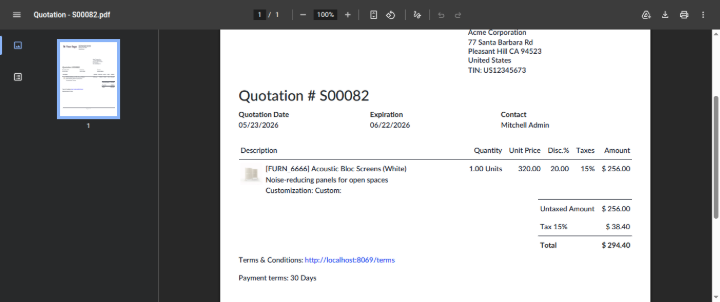
Display product images:
In Sales configuration, an option is given to display product images on PDF and online quote.
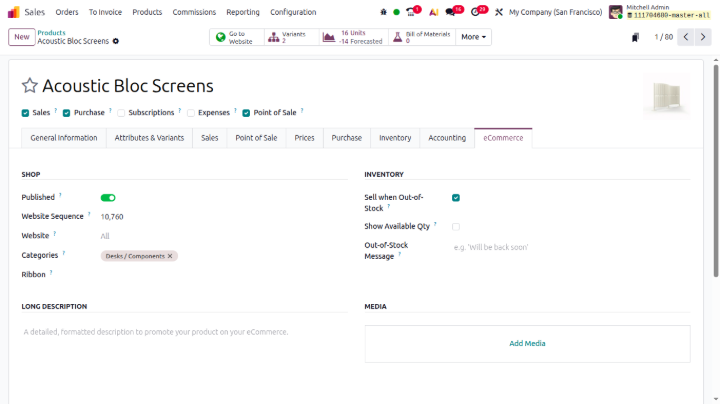
Products have eCommerce tab:
now products will have seperate eCommerce tab
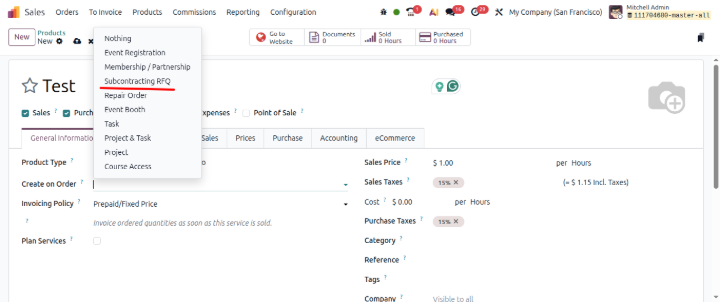
Subcontracting on RFQ:
Now fofr serviceable products, we can select option as Subcontracting on RFQ on Create on Order action.
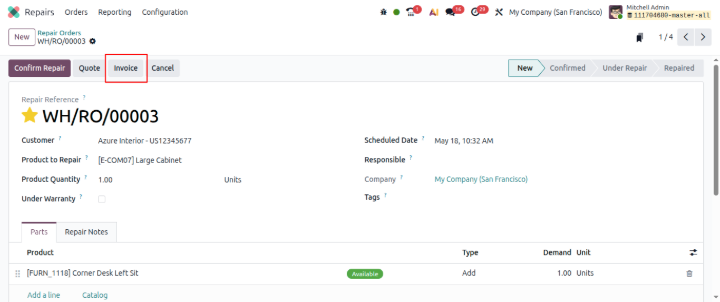
Odoo 20 Repairs New Expected Features::
Invoice from Repair order:
Now users will be directly able to create an invoice from repair order
Odoo 20 Timesheet New Expected Features:
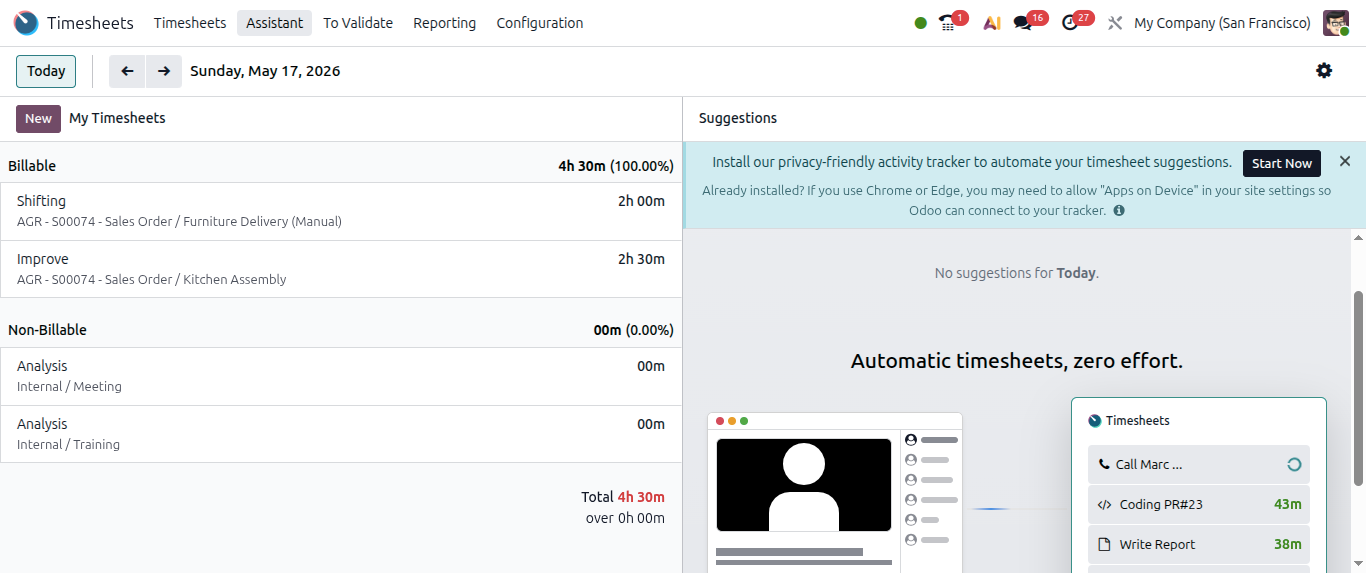
Easy to fill Timesheet:
Now by clicking on the Check-in and Check-out icon from the upper side user will be easily able to manage and fill up timesheet entries.
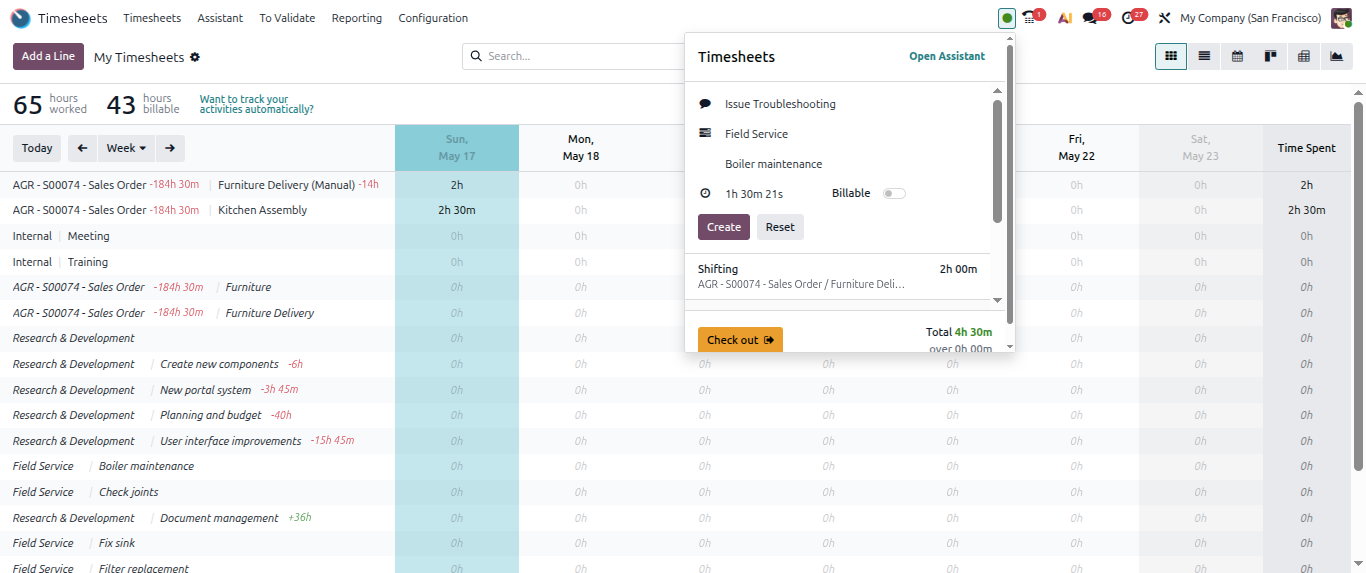
Timesheet Assistant:
It will keep track of hat you are doing in Odoo tabs and then suggest where you might want to log that time or what tasks you might want to put that time against.
Odoo 20 Planning New Expected Features::
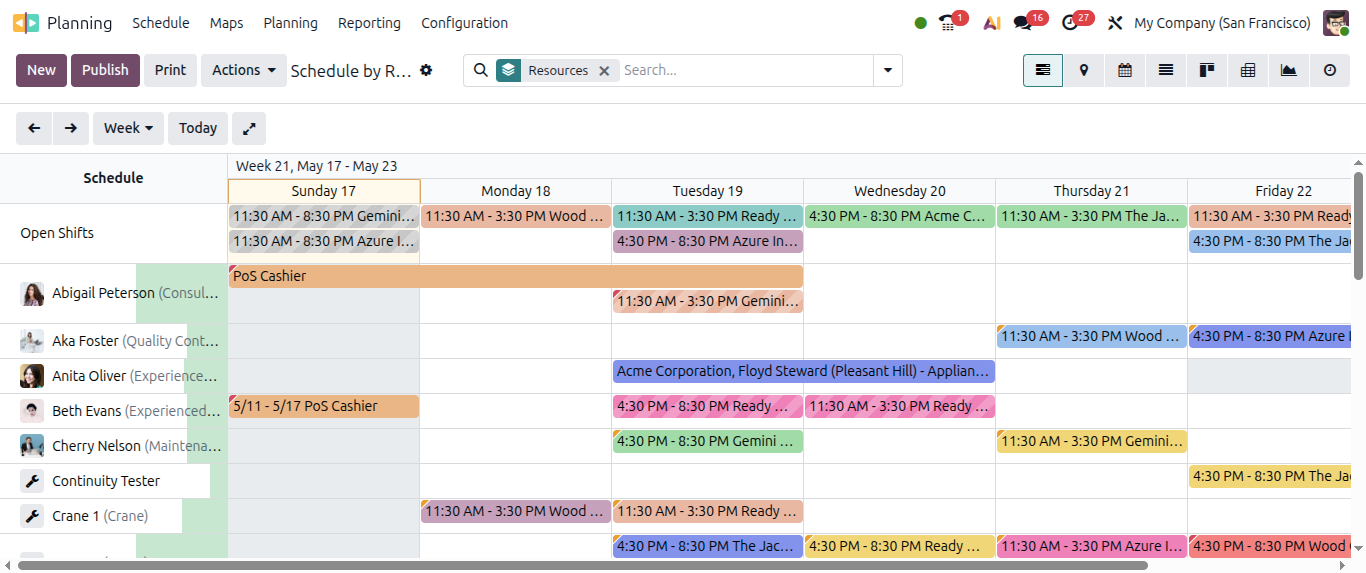
Field service module is merged with Planning module:
Now field service module is not a seperate entity, it is now merged with planning module.
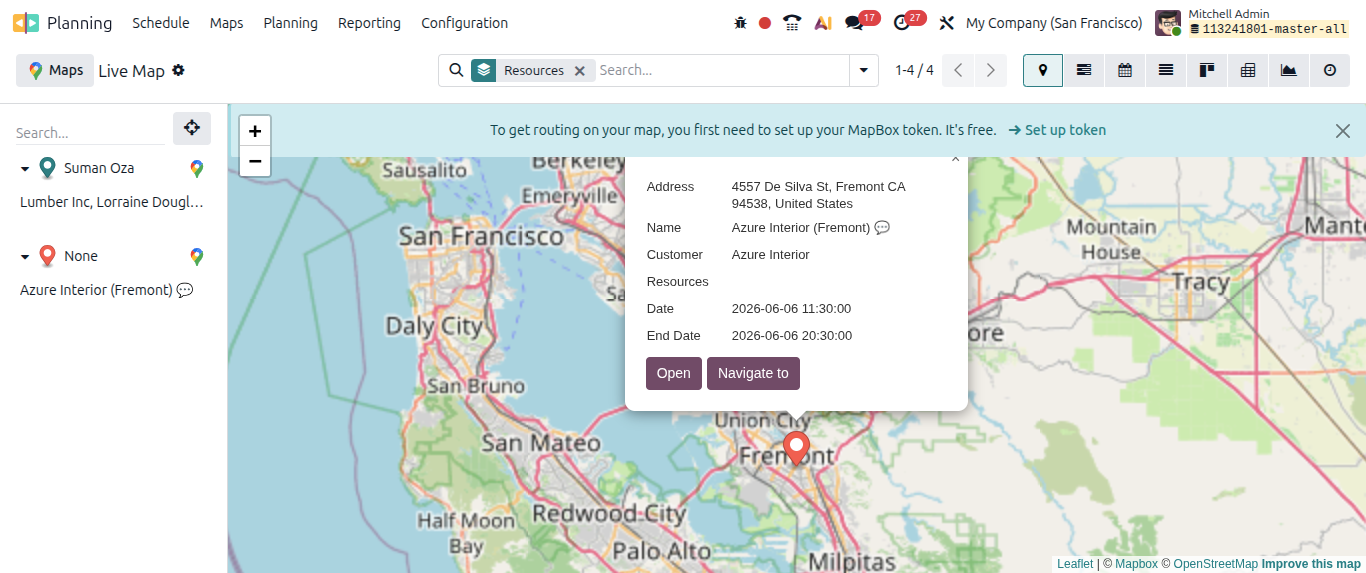
Live Map:
Now planning module provides live map to Track technicians' location on a live map during work hours.
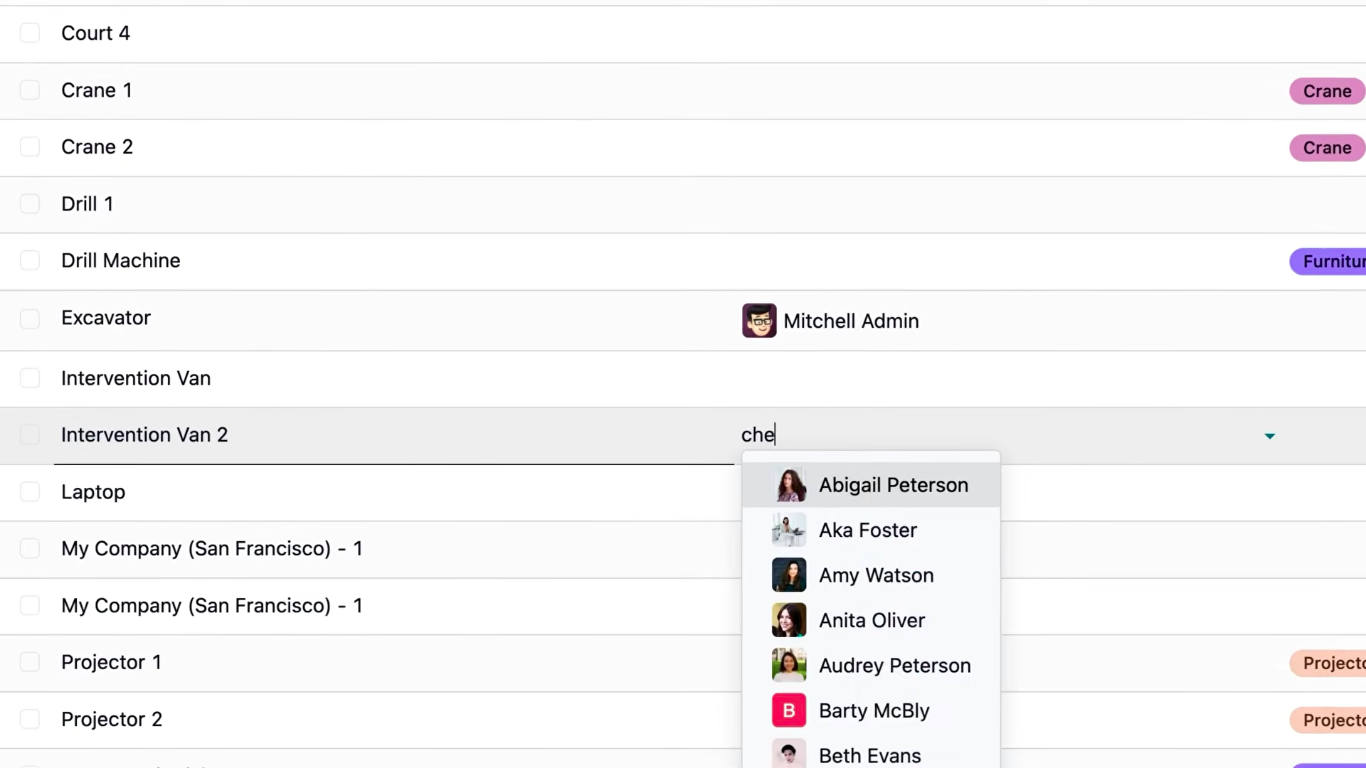
Assign materials to employees:
Users can assign materials to employees so that while assigning shifts to employees, materials will be auto assigned to them as per configuration done
Odoo 20 Document Knowledge New Expected Features::
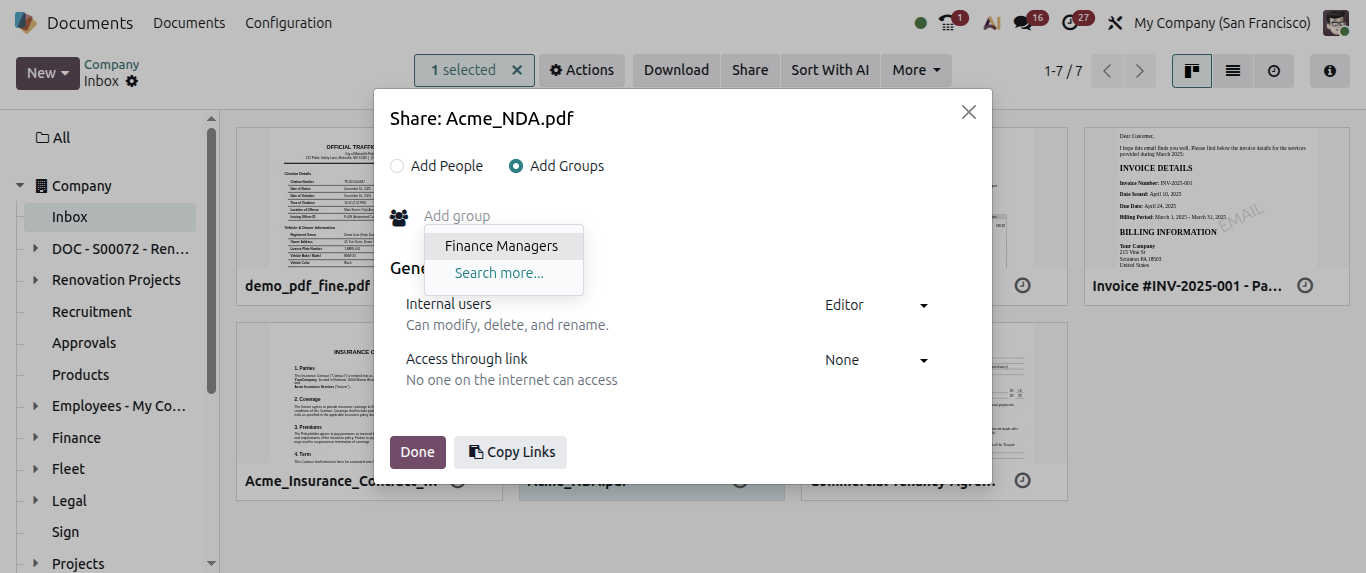
Document and knowledge articles can be shared with a group of people :
Document can be now shared with group of people, for example, finance manager.
Odoo 20 Spreadsheet New Expected Features:
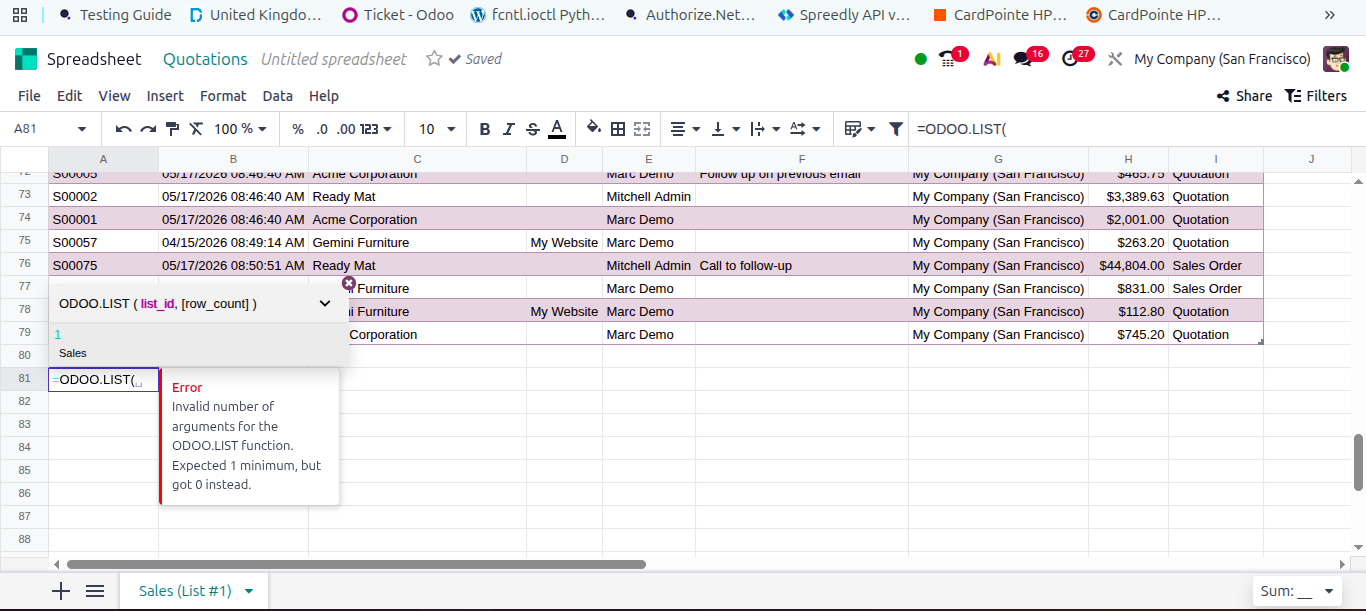
In spreadsheet - Odoo LIST function is now editable:
In spreadsheet, ODOO.LIST functiona is now dynamic lists that you can modify.
Odoo 20 Discuss New Expected Features:
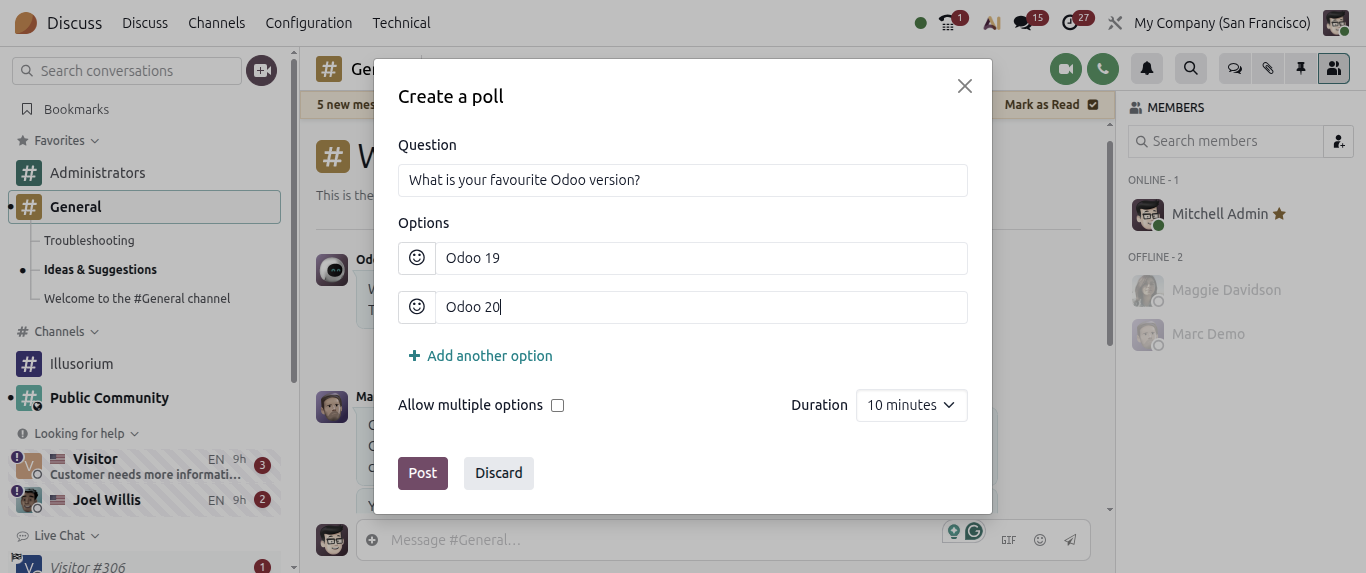
Add poll in Odoo group chats and channels:
Now participants can add polls in Odoo group chats and channels.
Video conference recording:
Users can now able to record calls
Odoo 20 IOT New Expected Features::
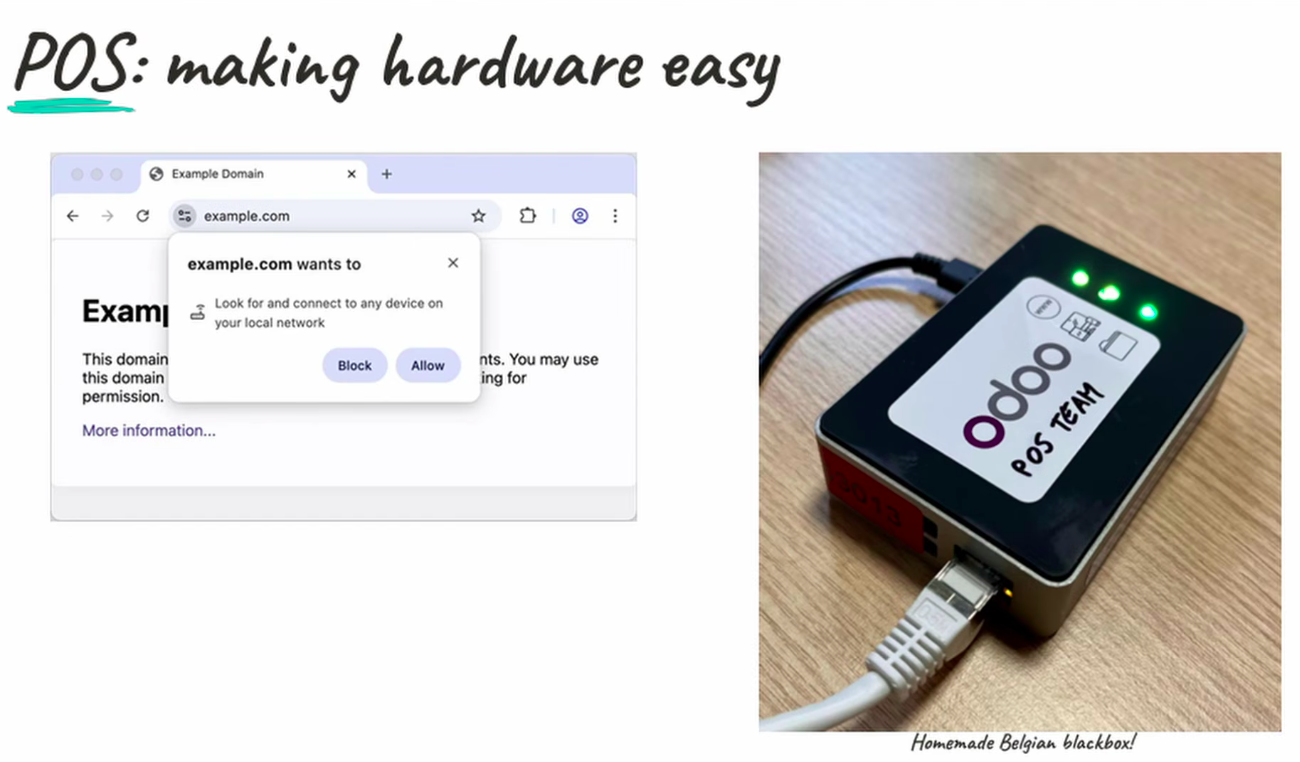
IOT and POS improvements:
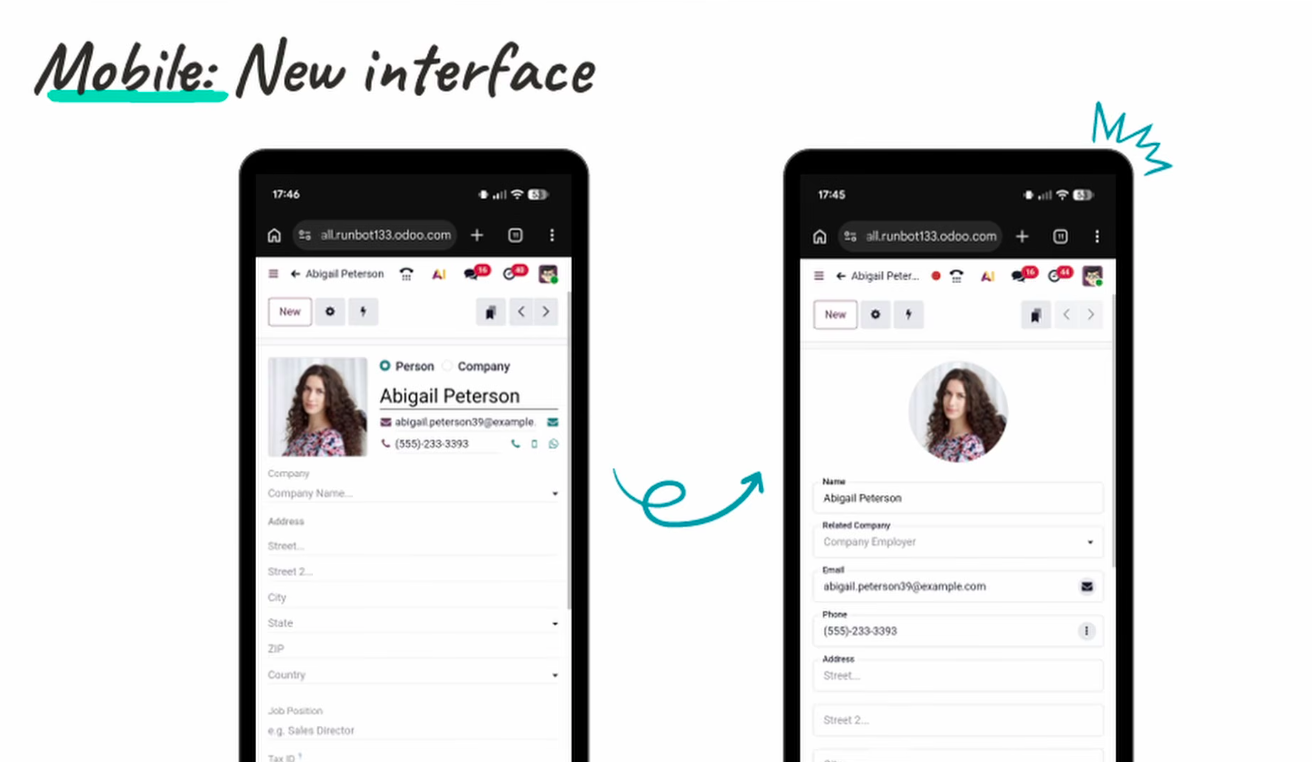
Odoo 20 Mobile Application New Expected Features:
Mobile interface improvement:
Odoo 20 Website New Expected Features::
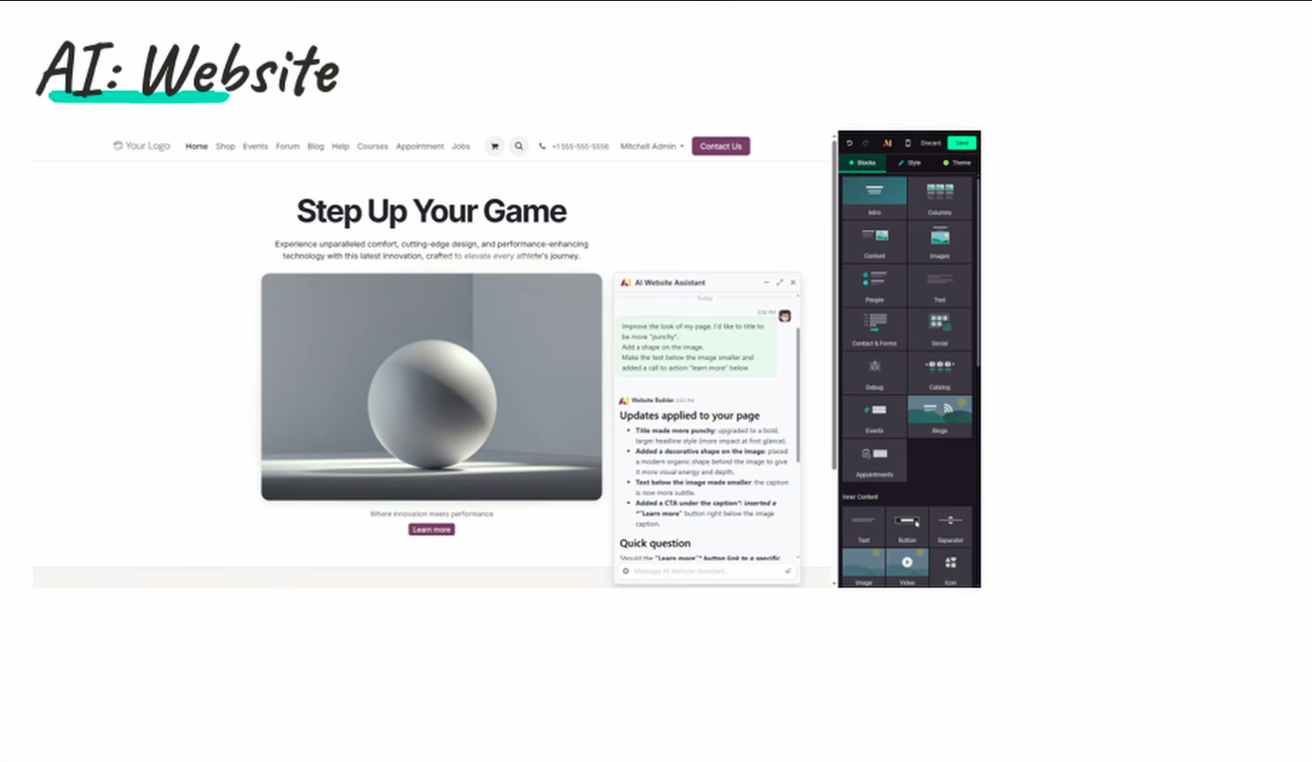
AI use in website:
AI assistant can be now used more effectively in Odoo website.
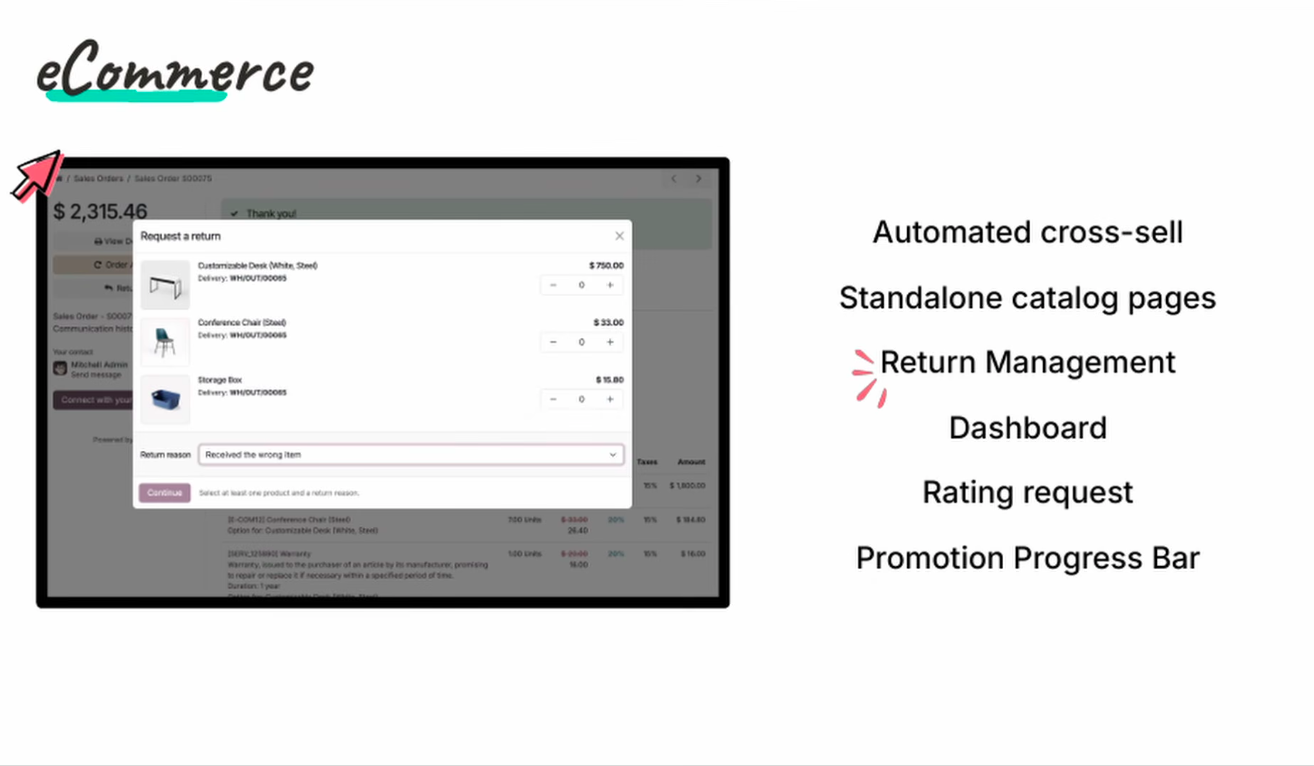
Return management from Odoo website:
Customers will be able to manage returns from Odoo E-Commerce website.
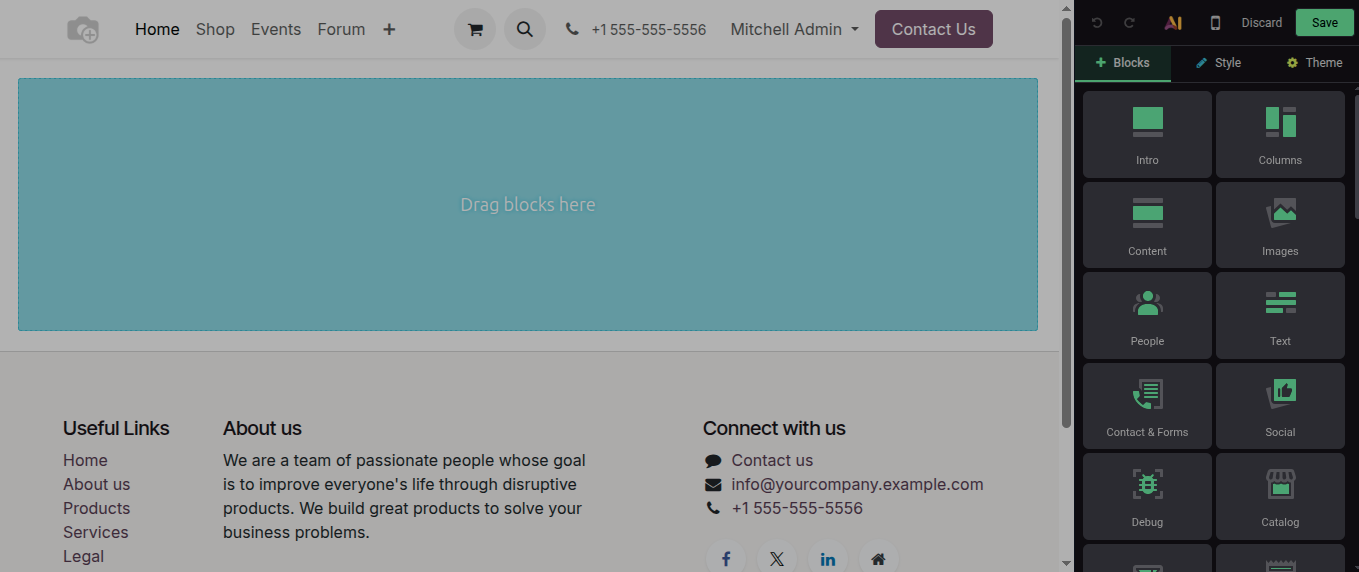
Website widgets design is changed:
New improved design of website widgets
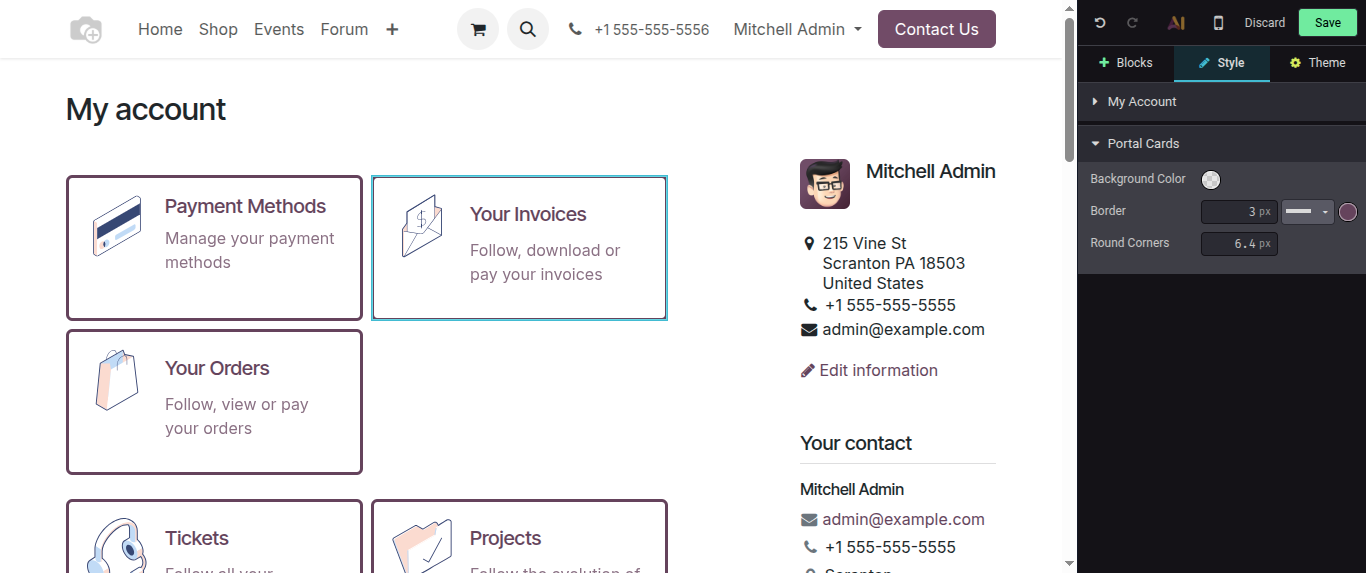
Edit Portal Button properties:
Now user will be able to change portal button properties like rename them and can give them border etc.
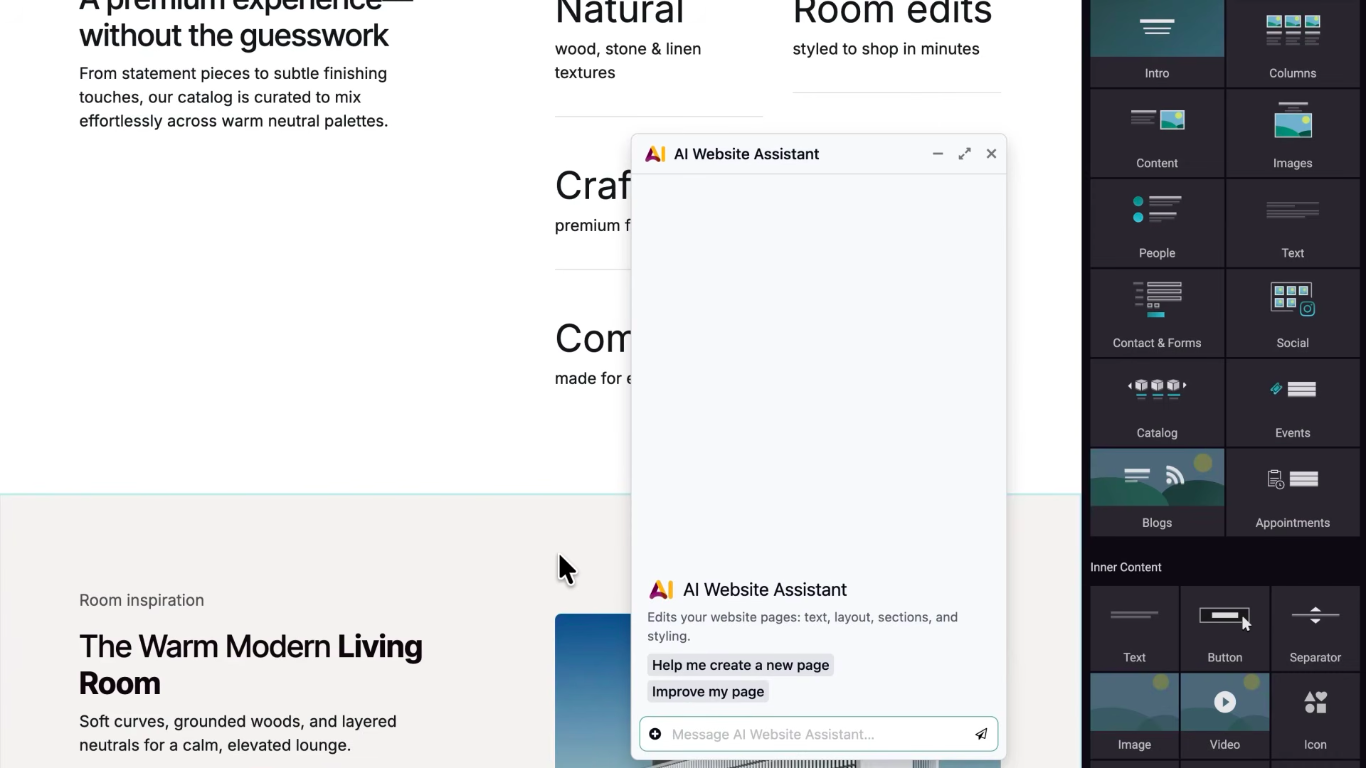
Create website snippets with AI
Now through AI Agents you can also create stunning website snippets just by describing them in AI website assistant.
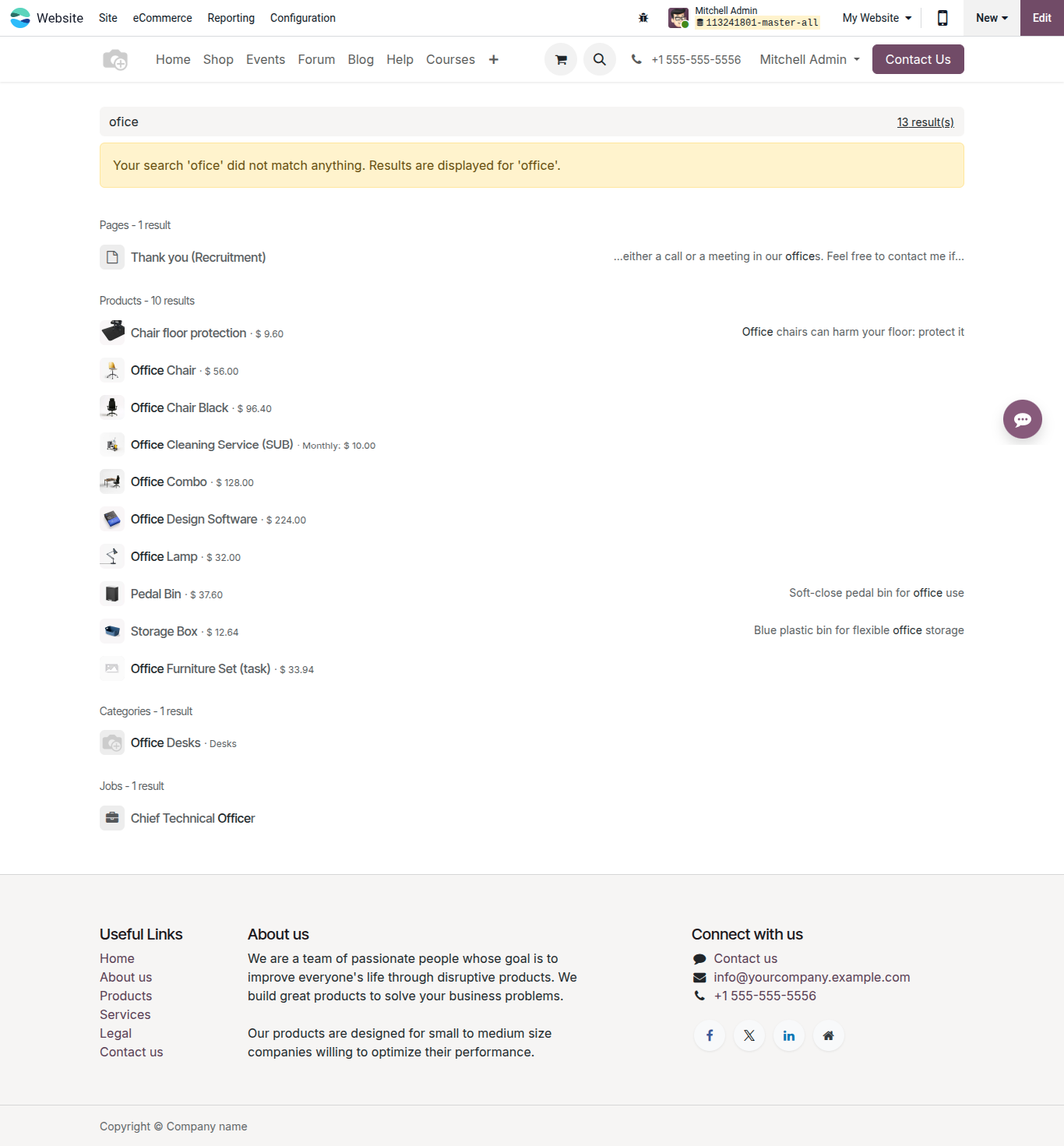
Smart search:
Website search is now smarter, so even when a website visitor will do any mistake while search, then the system automatically predicts the correct search and show them those results, for example Google Search.
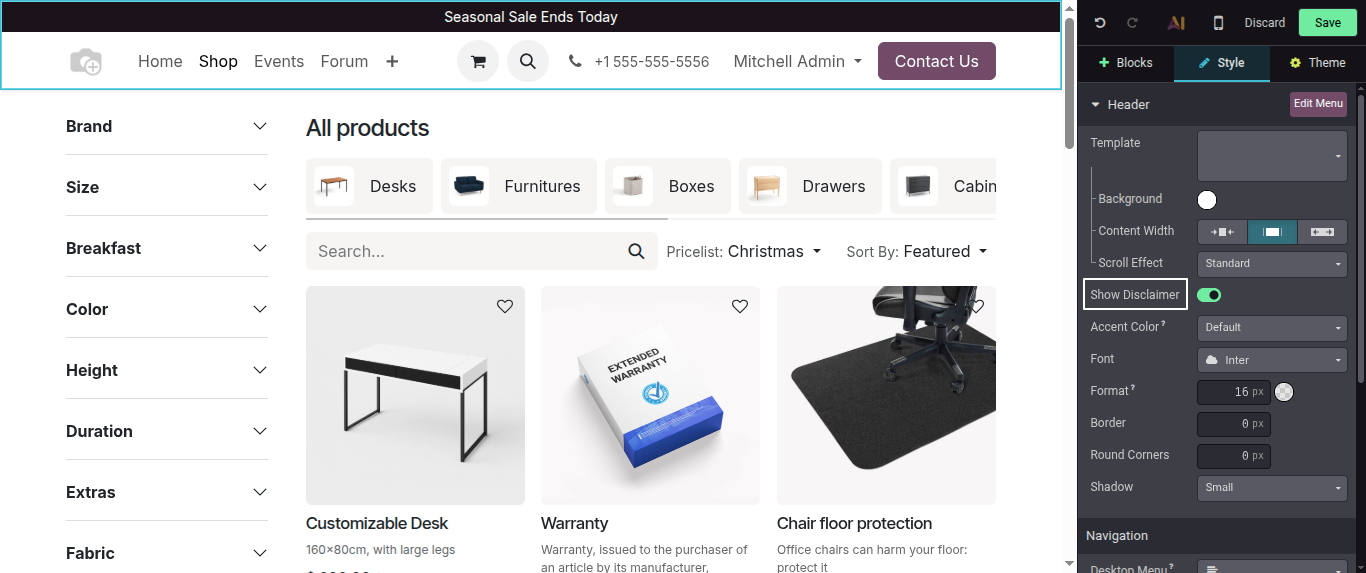
Website Disclaimer:
User can add a disclaimer message on the top of the website
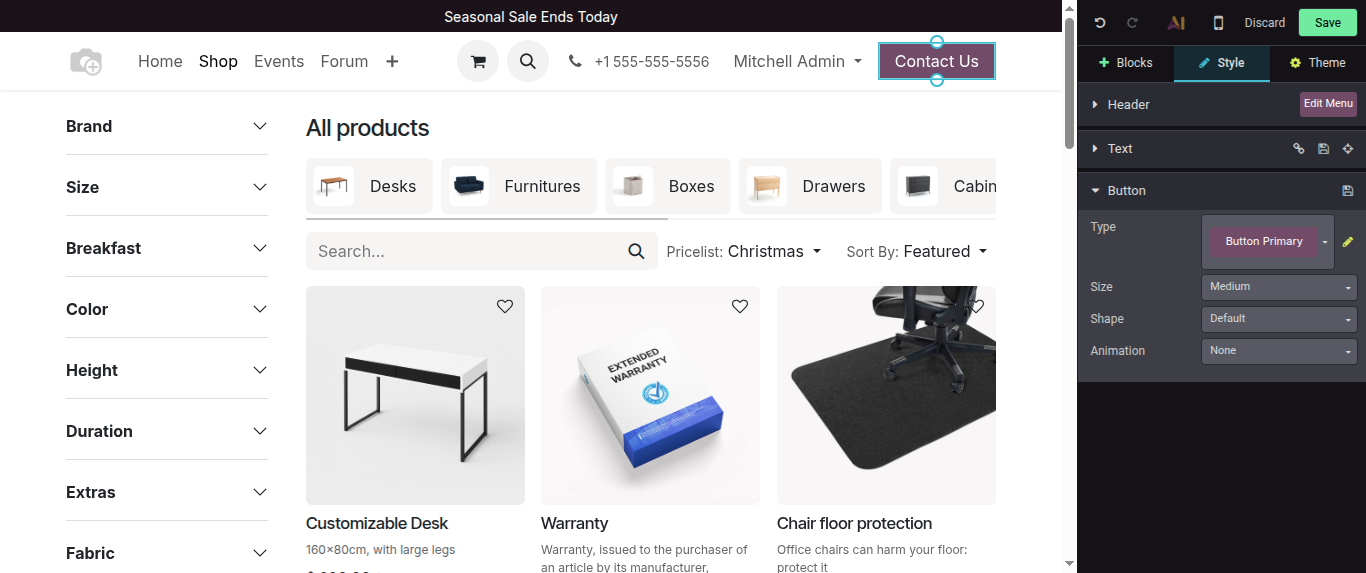
Edit button shortcut:
Now directly from button short cut edit, you will be able to access button properties, just click on the button and the right side click on edit icon
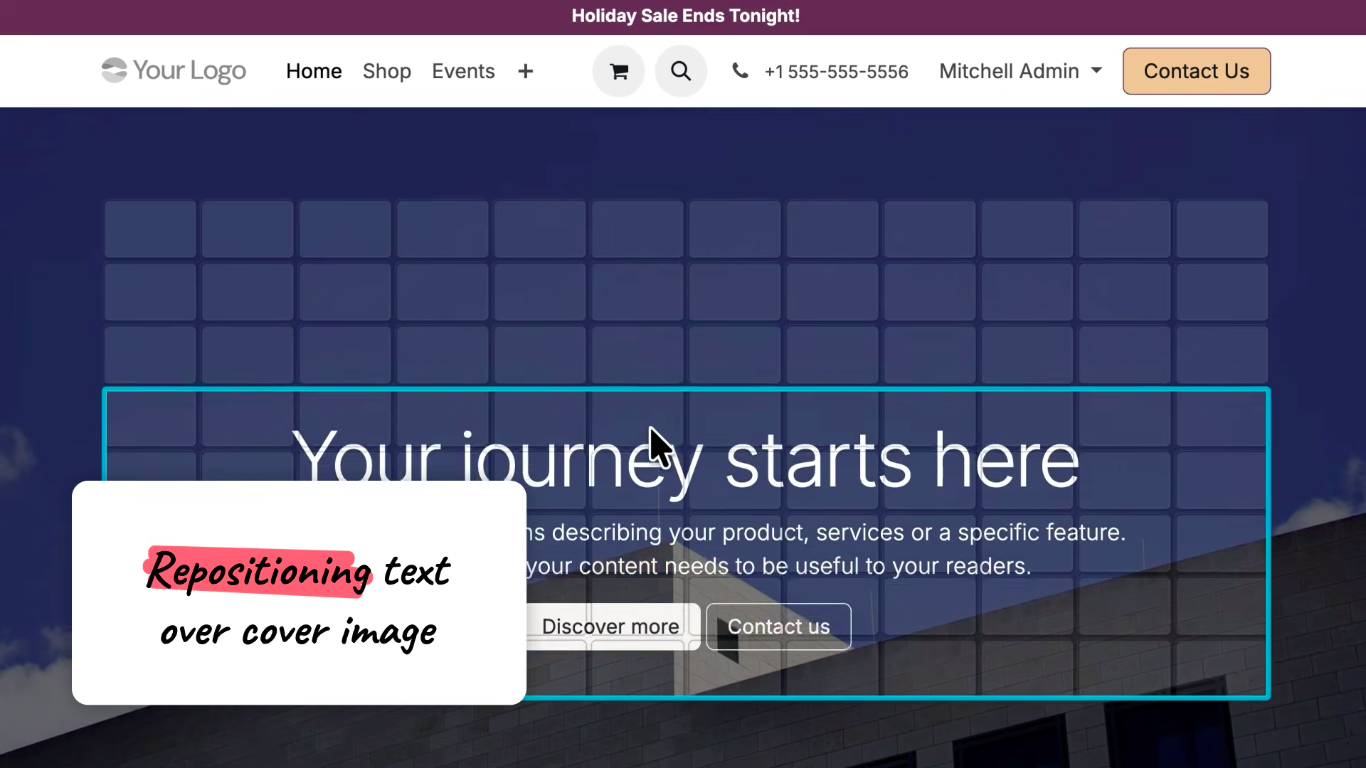
Reposition text over cover image:
Users can reposition text over cover image
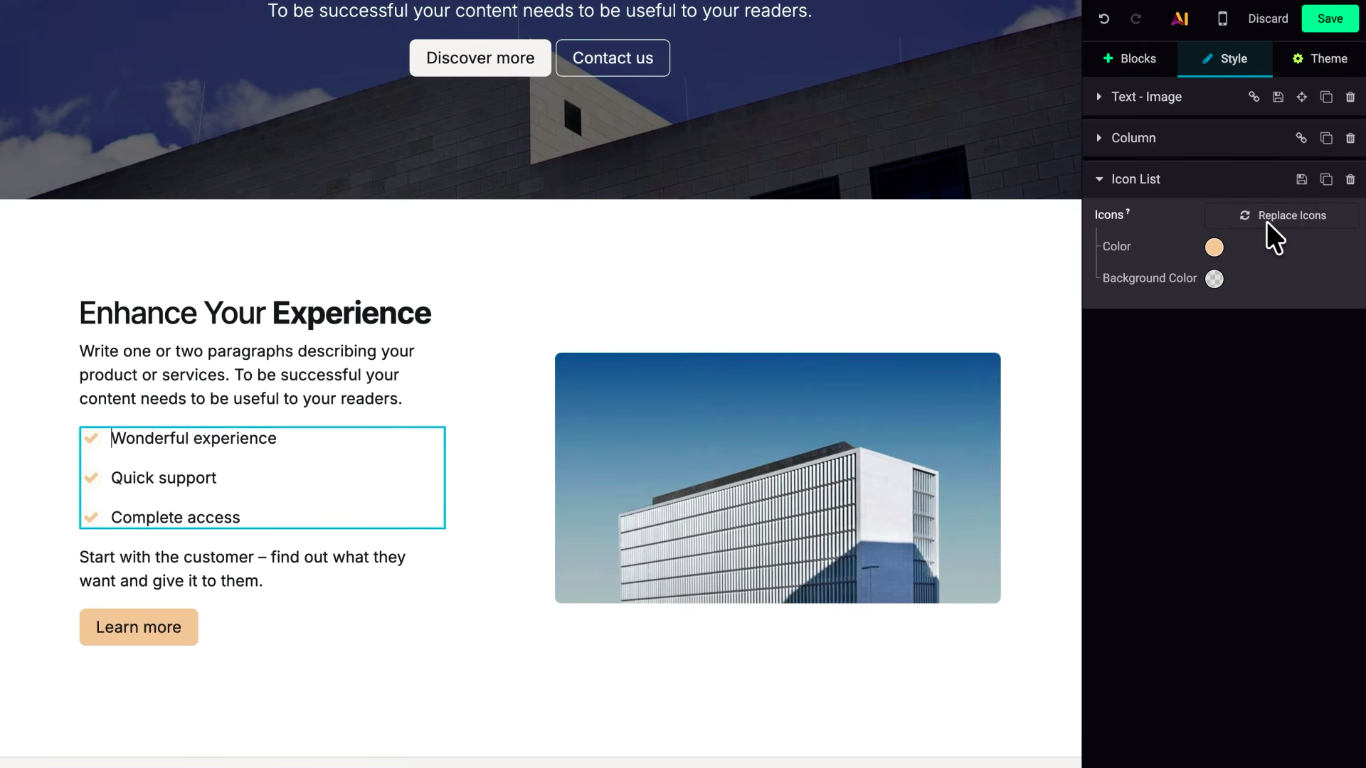
Replace icons easily:
Now uses can easily replace icons by selecting them and by clicking on Replace icon button
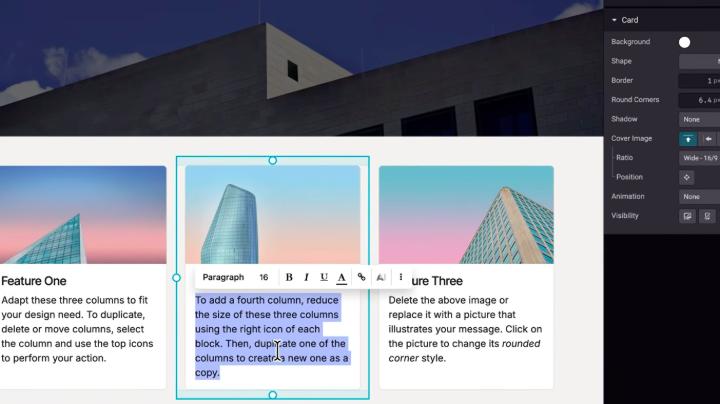
Select text shortcut:
Now by using Ctrl + A, user can be able to select a particular column text as select all text rather than selecting all section text.
Odoo 20 E-Commerce New Expected Features::
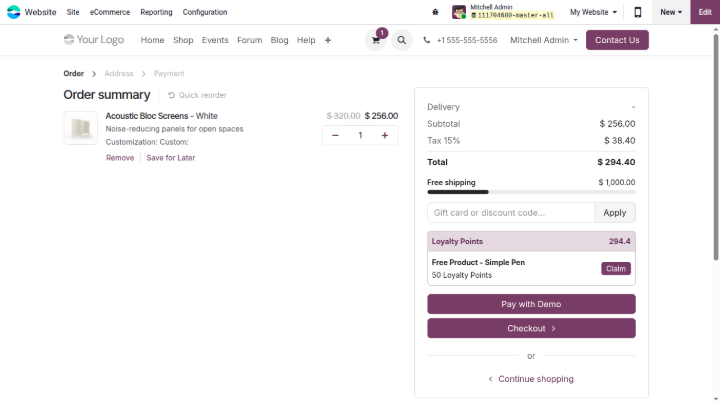
Free Delivery Progress Bar:
While Shopping, when a customer will add products in the cart, a free delivery progress bar is displayed which moticates customer to add more items in his cart to avail free delivery.
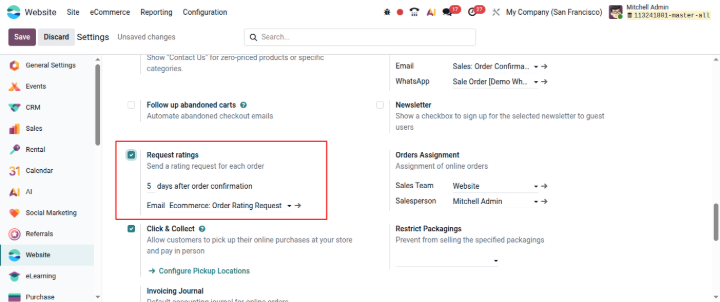
Rating requests:
Now uses can send customer rating request for each and every sales order of the customer, user can select after how many days after sales order confirmation, an email will be sent and what email template should be selected?
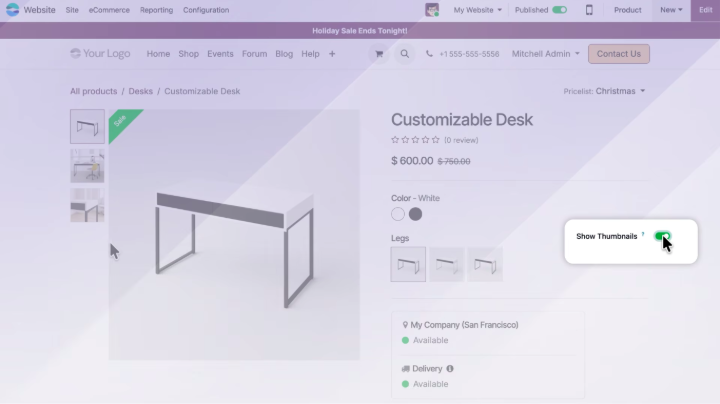
Show thumbnails:
By clicking on Show Thumbnails toggle button, Odoo will show that product related variant images directly from the product view.
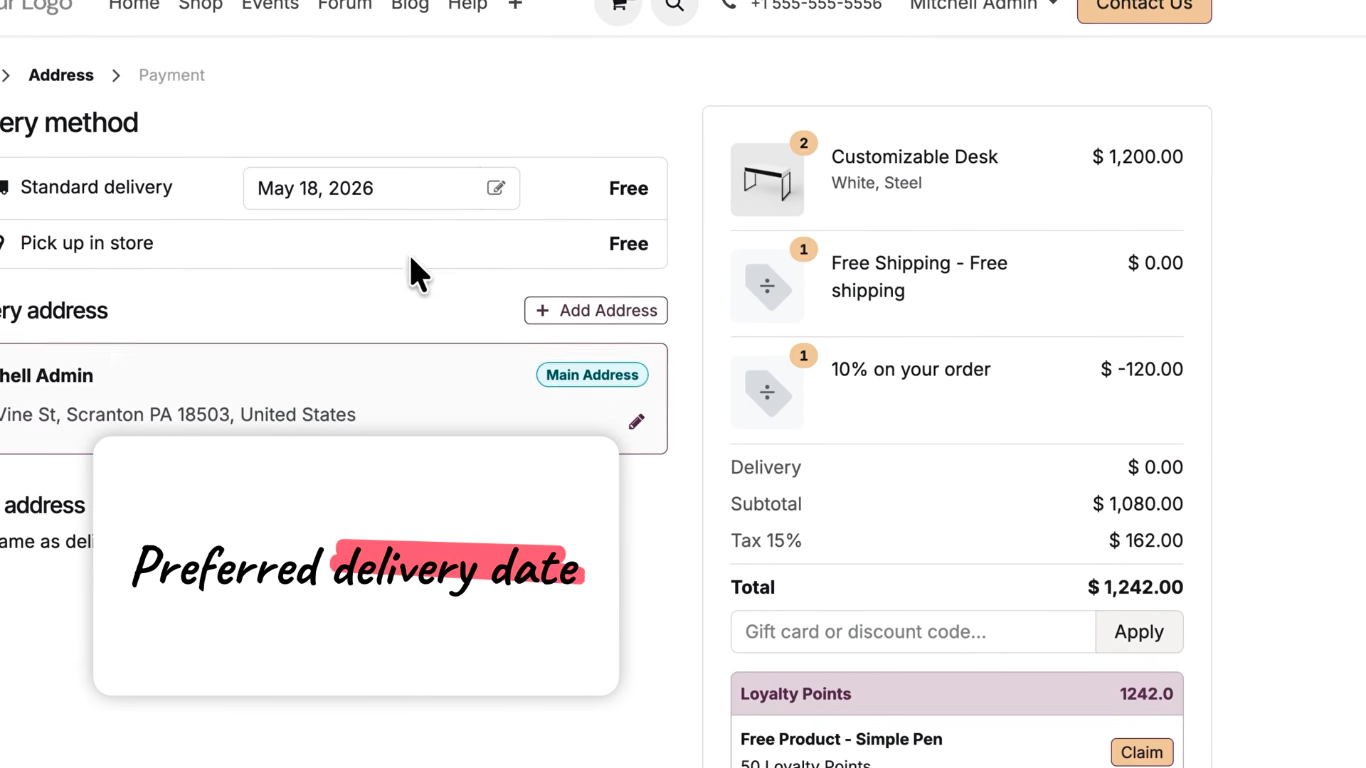
Preferred delivery date:
While checkout, customers will be able to select preferred delivery date from E-Commerce website.
Odoo 20 Sign New Expected Features:
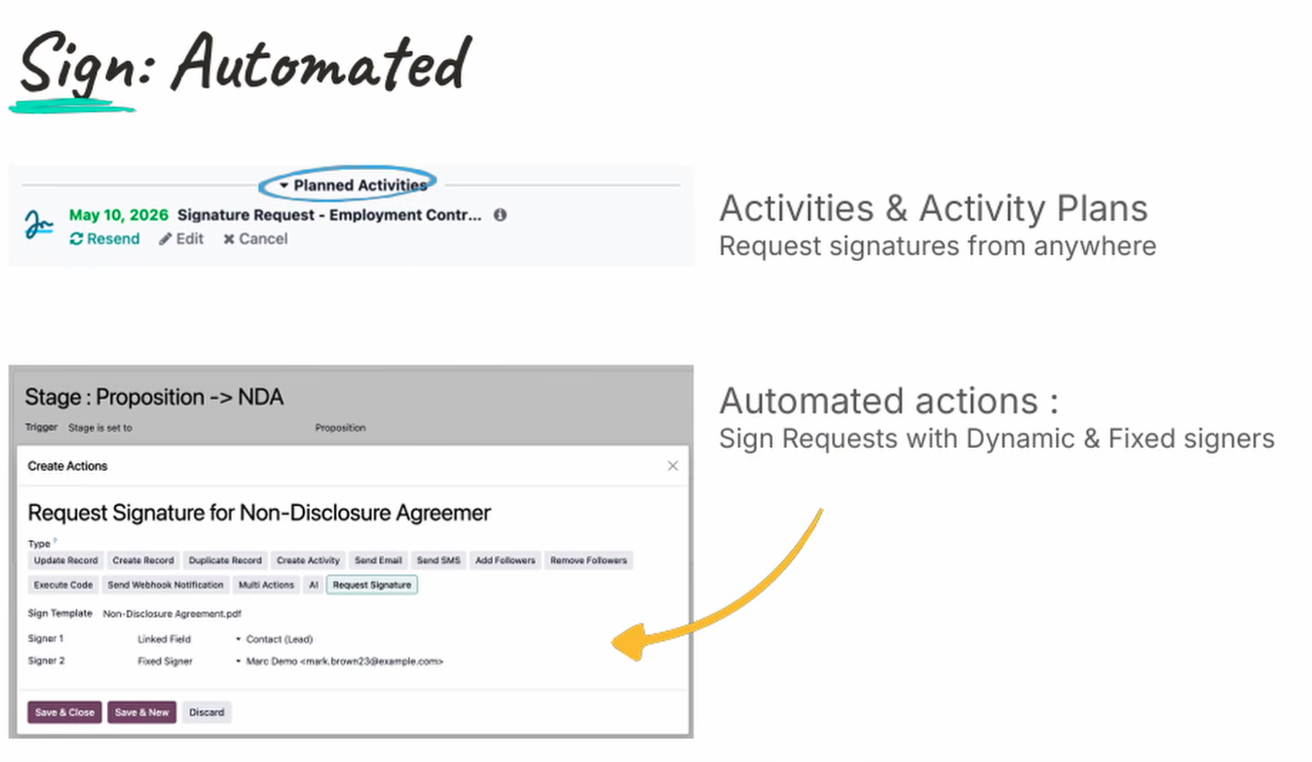
Sign requests:
Sign requests with dynamic and fixed signers
Odoo 20 Dashboard New Expected Features:
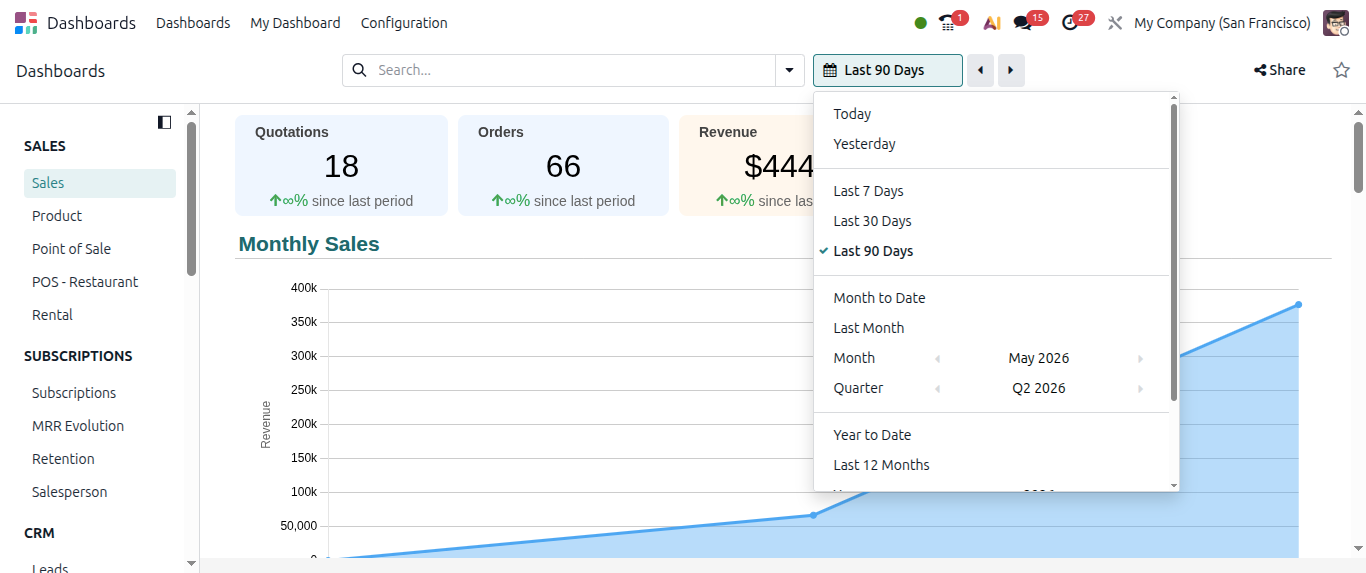
Compare Period in Odoo Dashboard:
Here in Odoo dashboard charts, users will be able to compare periods. For example Last 90 days
Odoo 20 Calendar New Expected Features:
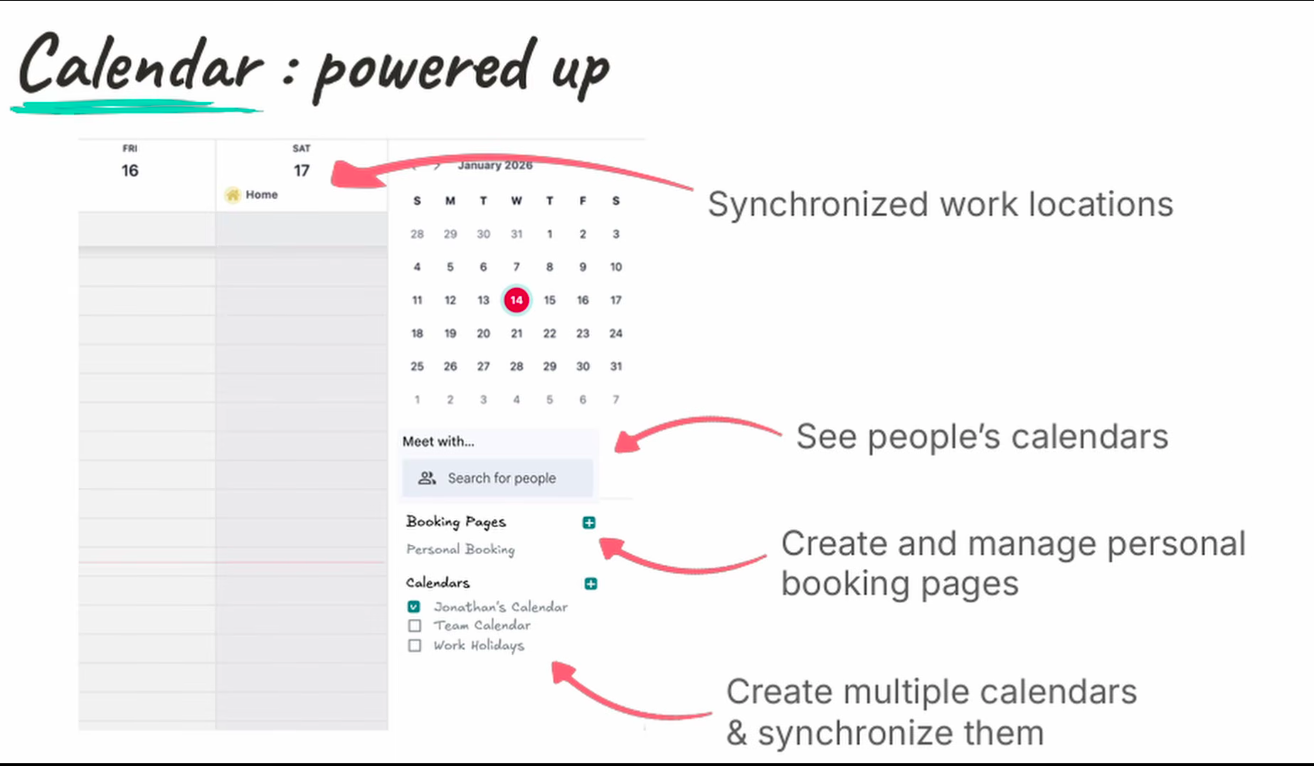
Powere up calendar module:
Odoo 20 Events New Expected Features:
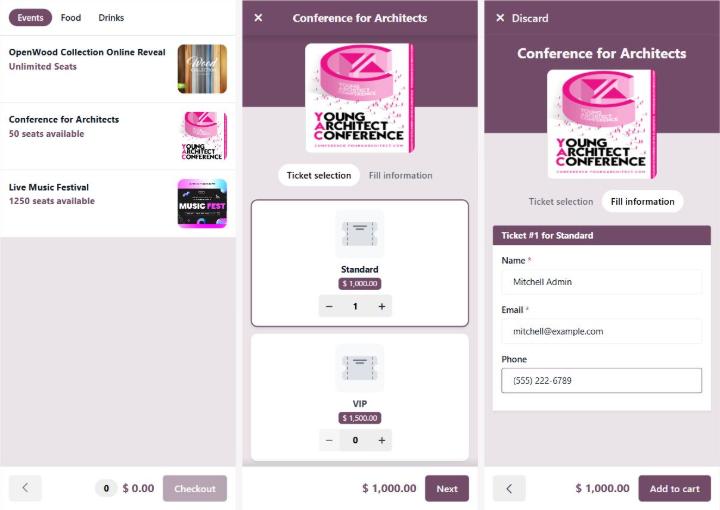
Self order event tickets:
#Odoo R&D peek: Self-order event tickets on POS, phone, QR, and kiosk.📱
Odoo 20 Maintenance New Expected Features::
Equipment - used by Vehicle:
In equipment master, we can now track records for those equipments which can used by vehicles, for example GPS tracker, Dash Camera
Odoo 20 General New Expected Features:
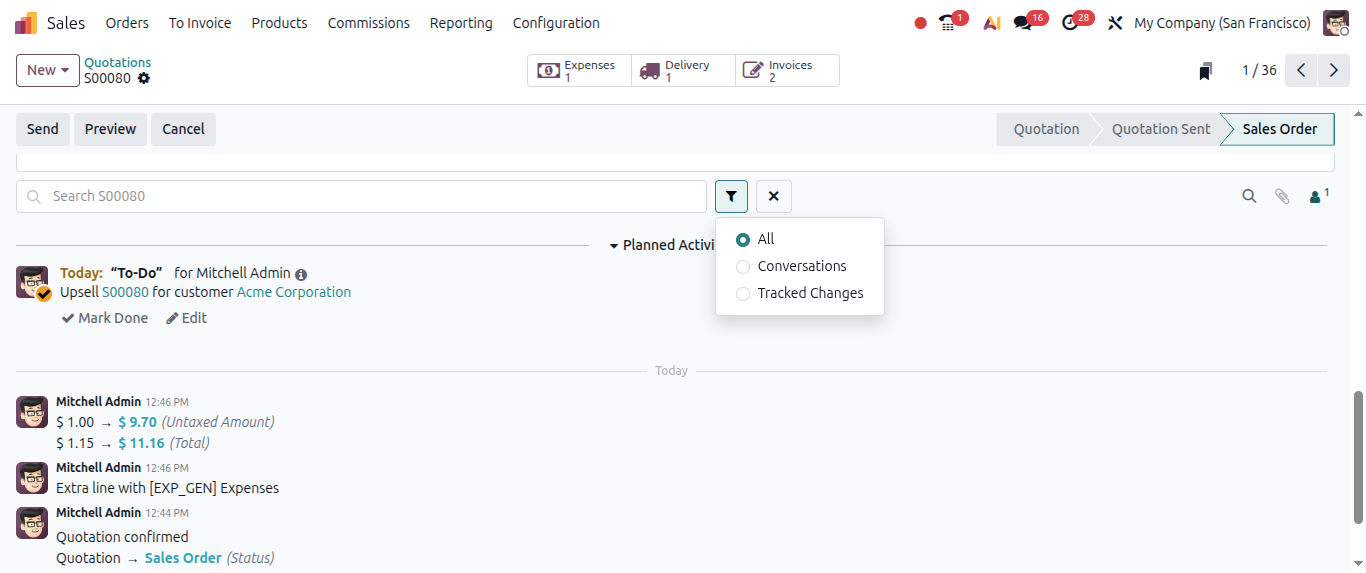
Search in Chatter:
In each and every chatter, search functionality is provided, users will be able to search Conversations, Tracked changes or all kind of messages.
Calendar:
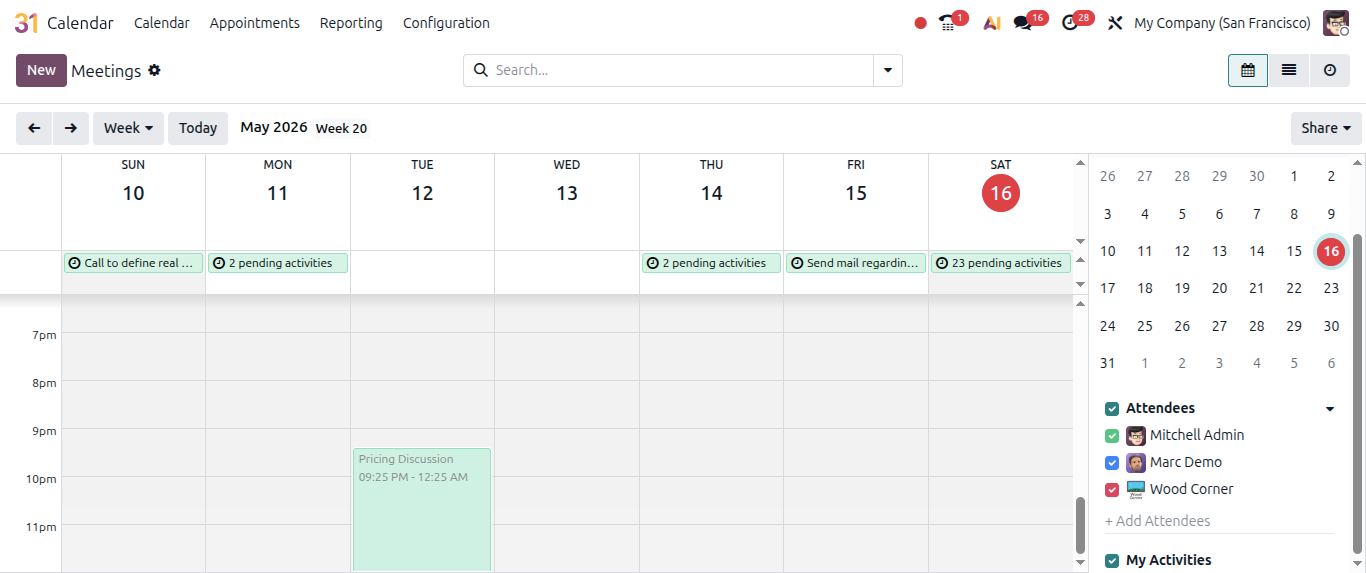
Records can be easily unscheduled by draging them to the side panel.
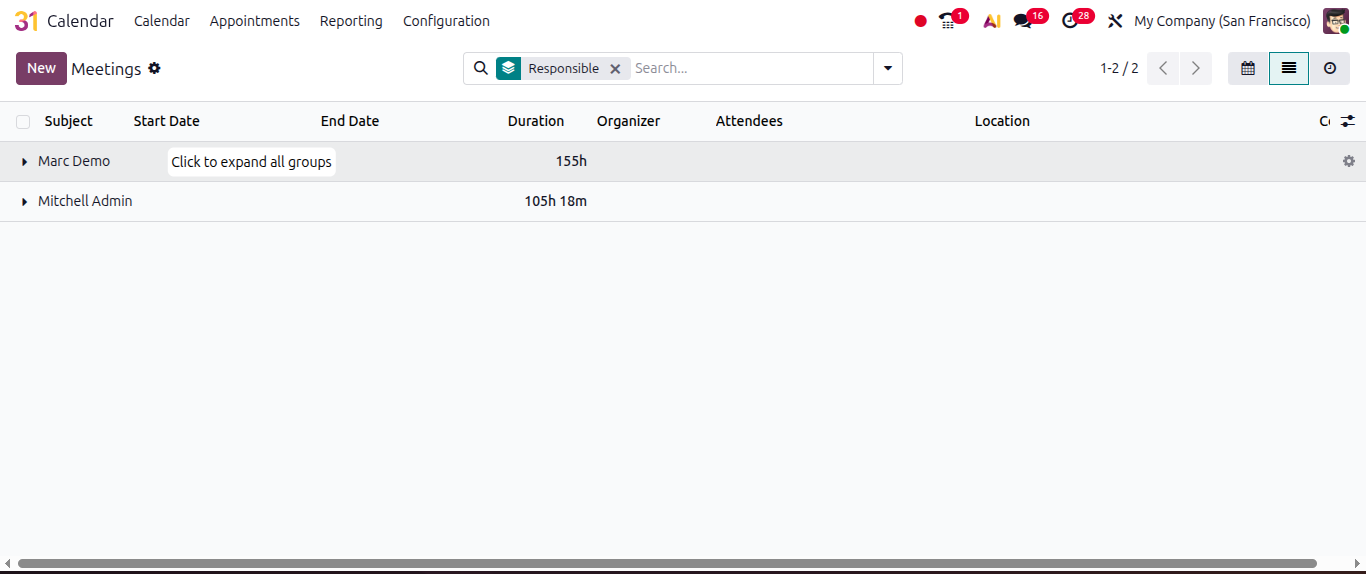
Expand and collapse list view:
Users will be able to expand and collapse list view.
Discuss:
We can add Channel now to Favourites or Remove them from Favourites.
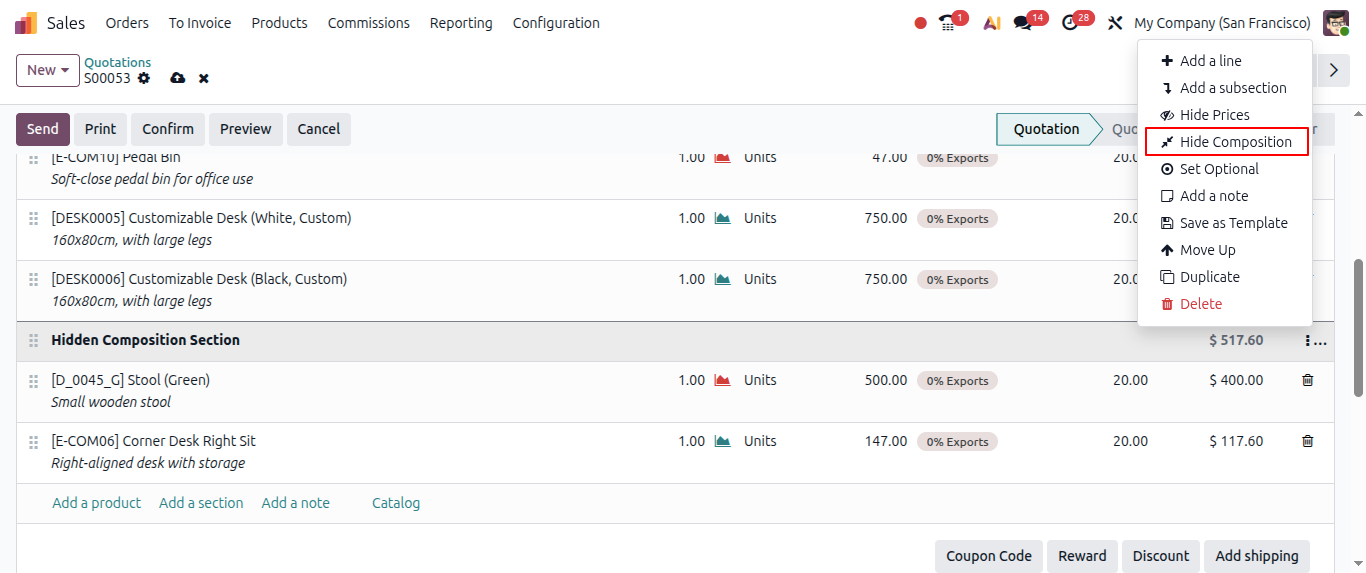
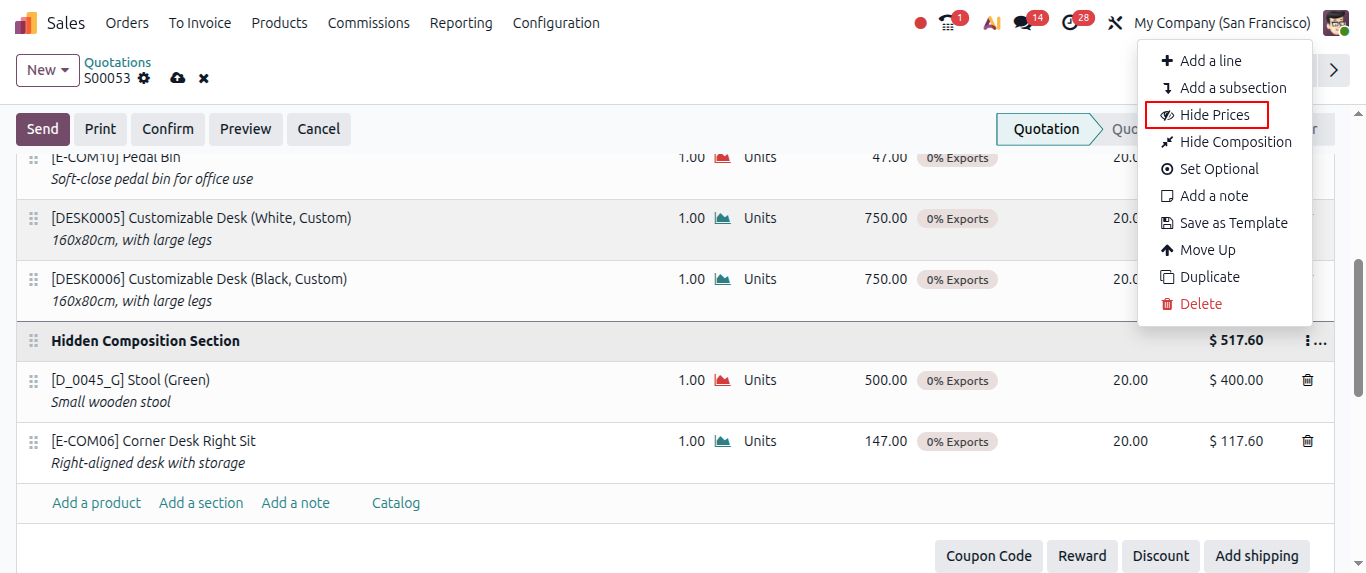
Hide composition for Section:
On Sales order lines, when add section, we will be able to hide section composition so that it will be only visible to us not to the customer.
Hide price:
On sales order lines for a perticular section related product lines, if we want to hide price then we can do it.
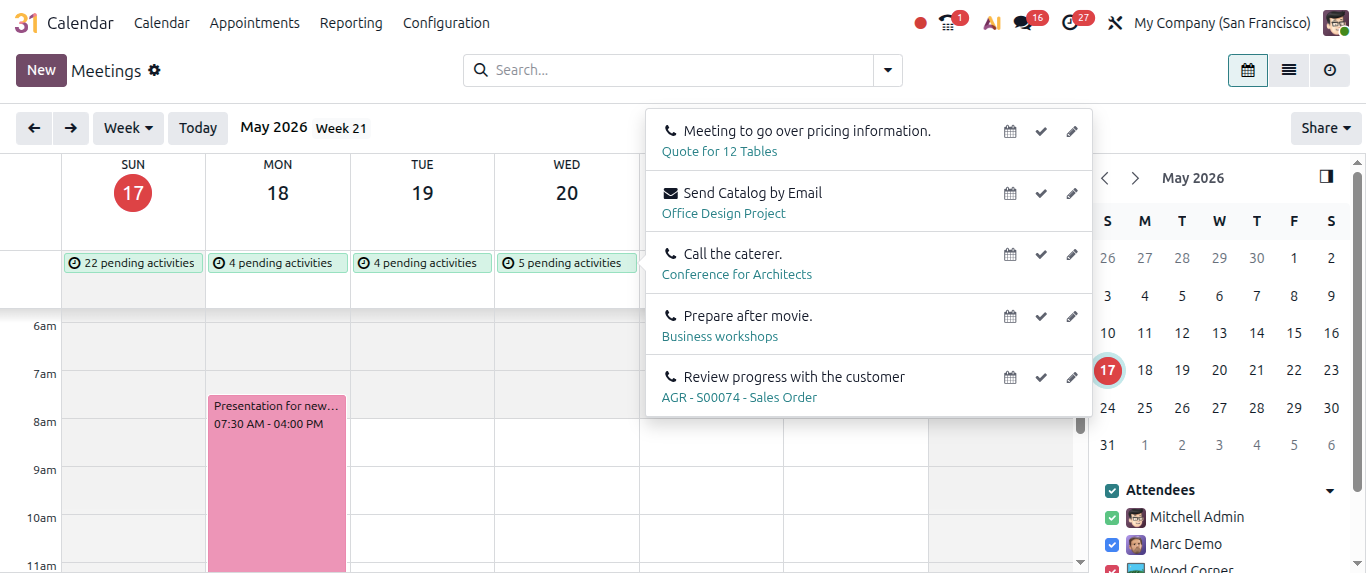
Manage activities in calendar view:
Now users will be able to manage all of their activities in the calendar view.
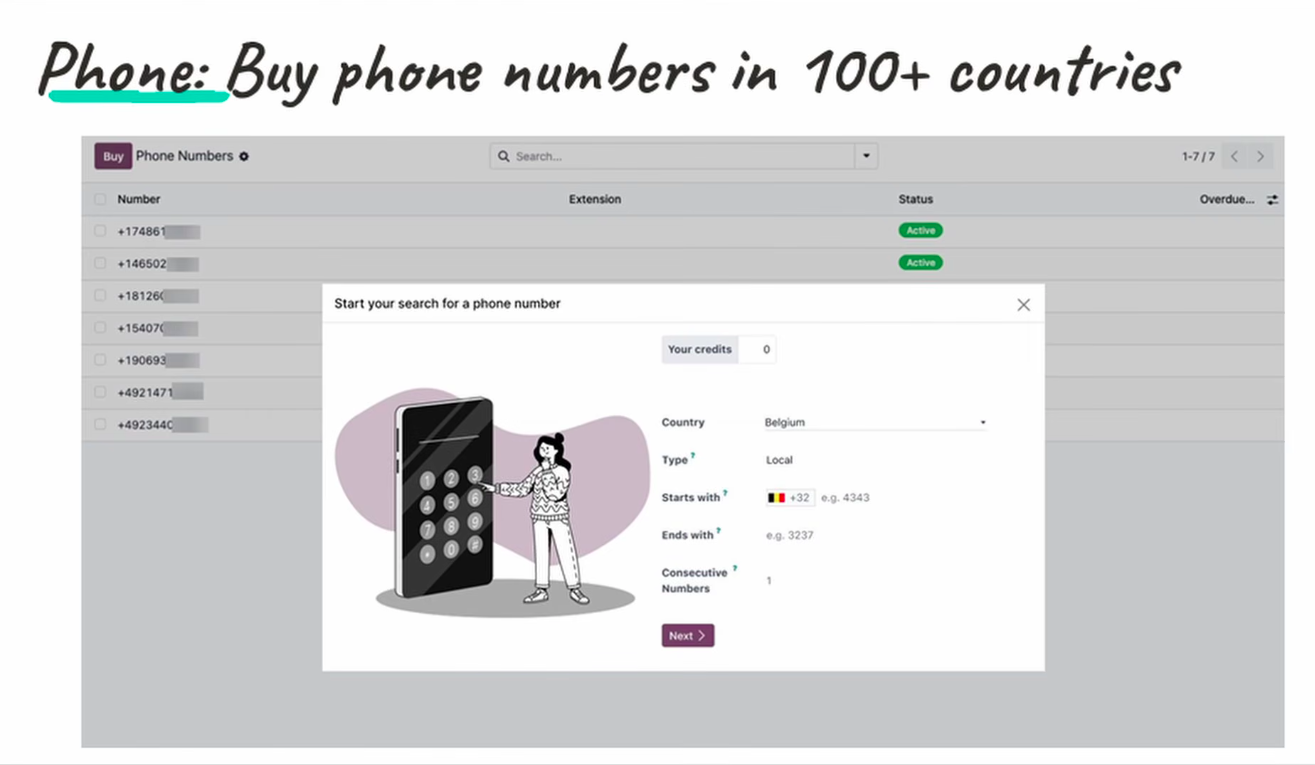
Buy Phone numbers:
Now users will be able to buy phone numbers for more than 100+ countries.
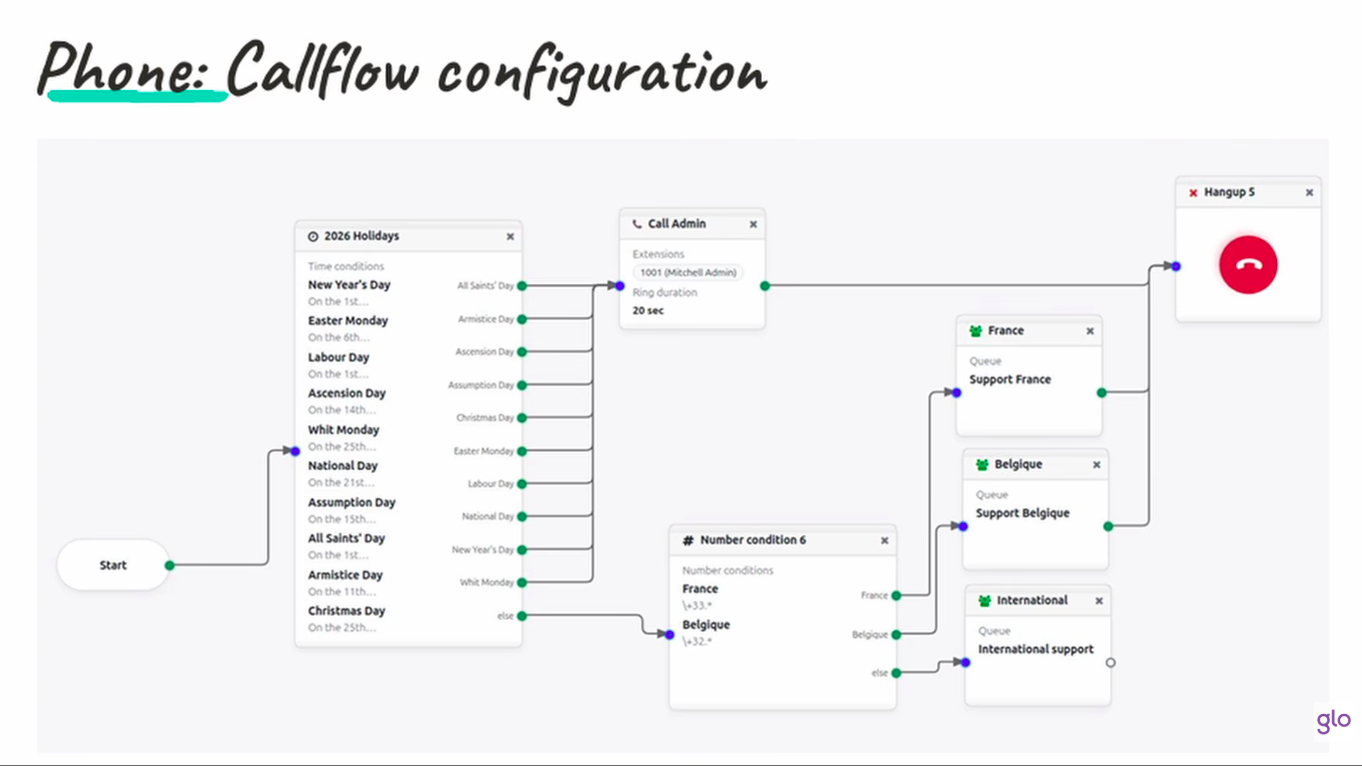
Phone - call flow configuration:
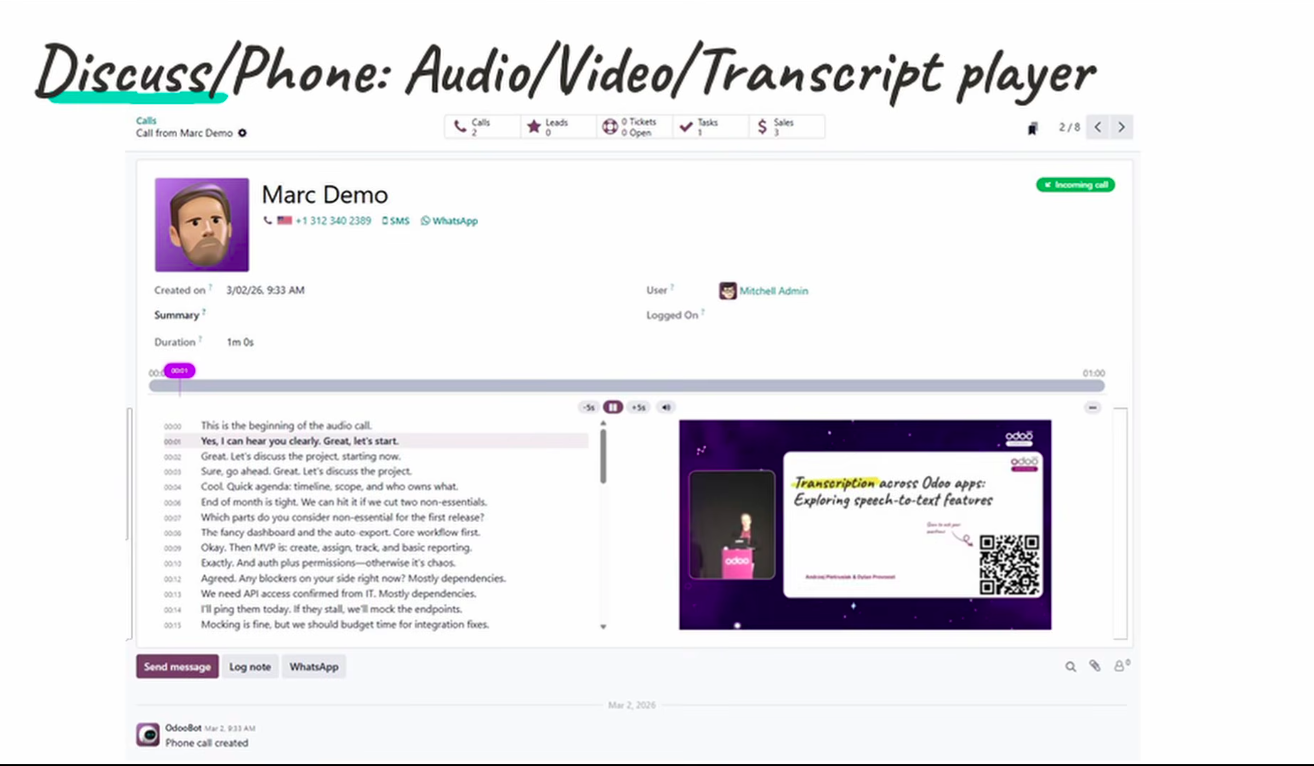
Audio video transcript player:
Now audio or video can be transcripted in Odoo.
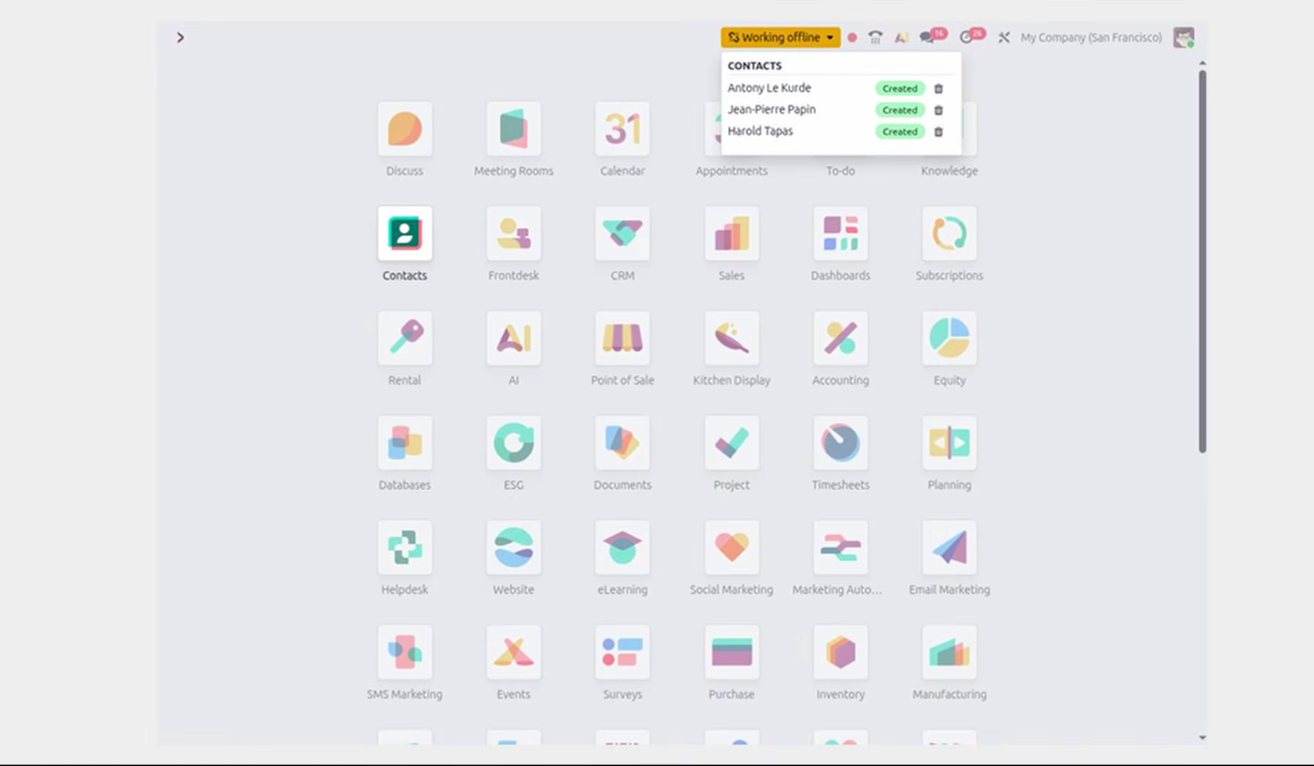
Offline Activities track:
When Odoo will be offline and we will do allowed operations then here Odoo will track those activities.
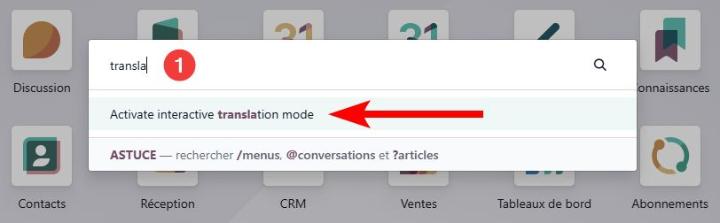
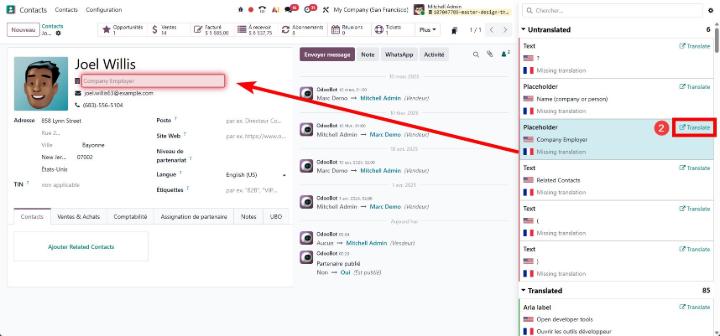
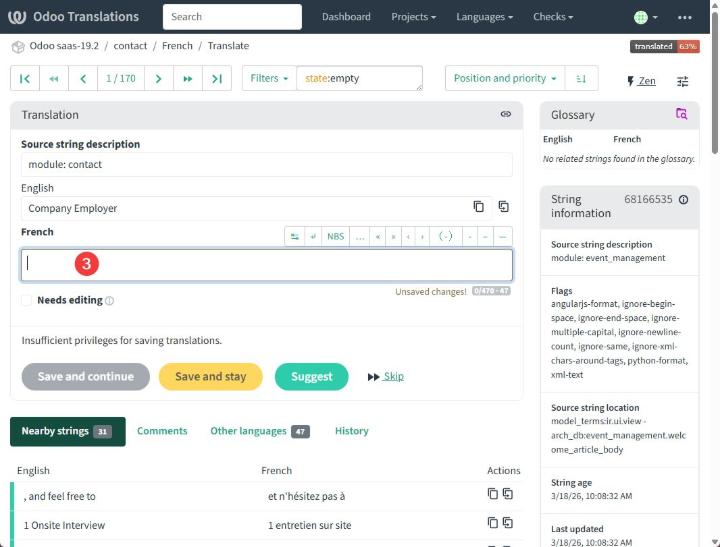
Translate Odoo:
Translate Odoo in App and in Context
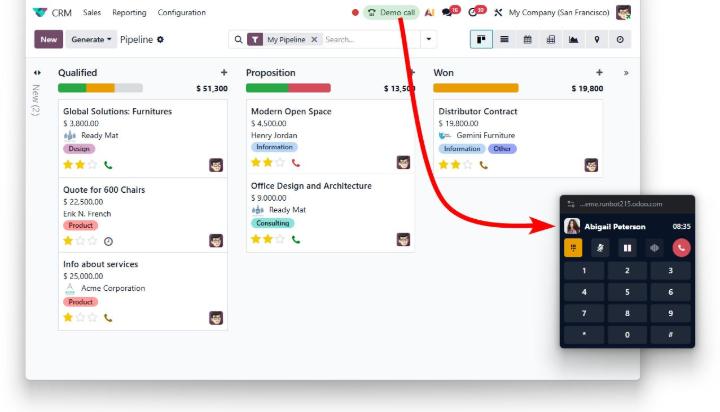
Odoo Call:
Bring Odoo Phone wherever you navigate with the new always-on-top widget.
Odoo Offline mode:
Effectively use Odoo in offline mode.
Log Phone Call:
#Odoo R&D peek: Log any phone call in most common chatters.📞
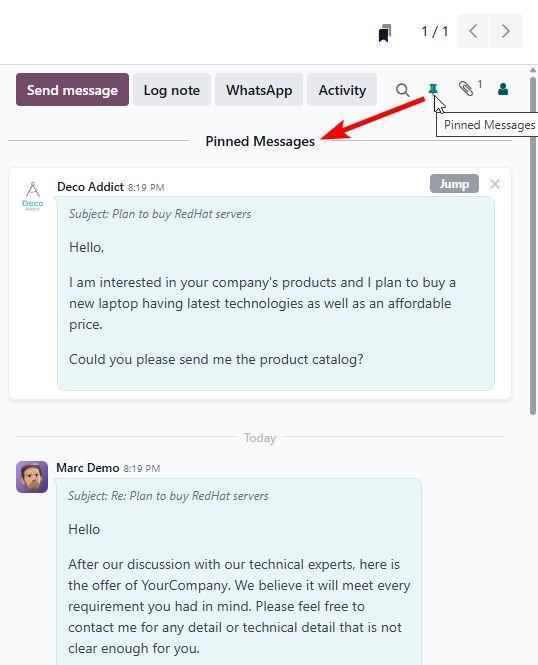
Pin messages:
Now users will be able to pin messages in Chatter part and can jump to those chatter part message
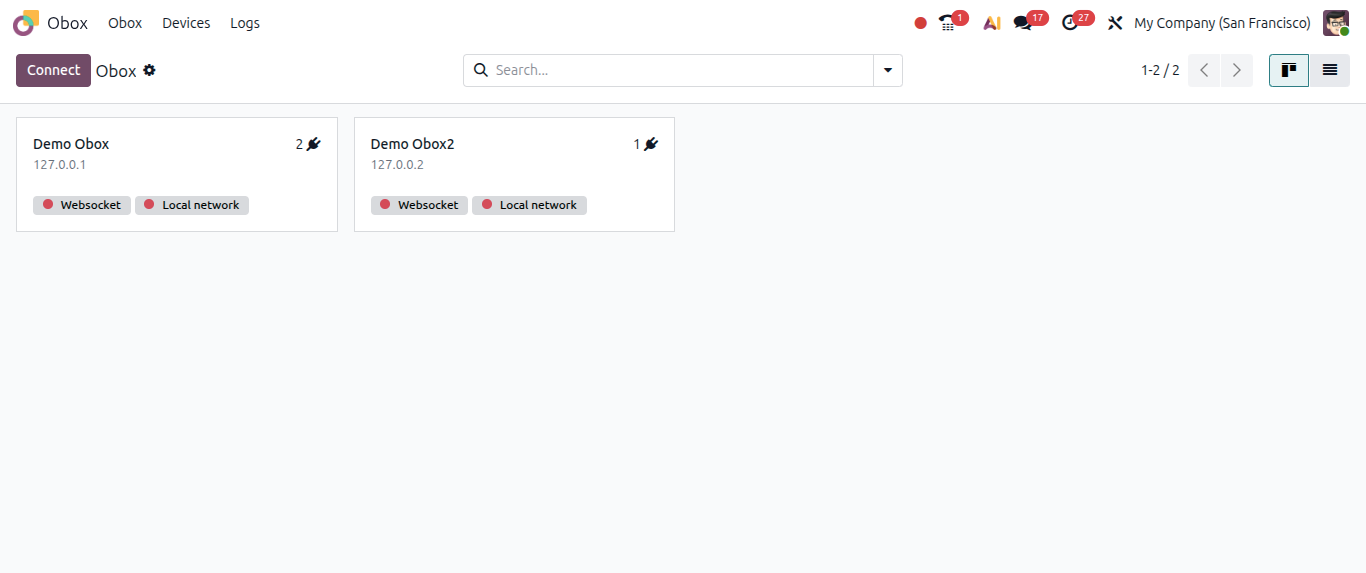
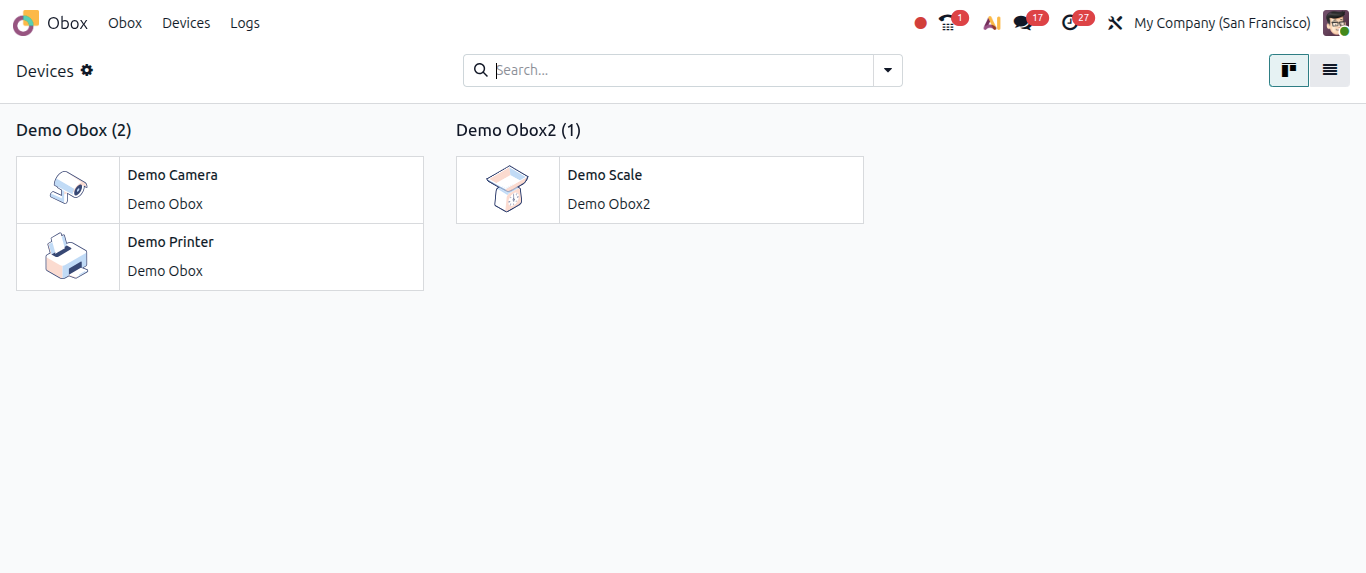
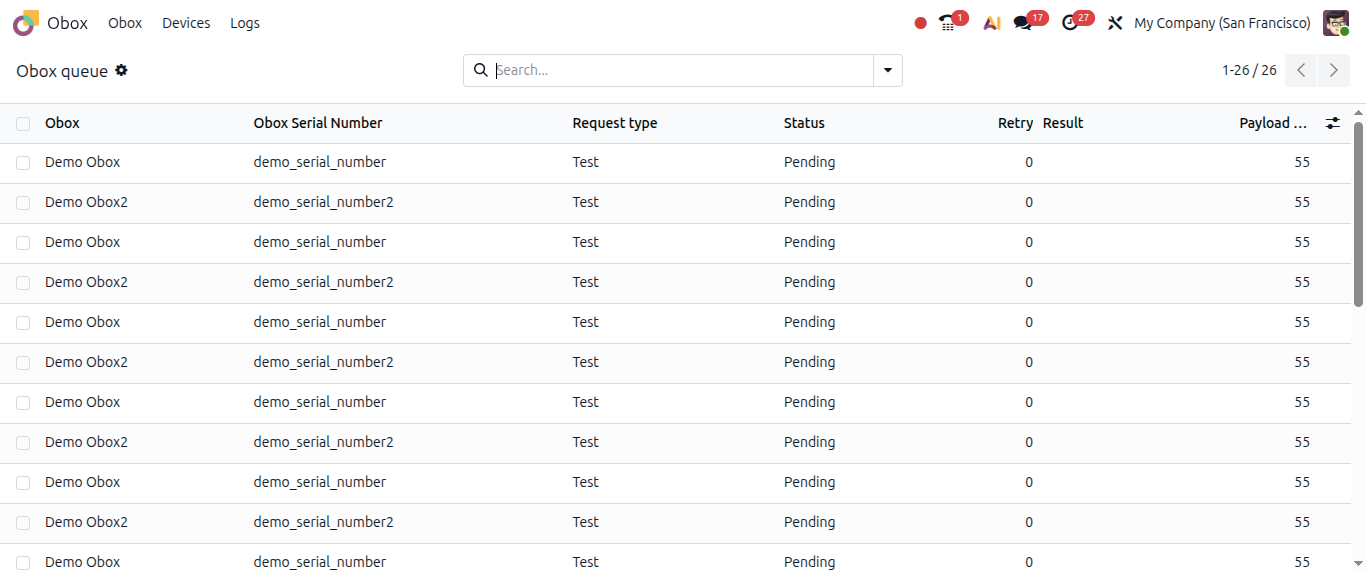
Obox App:
One of the latest additions in Odoo is the new Obox Management Module, bringing centralized management for Odoo IoT Boxes directly inside Odoo. For businesses using hardware integrations such as:
- Receipt Printers
- Weighing Scales
- Payment Terminals
- Barcode Scanners
- Shop Floor Devices
Share view:
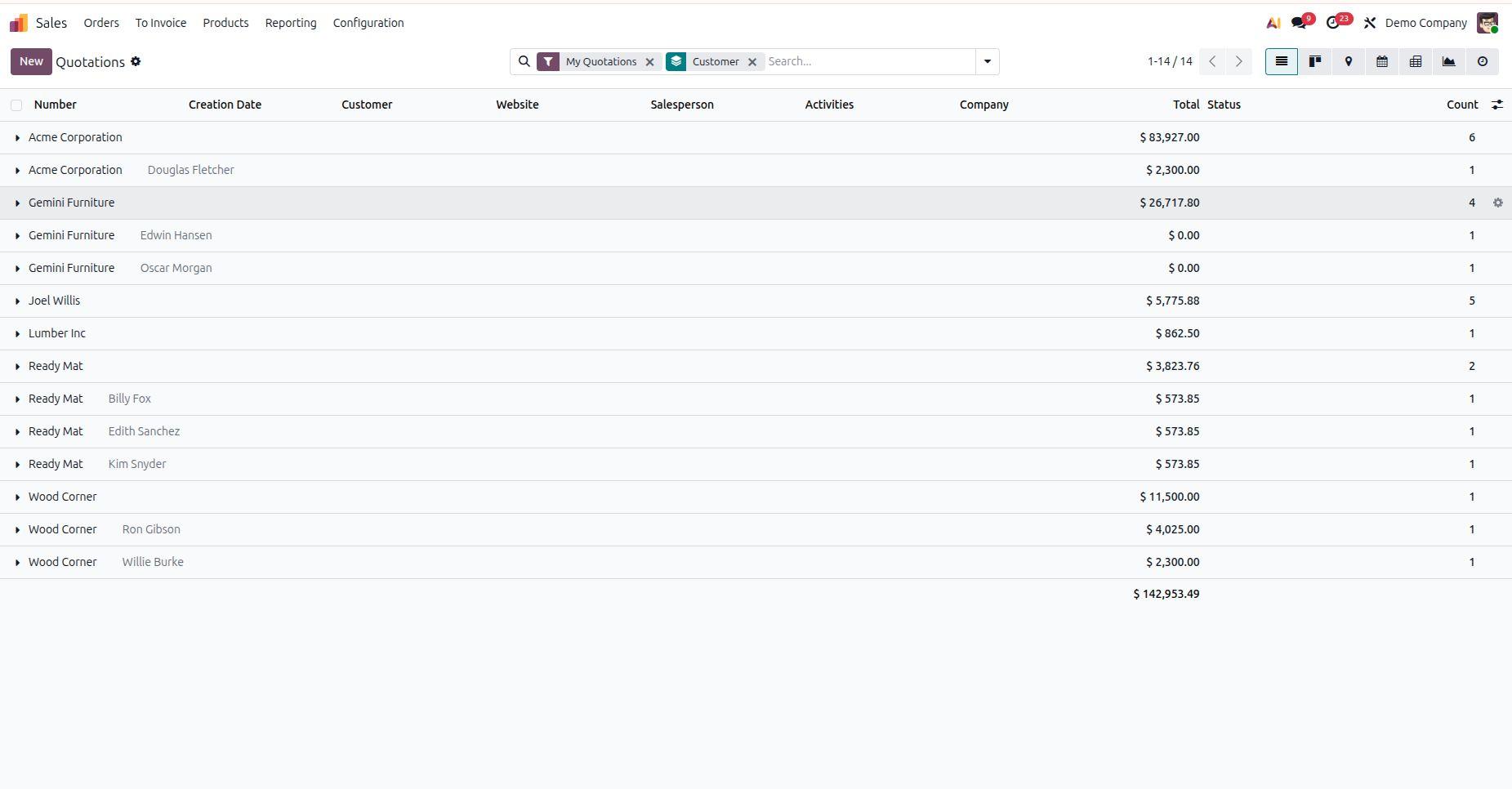
A small but useful productivity improvement in Odoo 20.
You can now copy a URL that includes your current search filters and groupings, making it easy to share the exact same view with teammates.
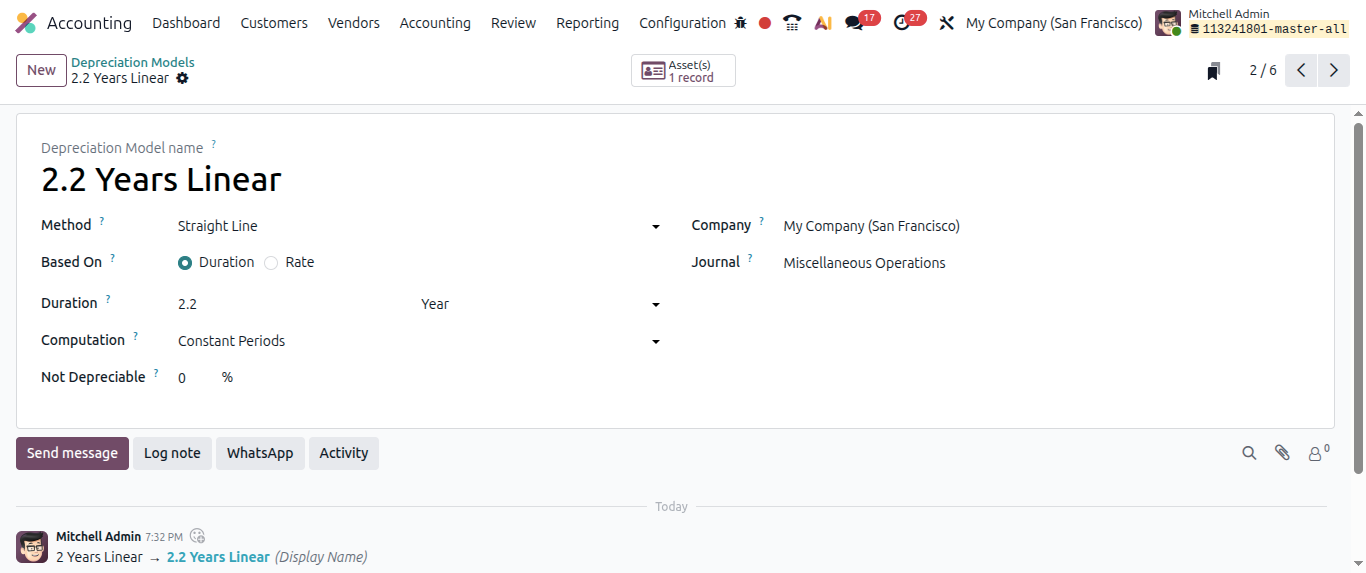
Asset depreciation models support decimal years:
We cn define Asset depreciation calculation based on duration or on rate
Now while configuring Asset depreciation models, user can define Asset duration in the decimal number of years, like 2.2 years.
Odoo 20 Spreadsheet New Expected Features:
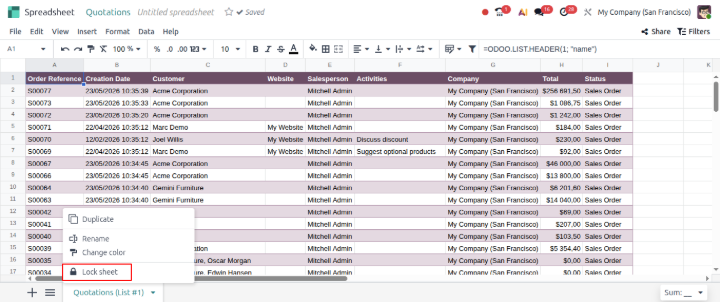
Lock Spreasheet tab:
Now user will be able to lock spreadsheet tab.
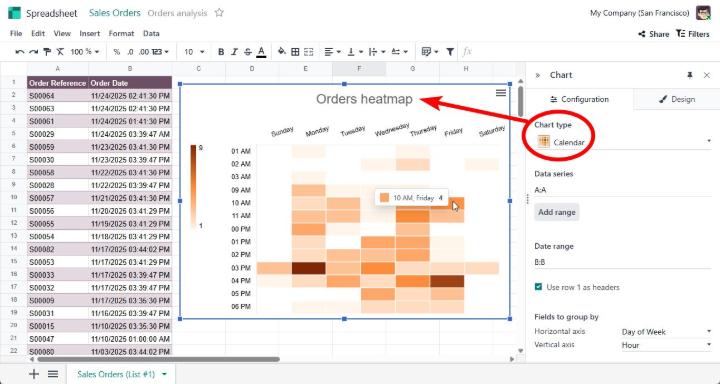
Calendar Chart:
Now in Odoo spreadsheet, user can use calendar chart.
Odoo 20 Technical New Expected Features:
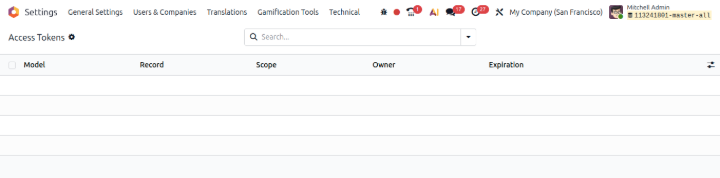
Centralized Access tokens:
One of the latest improvements in Odoo 20 is the introduction of a centralized Access Token API. Previously, modules that relied on access tokens implemented their own logic for token generation and validation. While functional, this led to inconsistencies, duplicated code, and varying security practices across modules.
What's New?
- Centralized token management through ir.access.token
- Simple developer API exposed directly on BaseModel
- Token scopes for fine-grained permission control
- Optional expiration dates for enhanced security
- User-specific tokens when needed
- Backward compatibility with existing tokens through the manual_token field
Product search optimization
Upcoming improvements in Odoo 20 are looking really exciting 🚀
One of the latest optimizations focuses on product search performance in large databases. ⚡
The Odoo has significantly improved the name_search method.
Heavy database queries have been replaced with a much more efficient approach.
The impact is massive:
• 8 seconds → 5ms on a database with 2.5M products
• 1.8 seconds → 5ms on 500k product templates
Especially valuable for:
• Large inventories
• High-volume ERP environments
• Faster product lookup across Sales, Purchase, POS, etc.
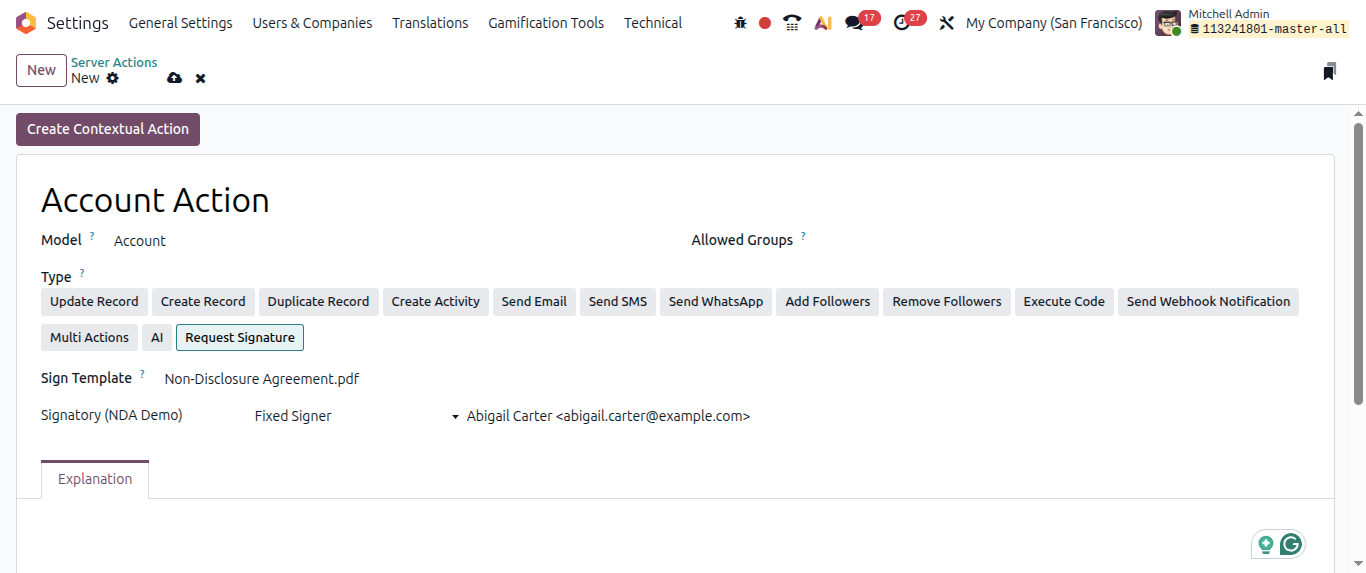
Reuest for a signature - server action
In Server action users will be able to select Server action as Request a signature
Conclusion:
In conclusion, Odoo 20 brings smarter automation, improved usability, AI-powered capabilities, and enhanced business management tools for modern B2B companies. From accounting to inventory and CRM, these new features help businesses improve productivity, reduce manual work, and scale operations more efficiently.


